How do I keep a certain, chosen brush stroke when drawing new path?
-
When drawing In Adobe Illustrator, the pen keeps the current brush in memory, and thus, If I initially select a stroke with specific brush charistics, it applies these when drawing a new path.
I cant make VS do the same: It only stores the width and color in memory, but not the current brush.
Is there a VS' option I miss?

-
@Raaskot When using the Brush tool, the current brush will be the brush of the last selected object.
If a different object is selected after selecting a brush, the current brush is updated from the selected object.
This can be disabled by unchecking the "Update Default Styles" option in Settings -> Selection
-
@VectorStyler
I can't replicate your information. VS won't pick up style of last selected object. Is it a bug?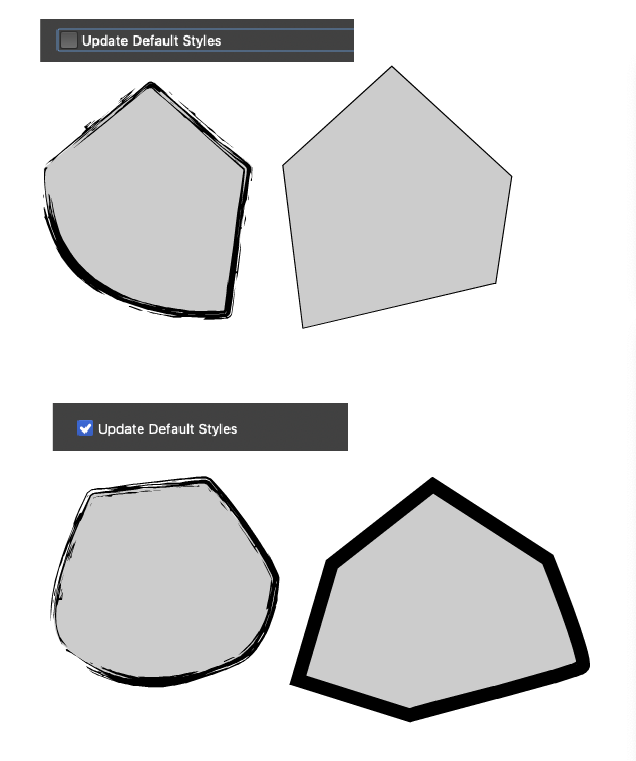
-
@Raaskot Was the Brush tool used to draw those shapes on the right side?

-
@VectorStyler
No, the first tool at the left

-
@Raaskot Yes, that tool does not keep the brush, you can apply only afterwards
-
@VectorStyler
Hm, figured it out. It must be set here ...