Selecting all nodes between two points
-
I'm mostly work with text and often transform into curves to make some adjustments. In example below I would like to move a part of curve limited by two points to the right. I could select them one by one or by lasso, but it becomes tricky when path is complicated and have many points. Would be great to seIect first and the last point to select everything in between.
This can make it difficult to identify which part we want to select. Therefore, for now, I'm thinking of a solution based on three points: a starting point, an ending point, and one point in between, which would serve to define the range.
I coud not find this anywhere in VS .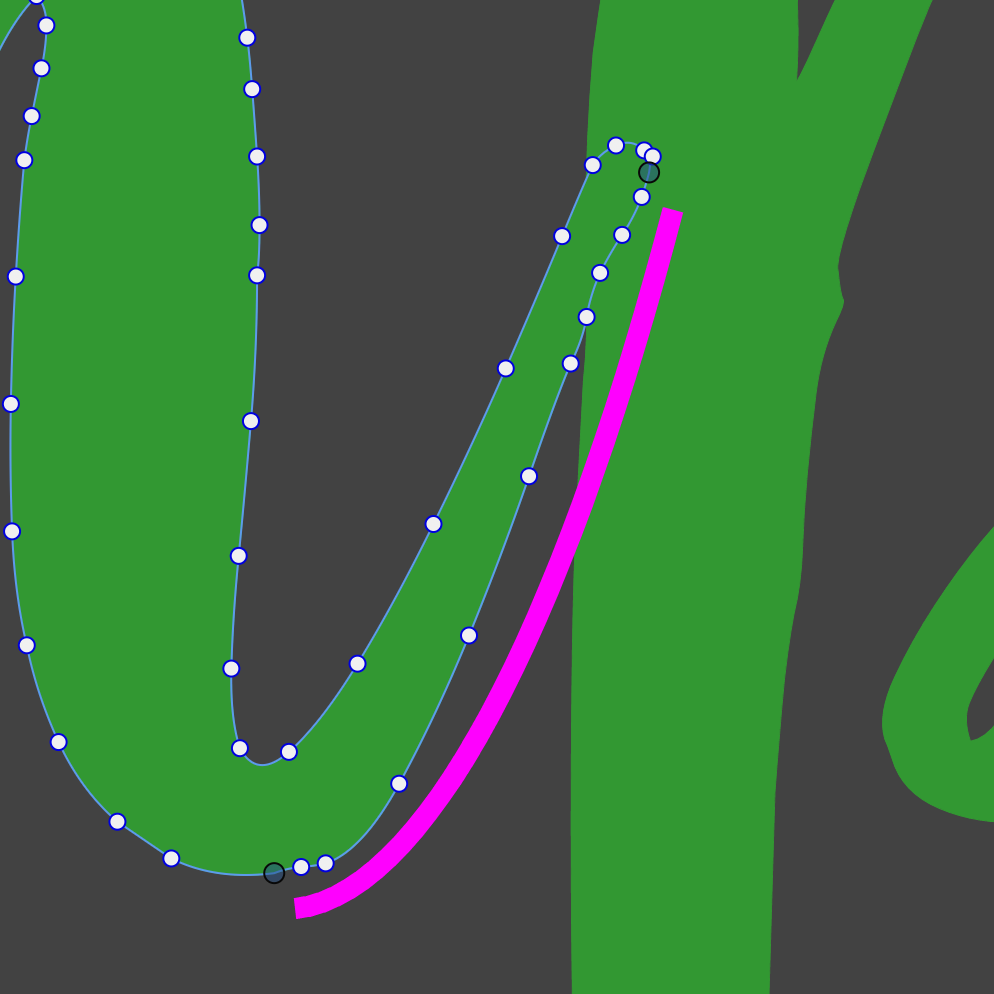
Edit: I see my mistake. Three points don't make much difference unless you consider the order in which they are selected.
-
@encart said in Selecting all nodes between two points:
I coud not find this anywhere in VS .
No such feature. I will add this to the backlog.
The problem is with closed paths, it is always difficult to infer the intent of the user when it comes to selections.
-
@VectorStyler There’s a feature in Inkscape that should work perfectly for this scenario. After clicking and holding a node, scroll the mouse wheel upward to select adjacent nodes and keep extending the selection along that direction. Scroll downward, and it will select nodes in the opposite direction. The selection stops right at the node where you leave the mouse wheel, which should greatly streamline this operation
-
Coreldraw allows to select consecutive nodes on a path by holding shift and then selecting both the node for the start of the section and beginning, it will select all that exist inbetween... vs Ctrl which selects individually


