VectorStyler
    • Categories
    • Unread
    • Recent
    • Tags
    • Popular
    • Register
    • Login

    Extra point on shape.
    Scheduled Pinned Locked Moved General Discussion
    4 Posts 3 Posters 4.4k Views 3 Watching
    Loading More Posts
    • Oldest to Newest
    • Newest to Oldest
    • Most Votes
    Reply
    • Reply as topic
    Log in to reply
    This topic has been deleted. Only users with topic management privileges can see it.
    • J Offline
      Jayanta Das
      last edited by

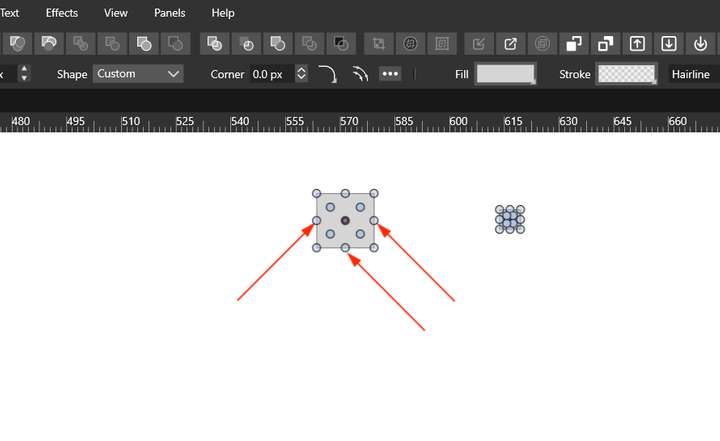
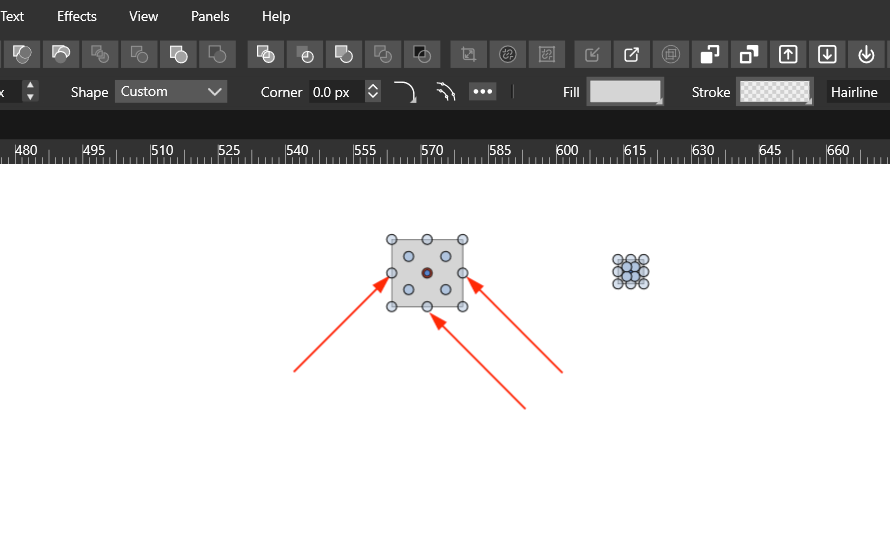
      0_1652939075034_SS1.png

      In the above Screenshot, if we decrease the size as second shape I think its unnecessary to show those points and corner rounding point.

      Mac Mini M4 Pro | 24Gb
      WIndows 11 | Intel i5 11Gen
      Wacom Intuos Pro

      VectorStylerV 1 Reply Last reply Reply Quote 2
      • VectorStylerV Offline
        VectorStyler @Jayanta Das
        last edited by

        @Jayanta-Das Added this to the backlog

        1 Reply Last reply Reply Quote 0
        • J Offline
          Jayanta Das
          last edited by

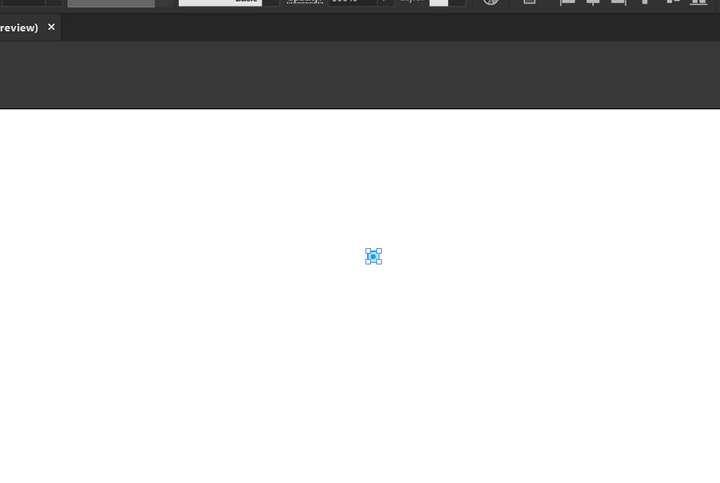
          0_1652939546042_Screenshot 2022-05-19 111918.png

          This is from AI.

          Mac Mini M4 Pro | 24Gb
          WIndows 11 | Intel i5 11Gen
          Wacom Intuos Pro

          S 1 Reply Last reply Reply Quote 0
          • S Offline
            SaskiaHong @Jayanta Das
            last edited by

            That makes sense. I've noticed extra points can sometimes appear after certain shape operations or conversions, even when they're not obvious at first. Checking the node count after editing is a good habit and can save some confusion later on.

            1 Reply Last reply Reply Quote 0
            • First post
              Last post