Feature Request: Zero-gap Divide using no-fill / no-stroke cutter
-
I would like Boolean Divide to support using a no-fill, no-stroke object as a zero-width cutter.
This is a standard Illustrator workflow and it is useful when you need to split artwork into separate closed shapes without removing any area between them.
Example:
Place a rectangle or path over the artwork.
Set the cutter rectangle to no fill / no stroke.
Select the artwork and cutter .
Apply Divide.
The artwork is split into separate closed objects, but the pieces still meet on the exact same boundary.In VectorStyler, a cutter with a stroke creates a physical gap because the stroke width becomes part of the Boolean geometry. With no stroke, Divide does not currently produce the cut.
The Knife Tool and other workarounds can get close, but they are not as efficient when cutting multiple filled objects, outlined shapes, or more complex artwork.
Requested behavior:
Allow Divide to recognize the vector path of a no-fill / no-stroke object
Treat that path as zero-width cutting geometry
Split all intersected shapes into separate closed objects
Preserve 100% of the original filled area
Create no gap along the cut
Support both open paths and closed cutter shapesThis would make Divide much more useful for logo construction, spot-color artwork, screen-print separations, and any situation where adjacent shapes need to meet exactly.
My screenshot shows the type of setup I mean. The vertical rectangle should act only as the division geometry, without removing any fill from the shapes below it.
There is also an older related discussion here:
“Use an Empty path like the knife tool to cut a shape with no visible gap”
I think adding this directly to Divide would be a cleaner and more predictable solution than relying on workarounds.
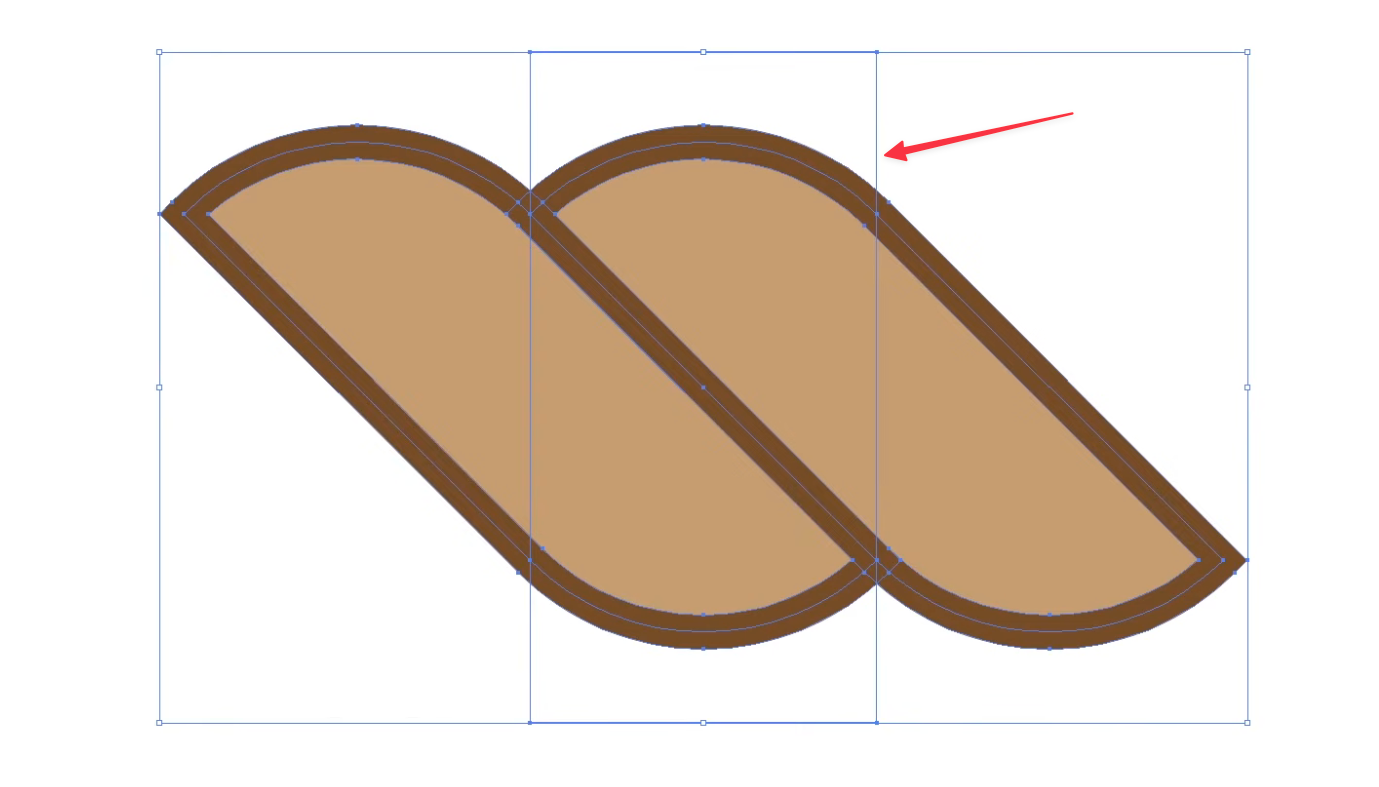
This is how it looks in VS without this option. The white divide lines are visible util I merge all of it down. :
-
@Boldline I added this to the backlog
-
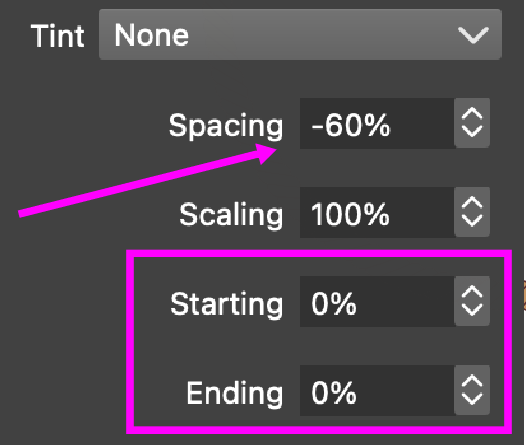
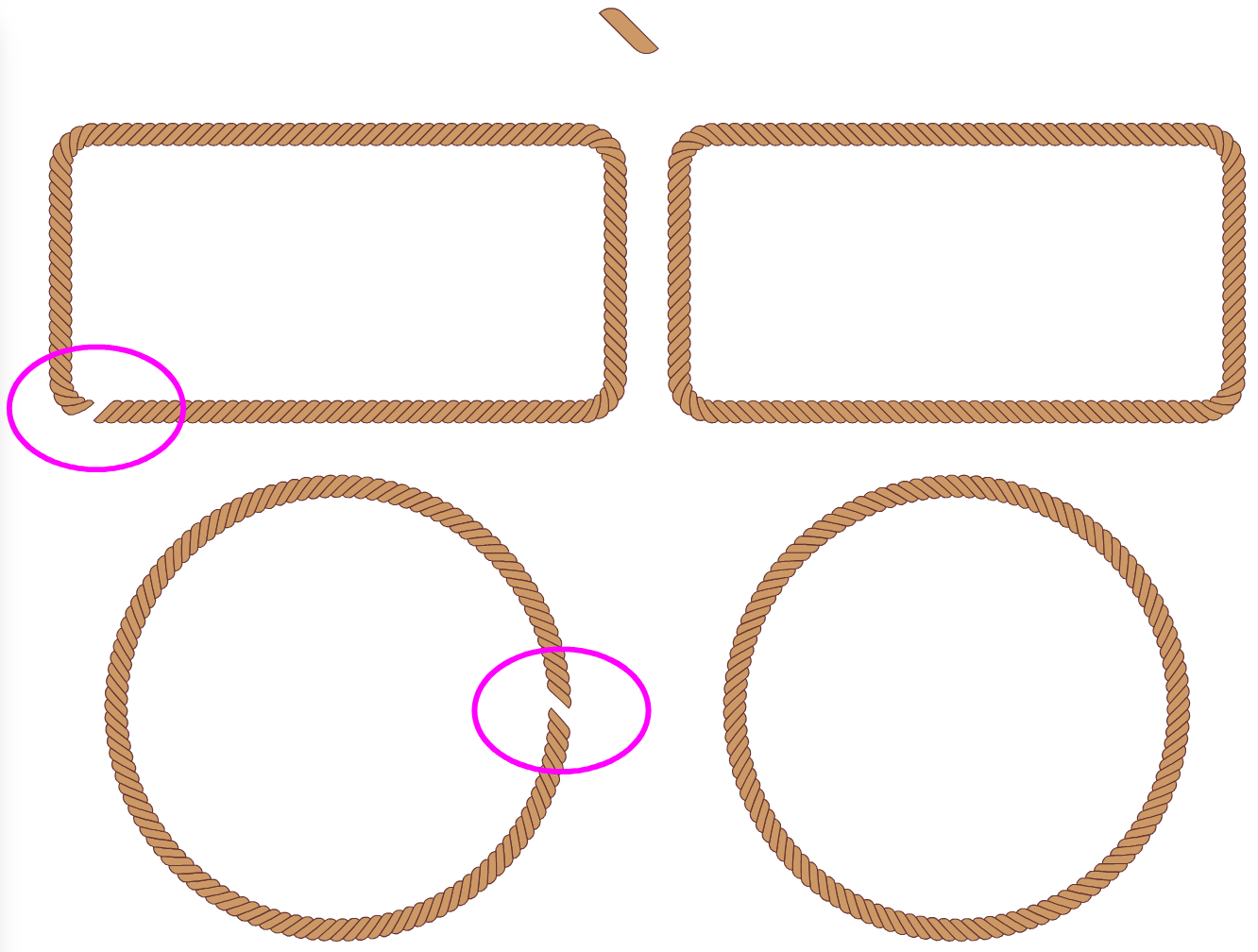
@VectorStyler It would be even better if Starting and Ending for Pattern Brush could support negative values just like Spacing does.
-
@Li-Xiao I will try to add this

