Visual Selection Box Indicators for Groups, Clipping Masks, and Live Effects
-
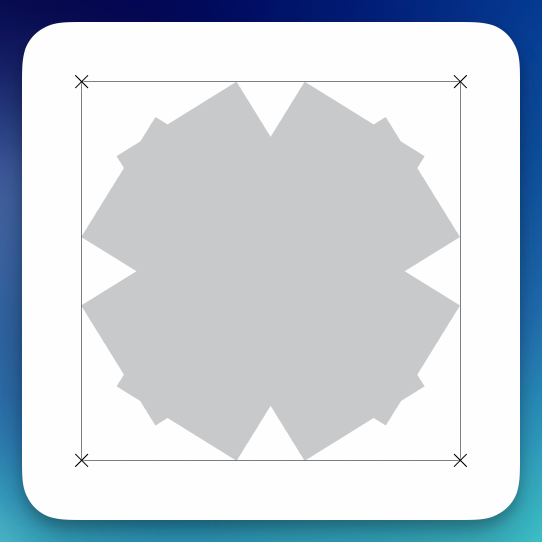
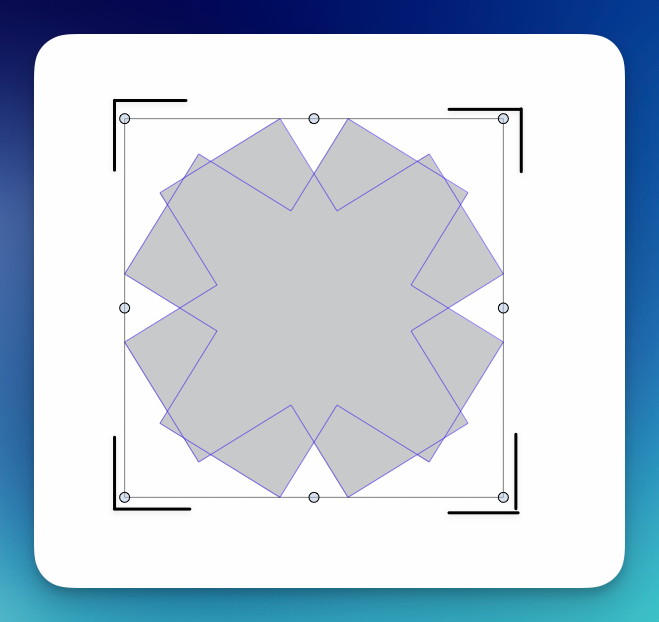
I would like to suggest adding different visual indicators to the selection bounding box based on the structure or properties of the selected object.
VectorStyler already uses an “X” in the corners of the bounding box to show that an object is locked. I find this useful because it communicates important information directly on the canvas, without requiring me to inspect the Layers or Appearance panels.
Could this idea be expanded to other object states?
For example:
- Group: additional L-shaped corner brackets outside the normal bounding box, similar to the example image.
- Clipping group or clipping mask: inward-facing corner marks, or another clipped-corner symbol.
- Live effect applied: a small effect symbol or secondary line along one corner.
- Symbol instance: a small diamond or linked-corner indicator.
- Compound or composite object: a double-line corner treatment.
- Locked object: retain the existing X indicators.
The exact symbols are open to improvement. The main idea is to create a consistent visual language that lets the user recognize what kind of object has been selected without having to stop and examine the Layers, Appearance, or Object panels.
This would be especially useful when working with complex artwork containing nested groups, clipping groups, live effects, and ordinary paths that may look identical on the canvas. It could also help prevent accidentally transforming an entire group when the user believes a single object is selected, or expanding or editing something without realizing that a live effect is still active.
Because some states can overlap, such as a group that also has an active effect, the indicators should be able to appear together. One possible approach would be to reserve different parts of the bounding box for different categories:
- Outer corner marks for object structure, such as groups
- Inner corner marks for clipping
- A small edge or corner badge for live effects
- The existing X marks for locking
These indicators should remain subtle and could possibly be controlled by an option such as Show Object-Type Indicators in Selection Box.
The attached example shows one possible group indicator using extra lines around the four corners. This is only an initial visual idea, but I think some form of immediate on-canvas identification would make complex selections much easier to understand.
-
@Boldline Added to the feature backlog, but maybe after 1.4

