VectorStyler
    • Categories
    • Unread
    • Recent
    • Tags
    • Popular
    • Register
    • Login

    update 1.3.026

    Scheduled Pinned Locked Moved Announcements and News
    20 Posts 5 Posters 182 Views 4 Watching
    Loading More Posts
    • Oldest to Newest
    • Newest to Oldest
    • Most Votes
    Reply
    • Reply as topic
    Log in to reply
    This topic has been deleted. Only users with topic management privileges can see it.
    • VectorStylerV Offline
      VectorStyler @monsterfox
      last edited by

      @monsterfox said in update 1.3.026:

      @VectorStyler Has the issue where rectangles get styled after rotating 90 degrees not been fixed yet?

      Not yet.

      1 Reply Last reply Reply Quote 0
      • BoldlineB Online
        Boldline @VectorStyler
        last edited by

        @VectorStyler Thank you for fixing these issues and continuing to improve VS reliability with boolean operations, effects, text handling, color management, and GPU editing. These were all good ones to knock out!

        🍎 macOS Tahoe 26.2, Mac mini (M1, 2020), Chip Apple M1, Memory 16 GB
        Cintiq 27QHD Display and LG Ultra HD Display

        1 Reply Last reply Reply Quote 3
        • 861475_VctSt8 Offline
          861475_VctSt @VectorStyler
          last edited by

          @VectorStyler

          スクリーンショット 2026-09-14 11.44.16.png
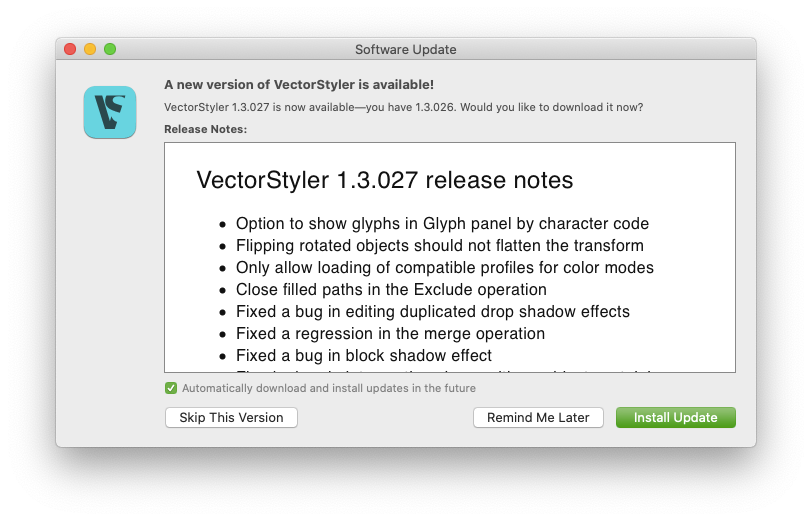
          After launching VS, a notification for the version 1.3.027 update appears. However, no matter how many times I try, it remains at version 1.3.026. Even after downloading the file from the web and replacing the existing one, it still shows as version 1.3.026.
          Checking the details of the downloaded file also shows it as version 1.3.026.
          Could the download link for version 1.3.027 be broken?

          LIc. 0 OS10.15.8
          MacBook Air (13-inch, Mid 2012) / Intel Core i5, 8GB / Intel HD Graphics 4000
          LIc. 1 OS15.8.1
          MacBook Pro (14-inch, 2023) / Apple M2 Pro, 16GB / Apple GPU

          VectorStylerV 1 Reply Last reply Reply Quote 1
          • VectorStylerV Offline
            VectorStyler @861475_VctSt
            last edited by

            @861475_VctSt Will be fixed

            1 Reply Last reply Reply Quote 0
            • VectorStylerV Offline
              VectorStyler
              last edited by

              I uploaded a fix for a bug, and the version is now 1.3.027

              BoldlineB 1 Reply Last reply Reply Quote 2
              • BoldlineB Online
                Boldline @VectorStyler
                last edited by

                @VectorStyler said in update 1.3.026:

                I uploaded a fix for a bug, and the version is now 1.3.027

                Thank you for fixing the bug. I had noticed the flip option copied the selection even when the option key was not used. That is fixed now!

                🍎 macOS Tahoe 26.2, Mac mini (M1, 2020), Chip Apple M1, Memory 16 GB
                Cintiq 27QHD Display and LG Ultra HD Display

                1 Reply Last reply Reply Quote 1
                • L Offline
                  Li Xiao @VectorStyler
                  last edited by

                  @VectorStyler

                  • Fixed an error in editing text with translated UI

                  this issue still requires further fixing.

                  There is still an issue across all UI input fields when typing in Chinese. After Chinese characters are committed via the IME, the text remains highlighted selected. As a result, subsequent keystrokes keep replacing previously entered text unless an arrow key is pressed to deselect it.

                  English input works as expected. This behavior only occurs on Windows tested across multiple Chinese IMEs with the same result and does not happen on MacOS.

                  VectorStylerV 1 Reply Last reply Reply Quote 1
                  • VectorStylerV Offline
                    VectorStyler @Li Xiao
                    last edited by

                    @Li-Xiao said in update 1.3.026:

                    There is still an issue across all UI input fields when typing in Chinese

                    Do these issues occur when editing a text object on the canvas?

                    L 2 Replies Last reply Reply Quote 0
                    • L Offline
                      Li Xiao @VectorStyler
                      last edited by

                      @VectorStyler

                      Do these issues occur when editing a text object on the canvas?

                      This issue does not occur on the canvas.

                      However, there are two bugs with vertical text Chinese and mixed Chinese English text on the canvas that need fixing. I will try to make time over the weekend to record a video demonstrating them.

                      1 Reply Last reply Reply Quote 1
                      • L Offline
                        Li Xiao @VectorStyler
                        last edited by

                        @VectorStyler Two issues here: cursor positioning and its alignment with vertical text are broken

                        Vertical Text.vstyler

                        https://youtu.be/vapx7PBzOUc

                        VectorStylerV 1 Reply Last reply Reply Quote 1
                        • VectorStylerV Offline
                          VectorStyler @Li Xiao
                          last edited by

                          @Li-Xiao said in update 1.3.026:

                          Two issues here: cursor positioning and its alignment with vertical text are broken

                          This is a bug, I will try to fix it as soon as possible.

                          L 3 Replies Last reply Reply Quote 1
                          • L Offline
                            Li Xiao @VectorStyler
                            last edited by

                            @VectorStyler Might as well make some improvements to Frame Text as well

                            https://youtu.be/_URRsQ_dk34

                            1 Reply Last reply Reply Quote 1
                            • L Offline
                              Li Xiao @VectorStyler
                              last edited by

                              @VectorStyler Vertical text still has a baseline deviation issue that needs improvement: when 'Automatic Vertical Roman' is enabled, letters and numbers deviate from the baseline.

                              Vertical Roman.vstyler

                              https://youtu.be/HnGOX77g3eE

                              VectorStylerV 1 Reply Last reply Reply Quote 1
                              • L Offline
                                Li Xiao @VectorStyler
                                last edited by

                                @VectorStyler Another cursor bug in Vertical text (shown in the video): after deleting '竖排', the cursor sits between '2' and '3' instead of behind '3'.

                                https://youtu.be/EVZW0RNx9Gc

                                1 Reply Last reply Reply Quote 1
                                • VectorStylerV Offline
                                  VectorStyler @Li Xiao
                                  last edited by

                                  @Li-Xiao said in update 1.3.026:

                                  @VectorStyler Vertical text still has a baseline deviation issue that needs improvement: when 'Automatic Vertical Roman' is enabled, letters and numbers deviate from the baseline.

                                  Vertical Roman.vstyler

                                  https://youtu.be/HnGOX77g3eE

                                  @Li-Xiao Can you send me the font used in this example. I could not replicate the problem with the fonts I have.

                                  L 2 Replies Last reply Reply Quote 0
                                  • L Offline
                                    Li Xiao @VectorStyler
                                    last edited by Li Xiao

                                    @VectorStyler

                                    @Li-Xiao Can you send me the font used in this example. I could not replicate the problem with the fonts I have.

                                    I only have around twenty Chinese fonts installed on my computer. After testing, only a few of them stay on the baseline, while the vast majority shift off it. These same shifting fonts do not deviate from the baseline in Illustrator or CorelDraw. Here are the download links for two free for commercial use Chinese fonts that reproduce this offset for your testing.

                                    https://github.com/Hansha2011/NanoTikBazHei/releases/tag/1.0

                                    https://github.com/feiyangjun-1/Sumr-Sans/releases/tag/0.1

                                    Vertical Roman 2.vstyler

                                    There are plenty of free for commercial use Chinese fonts available here: https://github.com/zispace/hanzi-fonts-ext

                                    1 Reply Last reply Reply Quote 1
                                    • L Offline
                                      Li Xiao @VectorStyler
                                      last edited by

                                      @VectorStyler
                                      In version 1.3.032, testing with the roughly twenty Chinese fonts installed on my system shows noticeable improvement over before. Most are now just slightly off-center, leaning a tiny bit to the left. However, a Japanese font, Jigmo (https://kamichikoichi.github.io/jigmo/), is shifted way too far to the left.

                                      There are still issues with the cursor display and its placement.

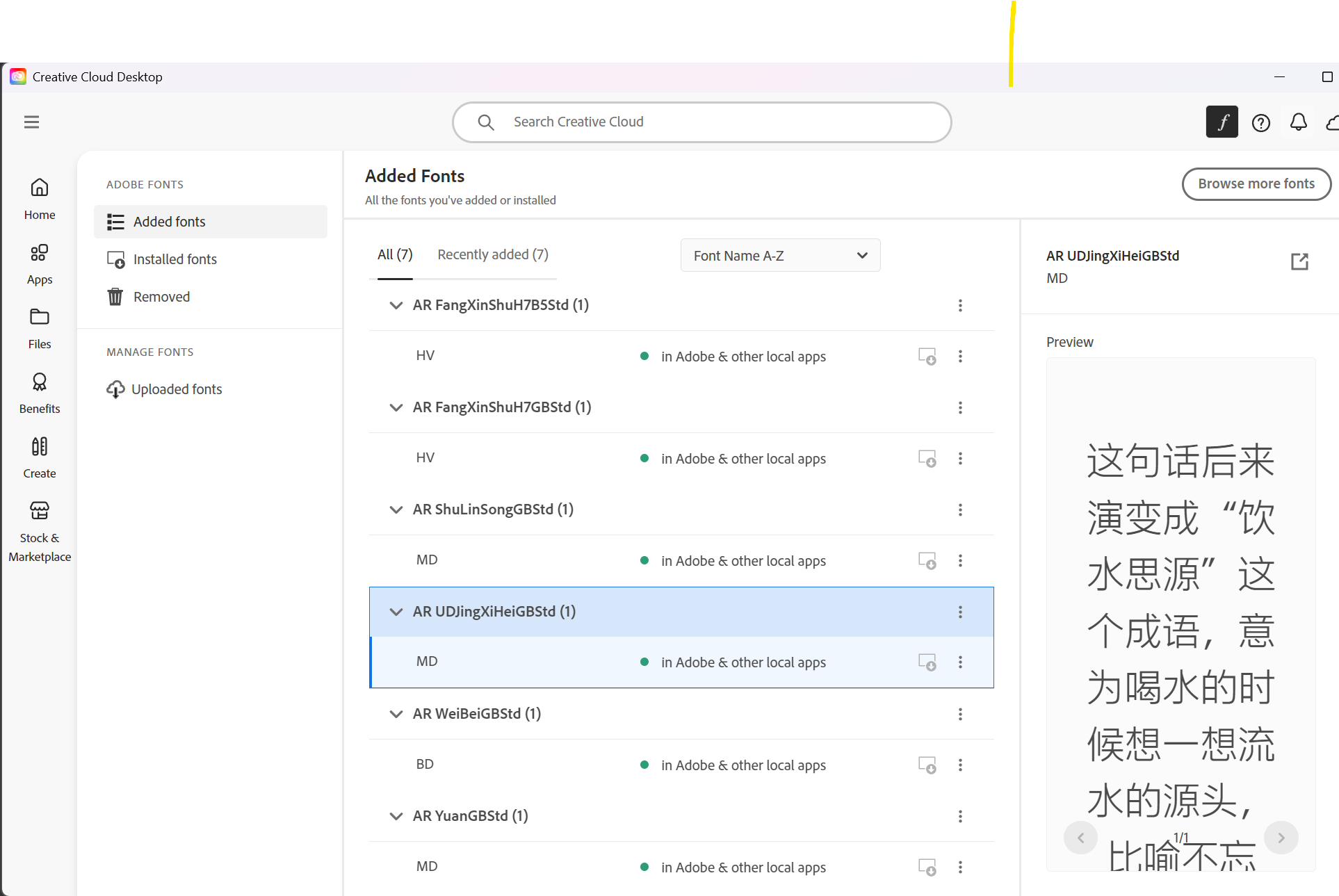
                                      Arphic Chinese fonts are not working in VectorStyler, but they work fine in other apps.
                                      https://fonts.adobe.com/foundries/arphic-technology-co-ltd
                                      https://www.morisawa-arphic.com.tw/en/
                                      AR.png

                                      It would be much more convenient if a language filter could be added to font selection, just like in Illustrator or CorelDraw.

                                      Vertical Roman 3.vstyler

                                      https://youtu.be/qMvqE_eyfLI

                                      VectorStylerV 1 Reply Last reply Reply Quote 1
                                      • VectorStylerV Offline
                                        VectorStyler @Li Xiao
                                        last edited by

                                        @Li-Xiao I will try to fix these

                                        1 Reply Last reply Reply Quote 1
                                        • First post
                                          Last post