Adjust Stroke Width of Multiple Selected Nodes Simultaneously
-
Would it be possible to add the ability to adjust the path width of multiple selected nodes simultaneously using the Stroke Width Tool?
Currently, when multiple nodes are selected, adjusting the width at one node does not allow other nodes to be selected, much less edited.
What I'd like is the ability to select several nodes along a path and have their widths increase or decrease in unison when dragging a single width handle.
Ideally, the adjustment would apply equally to all selected nodes while leaving unselected nodes unaffected. This could also preserve the relative width differences between selected nodes when applicable.
This would make editing variable-width strokes much faster, particularly when trying to maintain consistent widths across multiple points without having to adjust each one individually.
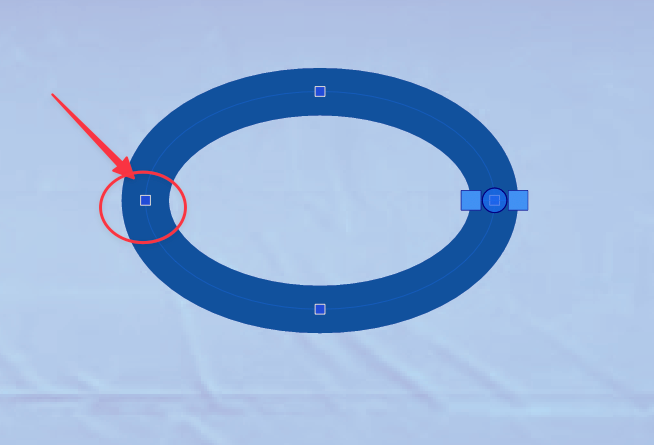
I've attached a screenshot showing the selected nodes and the width handle I'm referring to.
Would this be possible to implement as an option for the Stroke Width Tool?
