Feature request for a Clip to Art option in VectorStyler's Vector Halftone panel
-
I wanted to follow up on my earlier request about partial halftone dots at object edges. VectorCraft has a Clip to Art checkbox in its Vector Halftone panel that shows how this could work in VectorStyler.
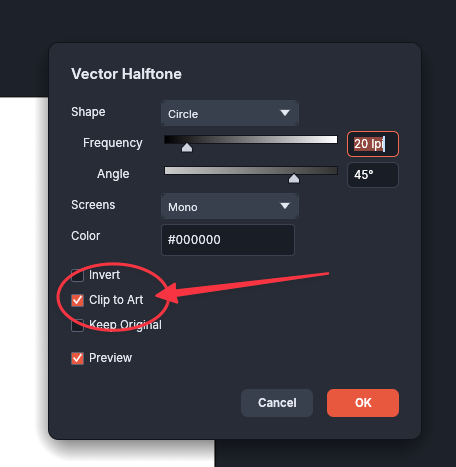
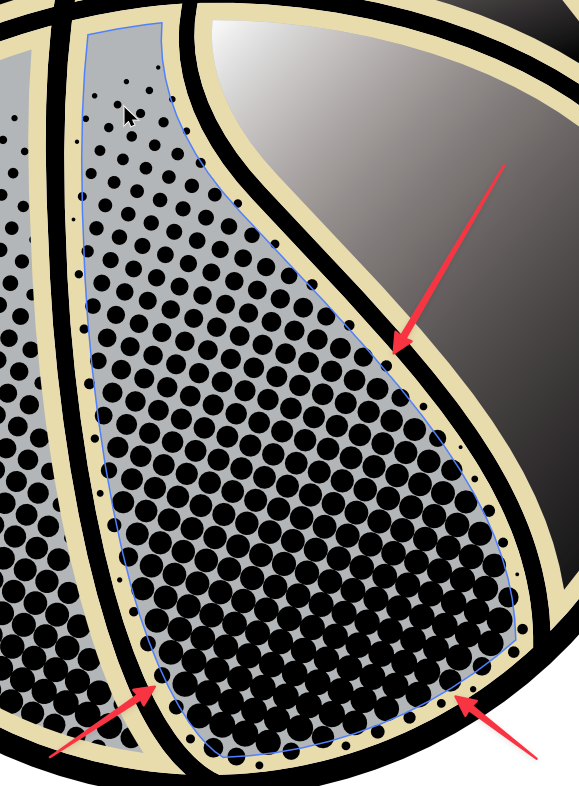
Could VectorStyler add a similar checkbox to its Halftone panel? With it enabled, the dot pattern could extend past the object boundary and be clipped to the shape. Any dot that crosses the edge would show only the portion inside the shape, even if its center falls outside.
For screen-print artwork, this would let the pattern run right up to the edge without having to create an oversized halftone and clip it manually. I prefer VectorStyler’s halftone controls overall and would like to be able to do this directly while keeping the effect live and editable.
Here is a video showing how it is done in the halftone panel in Vectorcraft
(For the record, I prefer the Halftone features in VS over Vectorcraft)
