VectorStyler
    • Categories
    • Unread
    • Recent
    • Tags
    • Popular
    • Register
    • Login

    Placing obcjects along the path

    Scheduled Pinned Locked Moved Questions and Support
    3 Posts 2 Posters 4.6k Views
    Loading More Posts
    • Oldest to Newest
    • Newest to Oldest
    • Most Votes
    Reply
    • Reply as topic
    Log in to reply
    This topic has been deleted. Only users with topic management privileges can see it.
    • encartE Offline
      encart
      last edited by

      I would like to put little circles around the circle. So that they touch each other. Is there any method that can change the number of objects? I mean, for example, a situation where I first mark a small circle and choose the path on which it should be laid and I am able to change the number of objects live. So as to complete the circumference of the circle.
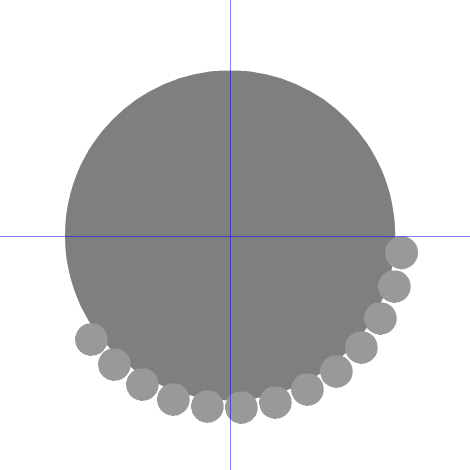
      0_1629884024759_screenshot_20210825_113152.png

      MacBook Air M4 24Gb, Tahoe 26.2

      VectorStylerV 2 Replies Last reply Reply Quote 0
      • VectorStylerV Offline
        VectorStyler @encart
        last edited by

        @encart Using Blend effect should do that, but it uses the whole ellipse: https://recordit.co/Sk54ujQ0cu

        Otherwise, align to path (alignment panel), but cannot adjust the number of objects.

        1 Reply Last reply Reply Quote 0
        • VectorStylerV Offline
          VectorStyler @encart
          last edited by

          @encart Or maybe, a proportional pattern brush, created from the small circle and applied on the large one is the best option.


          1 Reply Last reply Reply Quote 0
          • First post
            Last post