Vertical Type Options
-
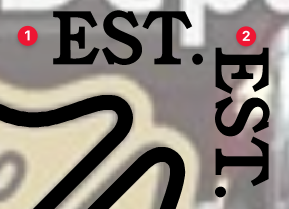
After I type out text I want to ultimately be vertically placed (#1), if I go to Text>Vertical Text, it makes it look like #2. Is there an option to have it look as it does in the next image?
🍎 macOS Tahoe 26.2, Mac mini (M1, 2020), Chip Apple M1, Memory 16 GB
Cintiq 27QHD Display and LG Ultra HD Display -
@Boldline Rotating the horizontal text by -90 degrees
-
@Boldline
@Vectoradmin
VS does not appear to have a direct formatting feature for vertical formatting of single-byte alphabets.If you are in a Japanese environment, you can input 2-byte alphabets for vertical formatting as usual.
However, single-byte alphabets cannot be used.
(fig)
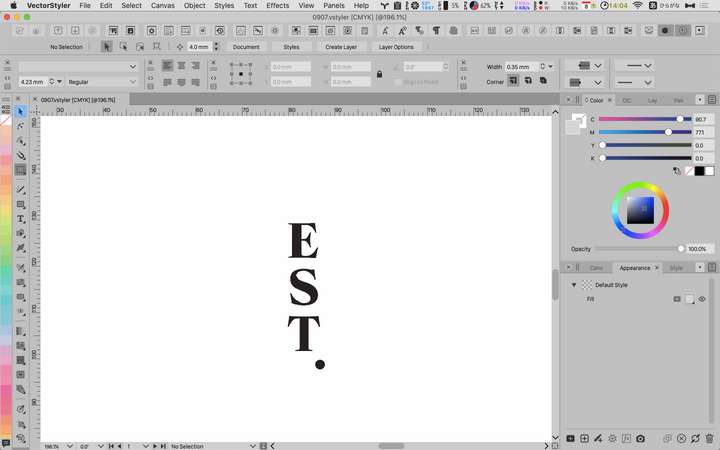
Since there is a font specification, we have no choice but to use TIPs.
A)
For single line vertical formatting
I think your method is the most common.B)
Type "EST." in horizontal format.
Insert a space (10% vertical) between each ward character.
Text>Vertical Text
One character at a time
Text>Japanese Text Option>tate-chu-yoko
Adjust the appearance of the entire stringC)
Draw a vertical path
Enter text along the path
Rotate each character with Character Tool.
Adjusting the appearance -
@861475_VctSt @Boldline I completely misunderstood the original question. (the text should not be rotated).
With East-Asian options enabled, there is an "Auto Vertical Roman" option in the Japanese options of the Text -> Character Options view.
When enabled, Roman text is rotated automatically in vertical mode. Disable this option to have the text vertically but with normal orientation. -
@vectoradmin said in Vertical Type Options:
@Boldline Rotating the horizontal text by -90 degrees
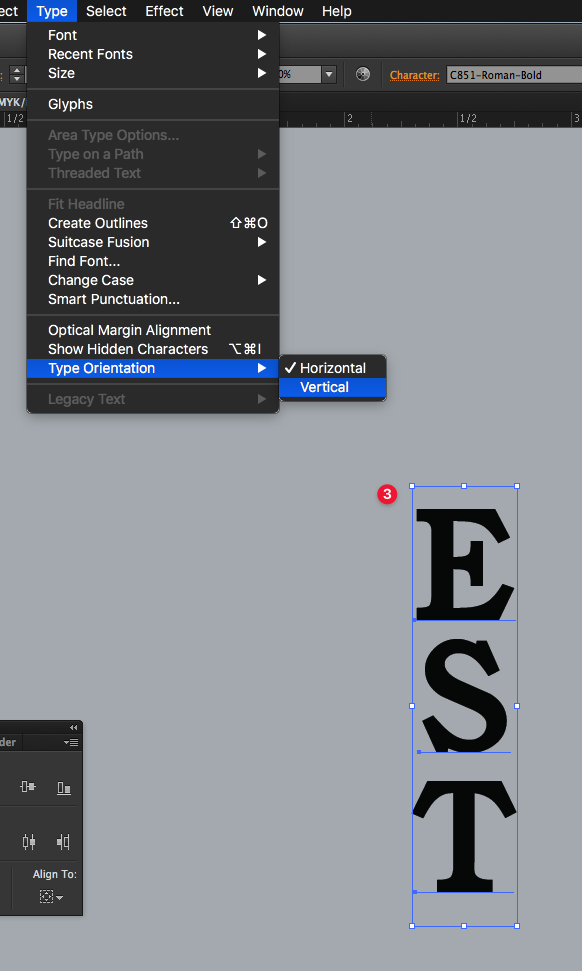
@vectoradmin You may have misunderstood my question. If you look at the text in the second picture marked #3, the text is facing upward like normal, but it's in a vertical stack. This is what I was expecting with the vertical text option
-
@Boldline You could try this.
https://recordit.co/7kHn3u06d1 -
@encart Thanks that's really helpful. VS has so much power and flexibility
-
I appreciate the different methods to achieve vertical text. I love the flexibility of direction and control is built in to VS. That said, there's an option available in VS for "vertical text"already built in that only rotates the text box 90 degrees. If I'm wanting text running vertically like this, I'm not going to go look for the "vertical text" option in the menu - I'm just going to grab it and rotate it.
What @encart demonstrated is great and I'll use that in the future - but that's a multi-step process and so to me, having that result be what defines "vertical text" makes more sense than just doing a simple rotate of the text box.
Here I am demonstrating the process in Illustrator. Text like this is most commonly how I do vertical text.In summary, I don't see the point in having the "vertical text" option listed at all, taking up space in the menu if all it does is a simple rotation of the text box. At least the option Illustrator gives is one click to accomplish a 2 step process. My vote is for making the vertical text option like what Illustrator offers
🍎 macOS Tahoe 26.2, Mac mini (M1, 2020), Chip Apple M1, Memory 16 GB
Cintiq 27QHD Display and LG Ultra HD Display -
@Boldline I found another workaround. https://recordit.co/dO6LKMkGj7
Agree with you about the way how changing orientation should works. -
@Boldline I will have to find a better default for the "Auto Vertical Roman".



