Help needed.The position of objects relative to the last selected obejct
-
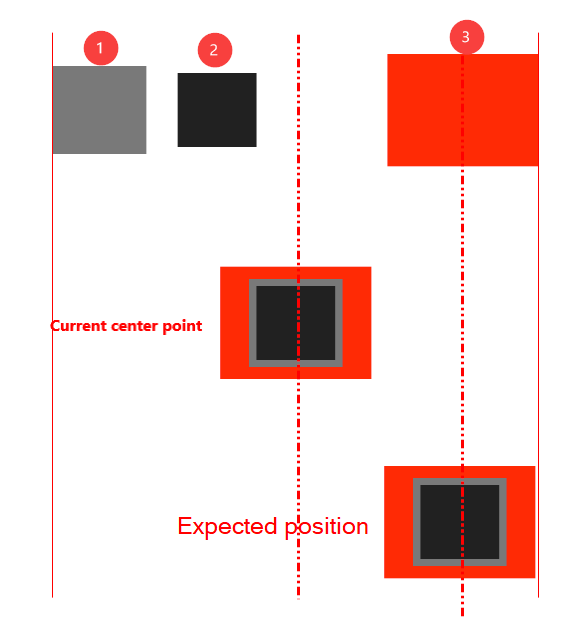
I had an idea to align objects relative to the selection order. When I wrote the post and prepared the graphics, I checked and this option is already in the Alignment panel settings
 . Huge
  for you @vectoradmin. However, I do not know if it works as it should. I've been trying to configure it for a few minutes, but I can't. I would like the align of objects to be based 100% on the position of the last selected object. Can you guide me?
-
@encart For this, you must align to a key object, and specify the key object by clicking:
steps from the video: https://recordit.co/R83pZ7gBOA
- select the objects
- select key object mode (second in the left group at the panel bottom).
- click on the key object, in this case object 3 on your picture.
- click the alignment buttons.

