Selecting node handles is difficult at certain zoom levels
-
It is hard to select a node handle at what I would consider a normal zoom level - the only answer is to zoom in much further
Is there a way to make this easier?
Even trying to just double click the node handle to make it a sharp edge is not easy🍎 macOS Tahoe 26.2, Mac mini (M1, 2020), Chip Apple M1, Memory 16 GB
Cintiq 27QHD Display and LG Ultra HD Display -
There are many options for personalizing nodes. Personally, I also like larger ones, so I increased the size to 160% and changed the default colors to contrasting. You can also increase the outline size. Take a moment and you will find the settings that are right for you
https://recordit.co/MnkQapdikX
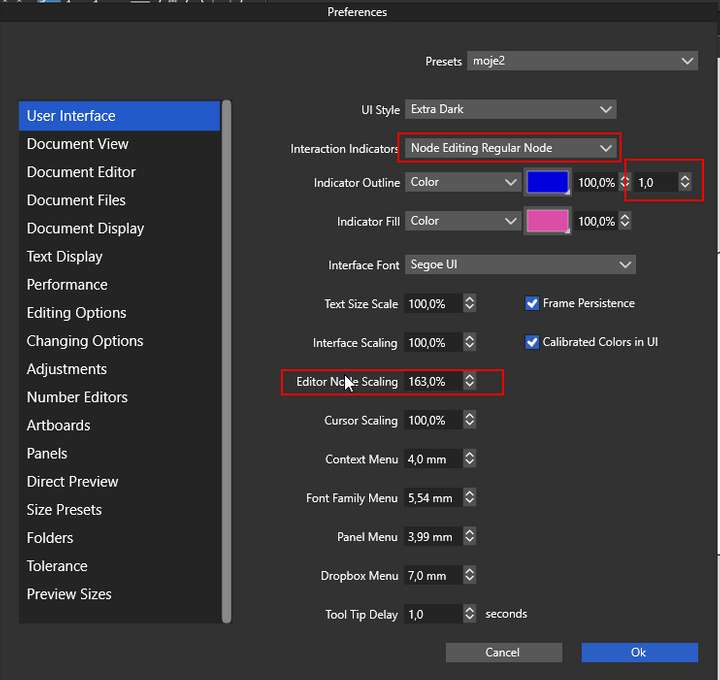
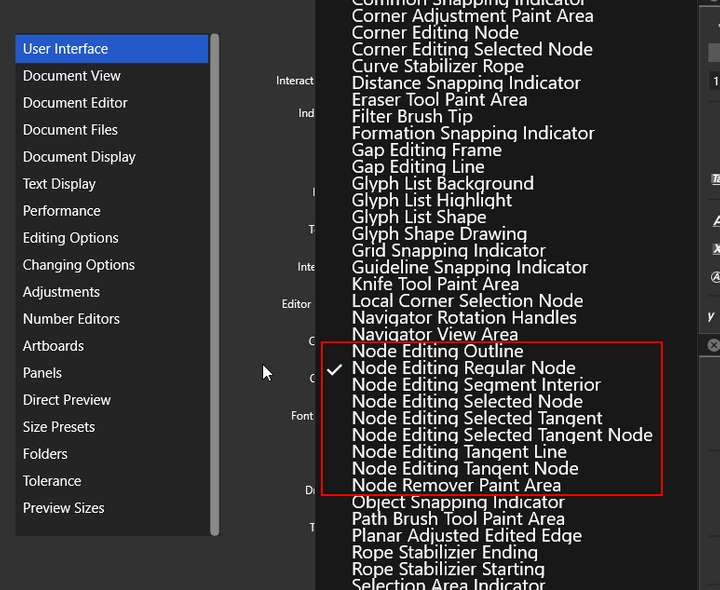
-
@encart I appreciate what you shared - I had not realized the depth of customization that can be made - its powerful for sure. I had gone in and adjusted the node size overall before - but not all that!
Now with that said, I am not convinced the issue is with the size of the nodes/handles. I went ahead and bumped up the node and handle size to what you have your settings at. I was able to get the first troublesome node, but subsequent ones were just as difficult as before to select, even as I was carefully clicking on them directly.
I may just have to zoom in more - it felt like there should be another solution -
@Boldline So maybe, instead of increasing the size of the nodes , it would be better to change the cursor's behavior. Let's say there would be an invisible zone around the cursor tip that would make it easier to select nodes. Maybe that's the problem. Cursor's tip active area should be larger.
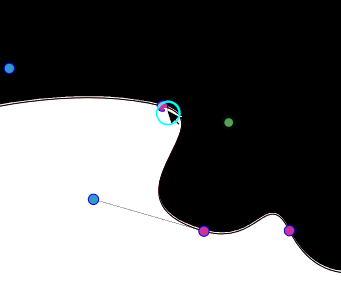
Circle is far to big, but I just want to show the idea.In my opinion that may be the right way.
Edit:
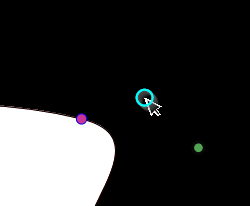
-
@Boldline I think this could be caused by the curve control point being too close to the node.


