VectorStyler
    • Categories
    • Unread
    • Recent
    • Tags
    • Popular
    • Register
    • Login

    New artboard setting show pts instead of preset unit of measurement

    Scheduled Pinned Locked Moved Questions and Support
    2 Posts 2 Posters 3.5k Views
    Loading More Posts
    • Oldest to Newest
    • Newest to Oldest
    • Most Votes
    Reply
    • Reply as topic
    Log in to reply
    This topic has been deleted. Only users with topic management privileges can see it.
    • BoldlineB Offline
      Boldline
      last edited by Boldline

      I completed the "new document setup" and set everything to inches, my preferred unit of measurement aside from font and stroke settings (then I use pts)
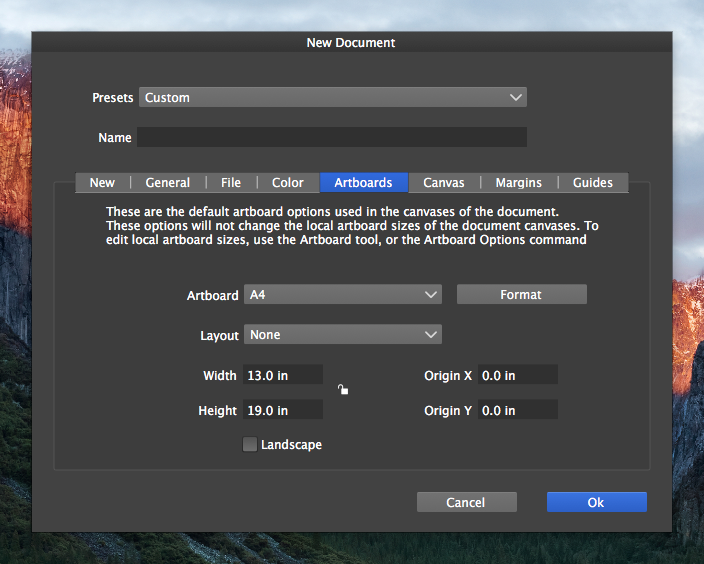
      0_1633603281660_75e24afc-ddd4-4c0b-b7f6-8b9bf62ef9af-image.png
      0_1633603325948_ac6ea35a-a09a-4b87-867c-7f771f73d9bd-image.png
      If I then go to make an additional artboard, it's still showing in pts for some reason.
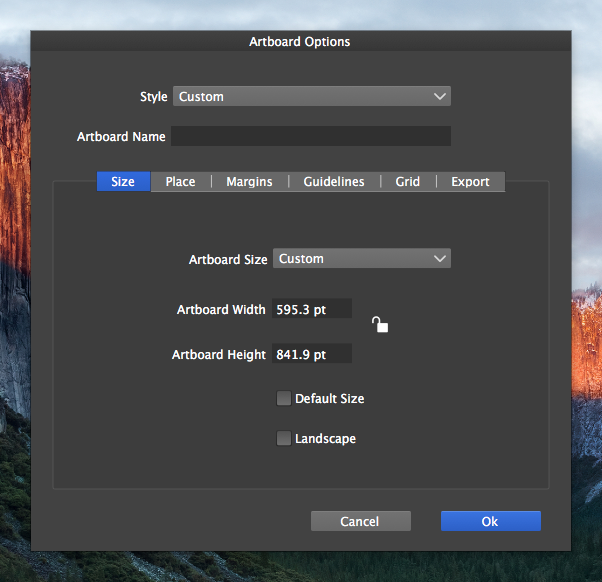
      0_1633603099104_c505840e-eee5-4fe7-b06e-606c82e621fc-image.png

      Also, when I go into canvas options, it shows the artboard is a different sizing than what it actually is. Or is this showing random settings of a new canvas? Wouldn't these all be inches by default since I set that as the default earlier on for everything?
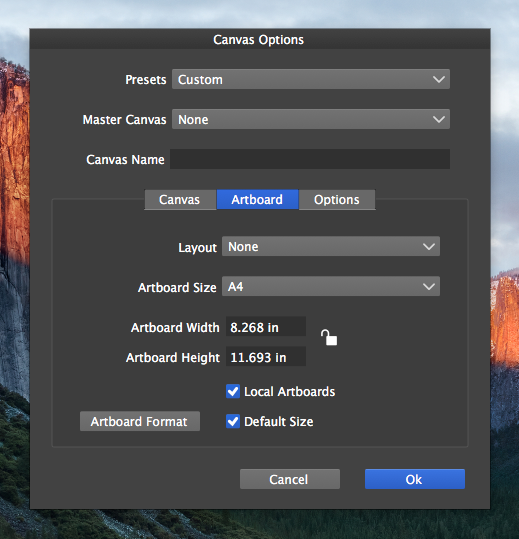
      0_1633603548602_eaa75ec4-53c8-4080-b5f3-fb8eb8d01030-image.png

      🍎 macOS Tahoe 26.2, Mac mini (M1, 2020), Chip Apple M1, Memory 16 GB
      Cintiq 27QHD Display and LG Ultra HD Display

      VectorStylerV 1 Reply Last reply Reply Quote 0
      • VectorStylerV Offline
        VectorStyler @Boldline
        last edited by

        @Boldline This looks like some sort of bug. I will have to replicate it.

        1 Reply Last reply Reply Quote 0
        • First post
          Last post