Document info location
-
Document info doesn't have to be a panel and its location is quite non-standard, so no one will discover or expect it in
Panels -> Editing -> Document Info
I would expect to find it in the File menu right below or above document info.

-
@Ingolf I'm not sure where the best place is for the document info - I don't mind it as a panel. At the moment, I like having it accessible docked next to the history panel in my workflow. this allows me to use the customizable info section to the left of the quick save button for telling me how many shapes I have selected instead of other things like time the file is opened, etc.
I'd still like to see an option in the future to add notes and hashtags to the file - Is the best way to do that in the document info panel?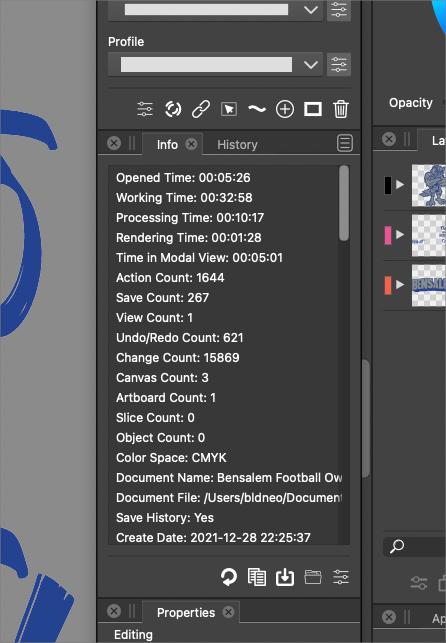
-
I also like the option now to hold down the option key and clicking on the file name tab to get it to open it's location in the finder.
Not that I can read minds - but I wonder if part of @vectoradmin 's hesitation to just add it to the file menu is avoiding "clutter" and taking up space.🍎 macOS Tahoe 26.2, Mac mini (M1, 2020), Chip Apple M1, Memory 16 GB
Cintiq 27QHD Display and LG Ultra HD Display -
@Boldline you mean to have "Reveal in Finder" in the File menu?
Yes, that is doable. The only trick is that on Windows it has to have a different name. -
@vectoradmin Originally when we were talking about this in another thread, I had imagined the best location for the "reveal in finder" to be in the file dropdown menu. I think @Ingolf was thinking in an attached text file like he linked to....
I don't mind at all the way it is currently with the option key - pressing the tab/document title. I like that it's a quick and subtle way to access it so whether it ends up in File Dropdown is less important to me personally - but do what you feel is best.Yes it would need to be called something else in the windows version if you added it this way
-
This type of document information is usually located in the file menu in other programs - where it belongs - people will look for it there unless there is an intuitive and logic other placement for it in the information and feature architechture in VS - and there isn't. At some point in time VS needs a place to enter author info and metadata too.
The clutter in the file menu is actually not clutter - it is more the lack of submenus or a more centralized approach to export - validate and the export section and is a section that could easily be simplified.
-
@Boldline This should be available now


