Can I add custom keyboard shortcuts to Boolean operations?
-
What would be the easiest way to add custom keyboard shortcuts to some of the boolean operations?
🍎 macOS Tahoe 26.2, Mac mini (M1, 2020), Chip Apple M1, Memory 16 GB
Cintiq 27QHD Display and LG Ultra HD Display -
@Boldline
View > Customize > Keyboard Shortcuts
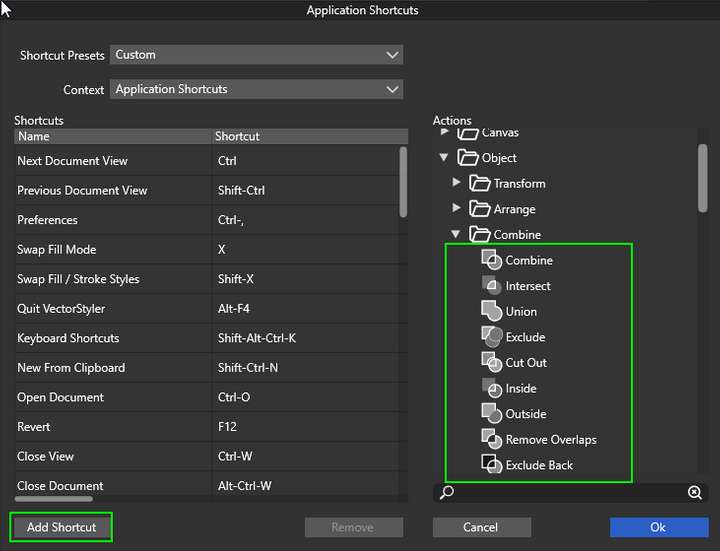
Then, In 'Actions' section go to Object> Combine. Select an operation and add it to shortcuts.
-
@Boldline Here's how:
- choose 'Keyboard Shortcuts' from the VectorStyler menu;
- choose 'Multiple Selected Objects' from the Context menu;
- expand the 'Object' folder in the column on the right, then its 'Combine' subfolder;
- choose let's say 'Union';
- click the 'Add Shortcut' button;
- click the right side of the new entry, under the 'Shortcut' column;
- press the key combination you want to assign;
- click 'OK'.
Quick video here: https://recordit.co/GoCw7pAMx4
-
@encart shows where to find keyboard shortcuts customization on Windows and I show where to find it on the Mac.

-
-
-
@Boldline It looks like if you add a shortcut with Option, you’ll get a composite object instead, so don’t use that if you want normal combine operation.


