VectorStyler
    • Categories
    • Unread
    • Recent
    • Tags
    • Popular
    • Register
    • Login

    Image Trace - ability to choose what colors are traced and what is ignored/converted to another color?

    Scheduled Pinned Locked Moved Questions and Support
    8 Posts 4 Posters 8.2k Views 3 Watching
    Loading More Posts
    • Oldest to Newest
    • Newest to Oldest
    • Most Votes
    Reply
    • Reply as topic
    Log in to reply
    This topic has been deleted. Only users with topic management privileges can see it.
    • BoldlineB Offline
      Boldline
      last edited by

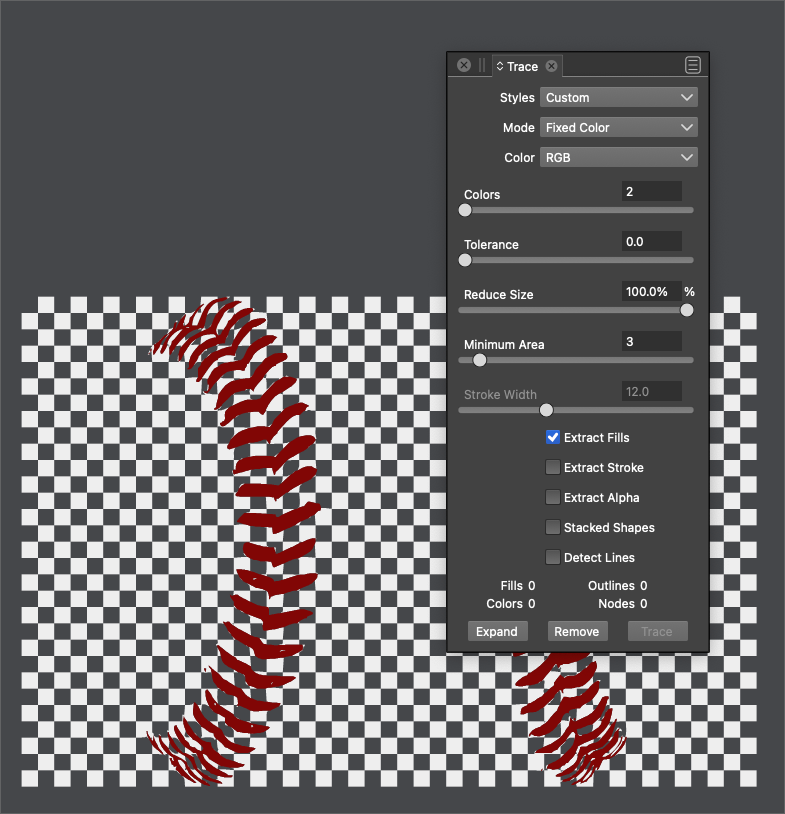
      Testing out the image trace, is there an option I'm missing where I can choose the colors I want VS to focus on and what ones to ignore?
      In this case study, the original image has a checkered pattern in the background that I would not need - just the red of the laces in front

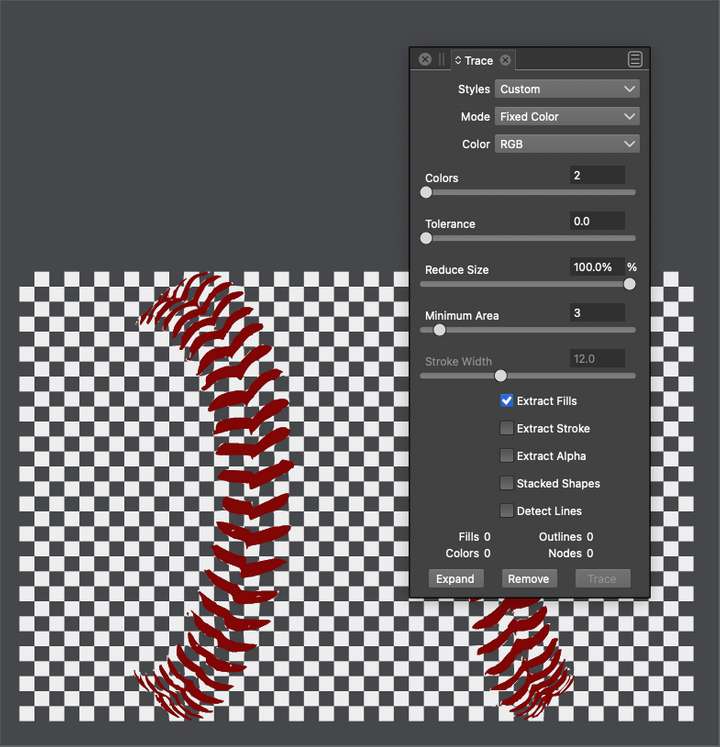
      0_1644440910599_4c6ee496-b29b-48d0-8333-1d93a4d61062-BLD 2022-02-09 at 16.08.21.png

      0_1644440875348_1316f46e-04aa-45e2-8295-8da0fb792bde-BLD 2022-02-09 at 16.07.41.png

      🍎 macOS Tahoe 26.2, Mac mini (M1, 2020), Chip Apple M1, Memory 16 GB
      Cintiq 27QHD Display and LG Ultra HD Display

      BoldlineB 1 Reply Last reply Reply Quote 1
      • BoldlineB Offline
        Boldline @Boldline
        last edited by

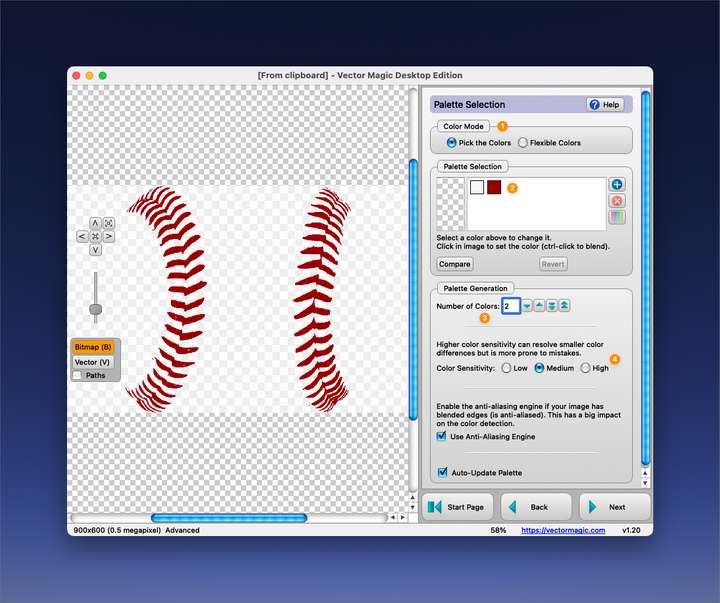
        This is how Vector Magic sets this up - giving the option to choose how many colors you want it to differentiate. Choosing two here makes it easier for Vectormagic to make all the light grays into white
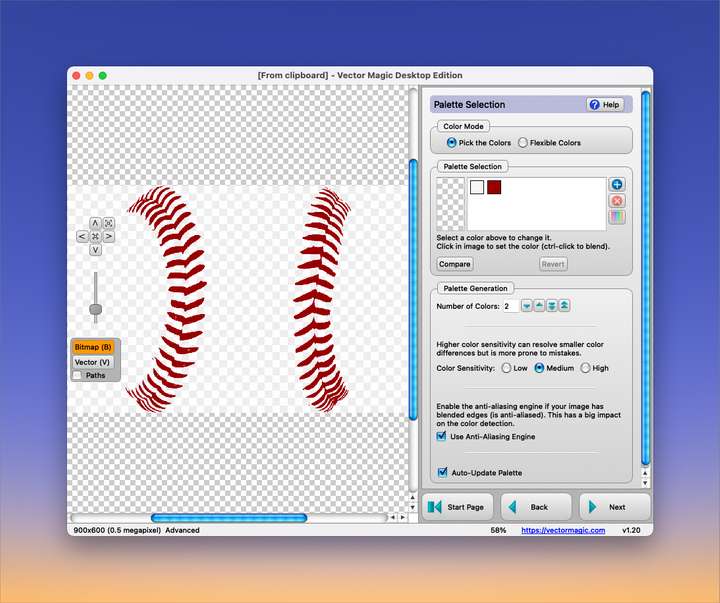
        0_1644444338634_906a2153-668c-44a8-8b9c-0868c0969a44-BLD 2022-02-09 at 17.03.56.png

        🍎 macOS Tahoe 26.2, Mac mini (M1, 2020), Chip Apple M1, Memory 16 GB
        Cintiq 27QHD Display and LG Ultra HD Display

        b77B 2 Replies Last reply Reply Quote 1
        • b77B Offline
          b77 @Boldline
          last edited by b77

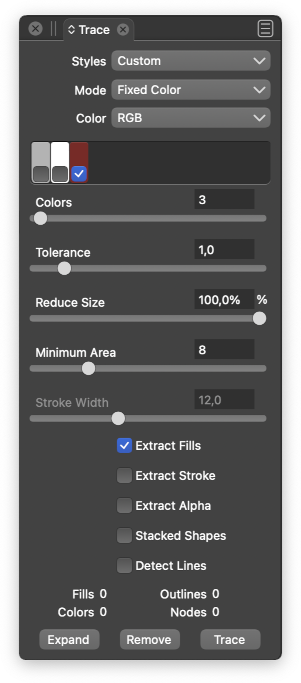
          @Boldline What would be an elegant way to do this? Displaying a few color swatches (picked from the bitmap) right under the Colors slider, each with a check box so you can easily uncheck it?

          MacBook Pro (Intel) running Monterey 12.6.4

          1 Reply Last reply Reply Quote 0
          • F Offline
            fde101 Global Moderator
            last edited by

            Not to discount the value of the proposed feature, but in the interim, I would think you could fairly easily use a photo editor to delete the gray squares by keying on saturation before processing with the vector trace algorithm?

            1 Reply Last reply Reply Quote 2
            • b77B Offline
              b77 @Boldline
              last edited by b77

              @Boldline Something like this maybe?

              0_1644451254973_clrs.png

              MacBook Pro (Intel) running Monterey 12.6.4

              BoldlineB 2 Replies Last reply Reply Quote 2
              • BoldlineB Offline
                Boldline @b77
                last edited by

                @fde101 said in Image Trace - ability to choose what colors are traced and what is ignored/converted to another color?:

                Not to discount the value of the proposed feature, but in the interim, I would think you could fairly easily use a photo editor to delete the gray squares by keying on saturation before processing with the vector trace algorithm?

                Yes absolutely, you could always find ways to reduce the confusion and make the VS vector trace work better by editing the image first in a raster editing program. totally agree

                🍎 macOS Tahoe 26.2, Mac mini (M1, 2020), Chip Apple M1, Memory 16 GB
                Cintiq 27QHD Display and LG Ultra HD Display

                1 Reply Last reply Reply Quote 0
                • BoldlineB Offline
                  Boldline @b77
                  last edited by

                  @b77 It depends on how advanced @vectoradmin wants to go with the internal vector trace abilities. What I really like in Vector Magic is that it first has the option to let the program pick the number of colors (1) and then below it, if you choose your own colors, you can see the colors it scanned (2) and then below that you can tell the program how many colors you want. Each time you add a color by the number input, Vector Magic scans the image and adds the next most likely desired color. you can select any of the colors and remove them. Then the level of sensitivity can be adjusted as well (4)
                  As @fde101 alluded to earlier, the higher the resolution of the source image, the better results
                  @b77 - your mockup us along the lines of what i was thinking. We'd need room for a large number of colors
                  0_1644456458415_15c9077f-da7e-4f43-bc96-c3c83f9b8547-BLD 2022-02-09 at 20.24.48.png

                  🍎 macOS Tahoe 26.2, Mac mini (M1, 2020), Chip Apple M1, Memory 16 GB
                  Cintiq 27QHD Display and LG Ultra HD Display

                  VectorStylerV 1 Reply Last reply Reply Quote 1
                  • VectorStylerV Offline
                    VectorStyler @Boldline
                    last edited by

                    @Boldline @b77 I will add this to the backlog.

                    1 Reply Last reply Reply Quote 1
                    • First post
                      Last post