VectorStyler
    • Categories
    • Unread
    • Recent
    • Tags
    • Popular
    • Register
    • Login

    Preview

    Scheduled Pinned Locked Moved Questions and Support
    28 Posts 5 Posters 40.9k Views 4 Watching
    Loading More Posts
    • Oldest to Newest
    • Newest to Oldest
    • Most Votes
    Reply
    • Reply as topic
    Log in to reply
    This topic has been deleted. Only users with topic management privileges can see it.
    • VectorStylerV Offline
      VectorStyler @861475_VctSt
      last edited by

      @861475_VctSt I will prioritize this, but it may take some time.

      1 Reply Last reply Reply Quote 1
      • 861475_VctSt8 Offline
        861475_VctSt @VectorStyler
        last edited by

        @vectoradmin

        VS 1.1.001
        Mac OS 10.15.7

        Thanks for adding Quicklook.
        However, Quicklook does not work.

        To test it, I took it out and put it in a given directory. Still it does not work.

        /Users/hara/Library/QuickLook/QuickLook.qlgenerator

        LIc. 0 OS10.15.8
        MacBook Air (13-inch, Mid 2012) / Intel Core i5, 8GB / Intel HD Graphics 4000
        LIc. 1 OS15.7.4
        MacBook Pro (14-inch, 2023) / Apple M2 Pro, 16GB / Apple GPU

        BoldlineB 1 Reply Last reply Reply Quote 0
        • BoldlineB Online
          Boldline @861475_VctSt
          last edited by

          @861475_VctSt It's working over here for me.
          Did you turn on "store preview" ahead of time?
          If you're opening files created prior to beta build 1.1, it's not going to work because preview images were not created for those files at that time. You also need to go into Document Setup and click the box for "Store Preview" so that a preview is created and saved with that specific file. If you set it in "new Document Setup" it will auto create a preview with each new file you make going forward.
          I don't know if going back to the old files and saving with "store preview" turned on would create a new preview for those or not - have not tried it yet.

          🍎 macOS Tahoe 26.2, Mac mini (M1, 2020), Chip Apple M1, Memory 16 GB
          Cintiq 27QHD Display and LG Ultra HD Display

          861475_VctSt8 1 Reply Last reply Reply Quote 0
          • 861475_VctSt8 Offline
            861475_VctSt @Boldline
            last edited by 861475_VctSt

            @Boldline

            Thanks.
            However, the progress indicator spins around but eventually shows the VS icon.

            Is there anything else I need to set other than
            Document Setup>General>Store Preview?

            LIc. 0 OS10.15.8
            MacBook Air (13-inch, Mid 2012) / Intel Core i5, 8GB / Intel HD Graphics 4000
            LIc. 1 OS15.7.4
            MacBook Pro (14-inch, 2023) / Apple M2 Pro, 16GB / Apple GPU

            VectorStylerV 1 Reply Last reply Reply Quote 0
            • VectorStylerV Offline
              VectorStyler @861475_VctSt
              last edited by

              @861475_VctSt What is your Mac setup?

              861475_VctSt8 b77B 4 Replies Last reply Reply Quote 0
              • 861475_VctSt8 Offline
                861475_VctSt @VectorStyler
                last edited by

                @vectoradmin

                MacBook Air (13-inch, Mid 2012)
                8 GB 1600 MHz DDR3
                Dual-Core Intel Core i5
                1.8 GHz

                Mac OS 10.15.17

                The above is the main machine.
                The others are stored away and not in use.

                LIc. 0 OS10.15.8
                MacBook Air (13-inch, Mid 2012) / Intel Core i5, 8GB / Intel HD Graphics 4000
                LIc. 1 OS15.7.4
                MacBook Pro (14-inch, 2023) / Apple M2 Pro, 16GB / Apple GPU

                1 Reply Last reply Reply Quote 0
                • 861475_VctSt8 Offline
                  861475_VctSt @VectorStyler
                  last edited by

                  @vectoradmin

                  MacBookPro(Retina, 15inch)
                  Mac OS 10.14.6

                  I tried it here as well. It doesn't even turn on the progress indicator, it just shows the VS icon.

                  LIc. 0 OS10.15.8
                  MacBook Air (13-inch, Mid 2012) / Intel Core i5, 8GB / Intel HD Graphics 4000
                  LIc. 1 OS15.7.4
                  MacBook Pro (14-inch, 2023) / Apple M2 Pro, 16GB / Apple GPU

                  1 Reply Last reply Reply Quote 0
                  • b77B Offline
                    b77 @VectorStyler
                    last edited by

                    @vectoradmin Same here:

                    MacBook Pro (15-inch, 2016) running macOS 12.1 (Monterey)
                    Four-core 2,7 GHz Intel Core i7
                    Radeon Pro 455 2 GB
                    16 GB 2133 MHz LPDDR3

                    MacBook Pro (Intel) running Monterey 12.6.4

                    1 Reply Last reply Reply Quote 0
                    • 861475_VctSt8 Offline
                      861475_VctSt @VectorStyler
                      last edited by

                      @vectoradmin

                      v1.1.016

                      I can't see it yet in my environment.

                      LIc. 0 OS10.15.8
                      MacBook Air (13-inch, Mid 2012) / Intel Core i5, 8GB / Intel HD Graphics 4000
                      LIc. 1 OS15.7.4
                      MacBook Pro (14-inch, 2023) / Apple M2 Pro, 16GB / Apple GPU

                      VectorStylerV 1 Reply Last reply Reply Quote 0
                      • VectorStylerV Offline
                        VectorStyler @861475_VctSt
                        last edited by

                        @861475_VctSt There are still problems with preview on some MacOS versions, this is an open issue.

                        861475_VctSt8 1 Reply Last reply Reply Quote 0
                        • 861475_VctSt8 Offline
                          861475_VctSt @VectorStyler
                          last edited by

                          @vectoradmin

                          All right, all right.
                          I'll wait patiently.
                          ☺

                          LIc. 0 OS10.15.8
                          MacBook Air (13-inch, Mid 2012) / Intel Core i5, 8GB / Intel HD Graphics 4000
                          LIc. 1 OS15.7.4
                          MacBook Pro (14-inch, 2023) / Apple M2 Pro, 16GB / Apple GPU

                          1 Reply Last reply Reply Quote 0
                          • B Offline
                            B-Vs-V
                            last edited by

                            @VectorStyler I was going to ask the same question. Is it planned to be able to preview VS files soon (in Windows)? It is in fact impossible to preview these files in another app and there is no such facility in VS (yet). Thanks ☺

                            W11 Pro 25H2 - 12th Gen Intel(R) i7-12700K 3.61 GHz - RAM 64 Go - NVIDIA GF GTX 4070 Ti - Intuos - Dell UP3216Q / Eizo ColorEdge
                            W11 Pro 25H2 - 12th Gen Intel(R) i7-12700KF 3.60 GHz -RAM 64 Go - NVIDIA GF GTX 3080 - IntuosPro- ProArt PA329C

                            VectorStylerV 1 Reply Last reply Reply Quote 0
                            • VectorStylerV Offline
                              VectorStyler @B-Vs-V
                              last edited by

                              @Pat said in Preview:

                              Is it planned to be able to preview VS files soon (in Windows)?

                              There are some issues with the Mac previewing, but the Windows preview should work now.

                              Of course you must enable select a previewing mode in the document setup and save the file with the preview (beta 1.2).

                              B 1 Reply Last reply Reply Quote 0
                              • B Offline
                                B-Vs-V @VectorStyler
                                last edited by B-Vs-V

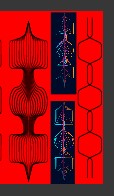
                                @VectorStyler Did not notice this feature in 1.2. I can preview an image with a red background in a third-party app but not in File Explorer or ABridge.

                                W11 Pro 25H2 - 12th Gen Intel(R) i7-12700K 3.61 GHz - RAM 64 Go - NVIDIA GF GTX 4070 Ti - Intuos - Dell UP3216Q / Eizo ColorEdge
                                W11 Pro 25H2 - 12th Gen Intel(R) i7-12700KF 3.60 GHz -RAM 64 Go - NVIDIA GF GTX 3080 - IntuosPro- ProArt PA329C

                                VectorStylerV 1 Reply Last reply Reply Quote 0
                                • VectorStylerV Offline
                                  VectorStyler @B-Vs-V
                                  last edited by

                                  @Pat said in Preview:

                                  but not in File Explorer or ABridge

                                  I will test this.

                                  B 1 Reply Last reply Reply Quote 1
                                  • B Offline
                                    B-Vs-V @VectorStyler
                                    last edited by

                                    @VectorStyler Thanks ☺ Here is what I can see in XnView (red background):
                                    0_1704538849017_preview.jpg

                                    W11 Pro 25H2 - 12th Gen Intel(R) i7-12700K 3.61 GHz - RAM 64 Go - NVIDIA GF GTX 4070 Ti - Intuos - Dell UP3216Q / Eizo ColorEdge
                                    W11 Pro 25H2 - 12th Gen Intel(R) i7-12700KF 3.60 GHz -RAM 64 Go - NVIDIA GF GTX 3080 - IntuosPro- ProArt PA329C

                                    VectorStylerV 1 Reply Last reply Reply Quote 2
                                    • VectorStylerV Offline
                                      VectorStyler @B-Vs-V
                                      last edited by

                                      @Pat I will try to replicate this issue. Was the file saved with a preview mode?

                                      B b77B 4 Replies Last reply Reply Quote 0
                                      • B Offline
                                        B-Vs-V @VectorStyler
                                        last edited by

                                        @VectorStyler Yes it was ☺

                                        W11 Pro 25H2 - 12th Gen Intel(R) i7-12700K 3.61 GHz - RAM 64 Go - NVIDIA GF GTX 4070 Ti - Intuos - Dell UP3216Q / Eizo ColorEdge
                                        W11 Pro 25H2 - 12th Gen Intel(R) i7-12700KF 3.60 GHz -RAM 64 Go - NVIDIA GF GTX 3080 - IntuosPro- ProArt PA329C

                                        1 Reply Last reply Reply Quote 0
                                        • b77B Offline
                                          b77 @VectorStyler
                                          last edited by

                                          @VectorStyler This happens when 'Preview' is set to 'Image' (was going to report it as well).

                                          MacBook Pro (Intel) running Monterey 12.6.4

                                          B 1 Reply Last reply Reply Quote 1
                                          • B Offline
                                            B-Vs-V @b77
                                            last edited by

                                            @b77 "Jpeg" too for me ("png" does not provide any preview).

                                            W11 Pro 25H2 - 12th Gen Intel(R) i7-12700K 3.61 GHz - RAM 64 Go - NVIDIA GF GTX 4070 Ti - Intuos - Dell UP3216Q / Eizo ColorEdge
                                            W11 Pro 25H2 - 12th Gen Intel(R) i7-12700KF 3.60 GHz -RAM 64 Go - NVIDIA GF GTX 3080 - IntuosPro- ProArt PA329C

                                            1 Reply Last reply Reply Quote 1
                                            • First post
                                              Last post