VectorStyler
    • Categories
    • Unread
    • Recent
    • Tags
    • Popular
    • Register
    • Login

    How to get a repetition of shapes with a displacement and a rotation ?
    Scheduled Pinned Locked Moved Questions and Support
    12 Posts 4 Posters 14.4k Views 3 Watching
    Loading More Posts
    • Oldest to Newest
    • Newest to Oldest
    • Most Votes
    Reply
    • Reply as topic
    Log in to reply
    This topic has been deleted. Only users with topic management privileges can see it.
    • S Offline
      Subpath @B-Vs-V
      last edited by

      @PatrickM

      just two thoughs

      couldnt this help you ?
      Menu > Object > Transform > Rotate
      and then choose "copy" in the dropdown menu

      an other way could may be a Blend
      and to bring the Blend Panel up
      Panels > Effects > Blend
      there is an option to make a blend to a path/curve
      and try it this way

      Win 11
      CPU: AMD Ryzen 5 9600X, 6-core.
      GPU: Nvidia Geforce RTX 5070.

      1 Reply Last reply Reply Quote 1
      • VectorStylerV Offline
        VectorStyler @B-Vs-V
        last edited by

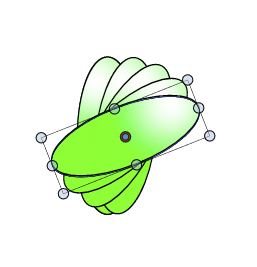
        @PatrickM Something similar in VS:

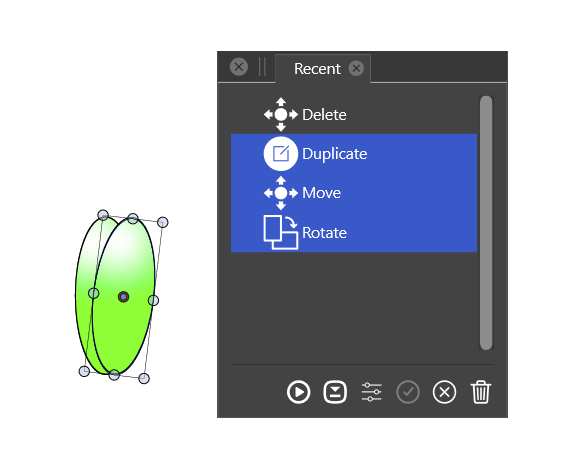
        • with the original object selected:
        • adjust the rotation pivot.
        • move with Alt+ to duplicate first.
        • rotate by some angle.
        • Control+D to duplicate and move.

        Not sure if you get the same effect as in AD.

        Another way (1) with align to path:

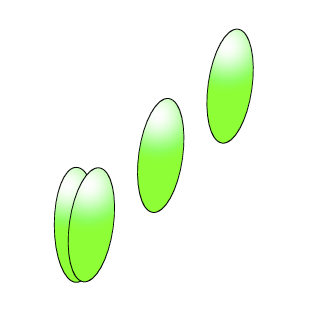
        • create a number of ellipses, position or rotation not important.
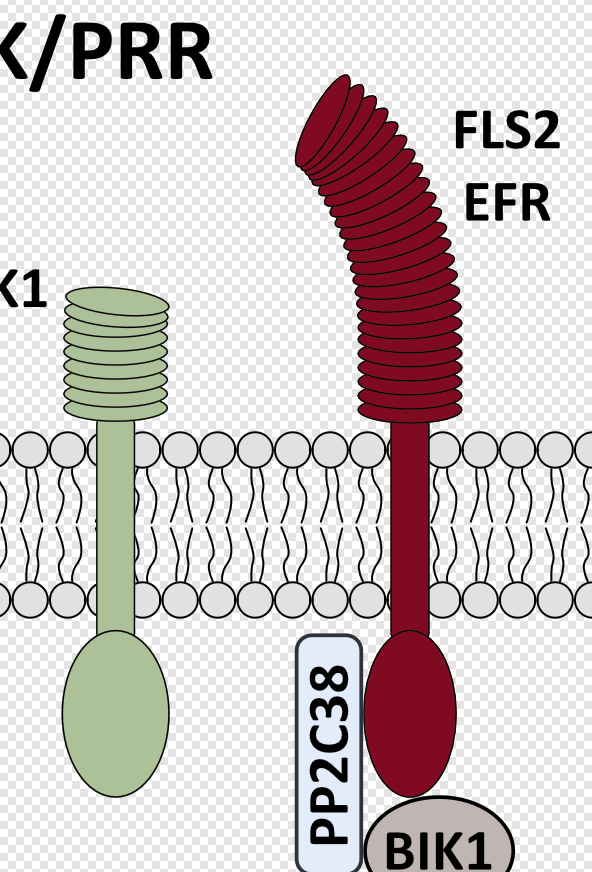
        • draw a path that has the shape needed (for example the red on the right bends leftward).
        • select the ellipses and then select the new path.
        • in the Alignment panel click on the first Align to Shape icon (first make sure that Rotate Objects is checked)

        Another way (2) with scatter brush:

        • create one ellipse, keep it selected.
        • open the Brushes panel.
        • create a new scatter brush style: "Create Scatter Brush Style" in the panel menu.
        • set the name of the brush in the Name field.
        • set the spacing to 60% (or some number for the spacing between ellipses).
        • confirm the scatter brush creation.
        • draw an open path along which the ellipses are placed.
        • apply the newly created scatter brush style (should be second in the list).
        • set the brush width to a suitable value.
        • or check proportional to keep the original ellipse size.

        In this case the path can be adjusted dynamically and the ellipse positions, rotations (and their number) is automatically updated.

        1 Reply Last reply Reply Quote 1
        • B Offline
          B-Vs-V
          last edited by

          @Subpath thanks for the tips... blending can be a way indeed, I didn't think of it since it is lacking in AD that I use for a couple of years for my lectures diagrams.

          @vectoradmin thanks too for these useful informations. I will try all these (also blending) asap to get used to other workflows.

          Thanks ☺ 👍

          W11 Pro 25H2 - 12th Gen Intel(R) i7-12700K 3.61 GHz - RAM 64 Go - NVIDIA GF GTX 4070 Ti - Intuos - Dell UP3216Q / Eizo ColorEdge
          W11 Pro 25H2 - 12th Gen Intel(R) i7-12700KF 3.60 GHz -RAM 64 Go - NVIDIA GF GTX 3080 - IntuosPro- ProArt PA329C

          1 Reply Last reply Reply Quote 0
          • B Offline
            B-Vs-V
            last edited by

            @vectoradmin I know that there are already video tutorials for some VS features and I know that you are extremely busy working on VS but I think it would be nice (important) to develop this aspect of educational training for beginners & intermediate users to illustrate and highlight all VS functions/features. I don't always want to compare with other companies but some have been quick to make this available and it has certainly increased the interest in using their software IMHO. I personally find the videos very helpful in learning how to use software.

            W11 Pro 25H2 - 12th Gen Intel(R) i7-12700K 3.61 GHz - RAM 64 Go - NVIDIA GF GTX 4070 Ti - Intuos - Dell UP3216Q / Eizo ColorEdge
            W11 Pro 25H2 - 12th Gen Intel(R) i7-12700KF 3.60 GHz -RAM 64 Go - NVIDIA GF GTX 3080 - IntuosPro- ProArt PA329C

            VectorStylerV S 2 Replies Last reply Reply Quote 0
            • VectorStylerV Offline
              VectorStyler @B-Vs-V
              last edited by

              @PatrickM said in How to get a repetition of shapes with a displacement and a rotation ?:

              I think it would be nice (important) to develop this aspect of educational training for beginners & intermediate users to illustrate and highlight all VS functions/features.

              yes, this is very much needed, and I will try to reserve more time for this.

              1 Reply Last reply Reply Quote 1
              • S Offline
                Subpath @B-Vs-V
                last edited by Subpath

                @PatrickM

                " video tutorials for some VS features.... "

                Well, we users can also do something 🙂

                Already thought about a small series in tutorials
                where I show some things that might not be soo
                well known. Where anybody could also contribute
                his own tips.

                @Boldline also thought about publishing his tips.

                Win 11
                CPU: AMD Ryzen 5 9600X, 6-core.
                GPU: Nvidia Geforce RTX 5070.

                BoldlineB 1 Reply Last reply Reply Quote 1
                • BoldlineB Offline
                  Boldline @Subpath
                  last edited by

                  @Subpath Yes, I've been trying to decide the best approach - if it should be a videos for individual functions or groups of functions at a time. I don't want them to be too short or too long.

                  🍎 macOS Tahoe 26.2, Mac mini (M1, 2020), Chip Apple M1, Memory 16 GB
                  Cintiq 27QHD Display and LG Ultra HD Display

                  S 1 Reply Last reply Reply Quote 0
                  • S Offline
                    Subpath @Boldline
                    last edited by

                    @Boldline

                    I don't know if all this can always be regulated so precisely
                    and I wouldn't regulate it too much, but I try to keep
                    Videos and Picture Explanations for Tips rather short.
                    Everything else I would rather see as a Tutorial.

                    Win 11
                    CPU: AMD Ryzen 5 9600X, 6-core.
                    GPU: Nvidia Geforce RTX 5070.

                    1 Reply Last reply Reply Quote 1
                    • S Offline
                      Subpath
                      last edited by Subpath

                      @PatrickM

                      Here a Video how Blend on Curve works.
                      The Circles are already blended.
                      (you could edit the steps with the Up/Down Arrow Keys
                      by clicking in the Value field)

                      Here the Video
                      Blend on Curves

                      Found yet another function of Blend on Curves
                      Blend on Curves 2

                      Win 11
                      CPU: AMD Ryzen 5 9600X, 6-core.
                      GPU: Nvidia Geforce RTX 5070.

                      B 1 Reply Last reply Reply Quote 2
                      • B Offline
                        B-Vs-V @Subpath
                        last edited by

                        @Subpath said in How to get a repetition of shapes with a displacement and a rotation ?:

                        @PatrickM

                        Here a Video how Blend on Curve works.
                        The Circles are already blended.

                        @Subpath Amazing, thank you for your time ! 👍 ☺

                        W11 Pro 25H2 - 12th Gen Intel(R) i7-12700K 3.61 GHz - RAM 64 Go - NVIDIA GF GTX 4070 Ti - Intuos - Dell UP3216Q / Eizo ColorEdge
                        W11 Pro 25H2 - 12th Gen Intel(R) i7-12700KF 3.60 GHz -RAM 64 Go - NVIDIA GF GTX 3080 - IntuosPro- ProArt PA329C

                        S 1 Reply Last reply Reply Quote 1
                        • S Offline
                          Subpath @B-Vs-V
                          last edited by Subpath

                          @PatrickM

                          Things seem to be a bit easier than I thought after all.
                          As I found out in the meantime, every Blend is is already
                          on Curve/Path
                          , dont know this before. All you have to do is
                          select the blended shapes and switch to the "Shape Editor Tool"
                          and you can bend your curve.

                          Blend to Curve 3

                          Win 11
                          CPU: AMD Ryzen 5 9600X, 6-core.
                          GPU: Nvidia Geforce RTX 5070.

                          1 Reply Last reply Reply Quote 2
                          • First post
                            Last post