VectorStyler
    • Categories
    • Unread
    • Recent
    • Tags
    • Popular
    • Register
    • Login

    Font and interface sharpness

    Scheduled Pinned Locked Moved Questions and Support
    7 Posts 2 Posters 10.9k Views
    Loading More Posts
    • Oldest to Newest
    • Newest to Oldest
    • Most Votes
    Reply
    • Reply as topic
    Log in to reply
    This topic has been deleted. Only users with topic management privileges can see it.
    • IngolfI Offline
      Ingolf
      last edited by Ingolf

      Hi again

      Still impressed by VS on Windows. Question: do you have any control over interface anti-alias? It is rendered a bit soft here compare to every other program I have.

      Both text and icons appear soft and when I am then not positioned in perfect viewing distance from the monitor it appears even softer.

      Compare to how all other programs and Windows itself it is a pretty significant difference.

      🍏 macOS Sequoia Apple Silicon

      VectorStylerV 2 Replies Last reply Reply Quote 1
      • VectorStylerV Offline
        VectorStyler @Ingolf
        last edited by

        @Ingolf No such settings at this time. I add this to the backlog.

        1 Reply Last reply Reply Quote 0
        • VectorStylerV Offline
          VectorStyler @Ingolf
          last edited by

          @Ingolf Disabling anti-aliasing will not work, especially for the icons.
          I think the problem here is with the default dark (and maybe light) theme contrast.

          1 Reply Last reply Reply Quote 1
          • IngolfI Offline
            Ingolf
            last edited by Ingolf

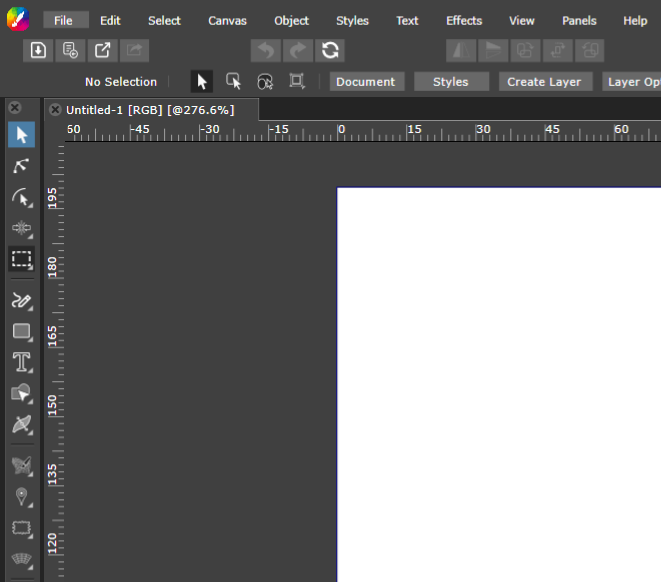
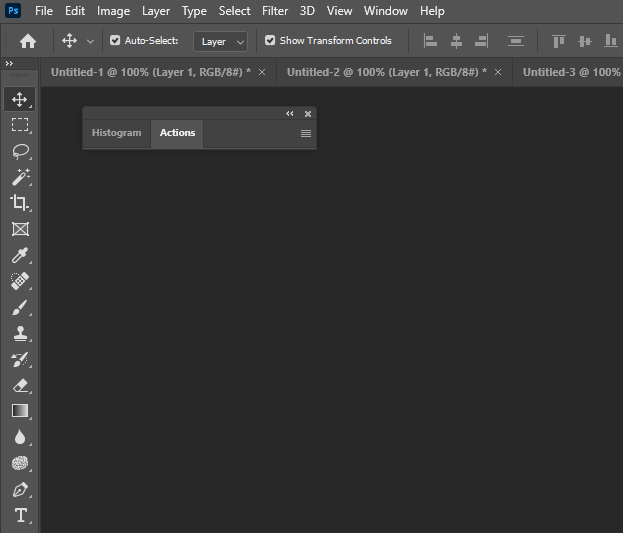
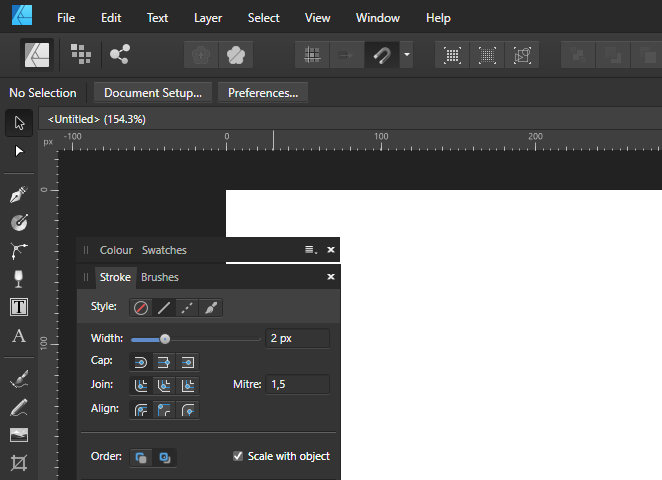
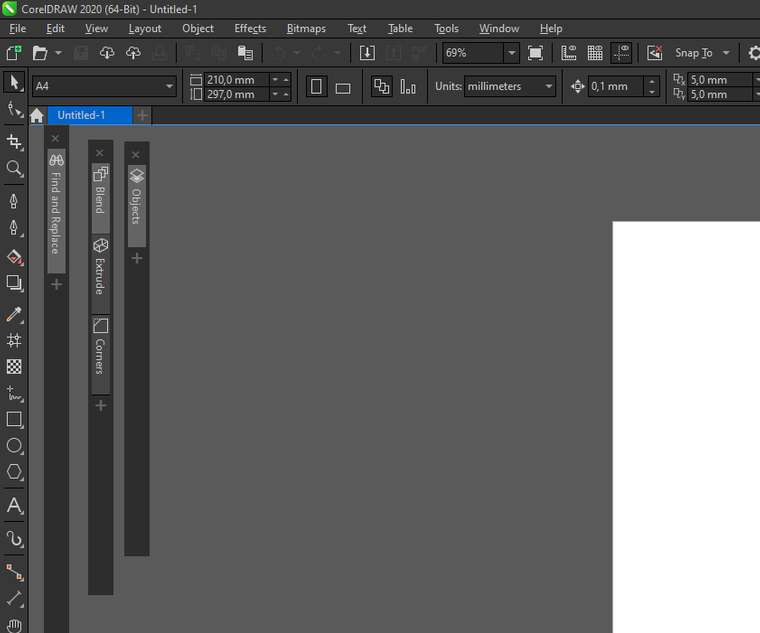
            Here you can see the difference, I hope. Gravit is also a little blurred... to the/my limit I would say. Best viewed at 100% in new tab.

            In VS the icons are somewhat affected but the text rendering bothers me. As you can in see other programs lines are thinner and borders are well defined/rendered sharper and clear.

            Have a nice weekend btw 🙂

            Vectorstyler:
            0_1611931073155_clarity_vs.png

            Photoshop / Illustrator
            0_1611931114412_clarity_ps.png

            Designer
            0_1611931127045_clarity_designer.png

            CorelDRAW 2020
            0_1611931147457_clarity_coreldraw.png

            Gravit Designer / CorelDRAW.app
            0_1611931176585_clarity_gravit.png

            🍏 macOS Sequoia Apple Silicon

            1 Reply Last reply Reply Quote 1
            • IngolfI Offline
              Ingolf
              last edited by

              Good work! Build 209 is now crisp and pro looking!!

              🍏 macOS Sequoia Apple Silicon

              VectorStylerV 1 Reply Last reply Reply Quote 1
              • VectorStylerV Offline
                VectorStyler @Ingolf
                last edited by

                @Ingolf Build 209 contains two extra themes for higher contrast.

                1 Reply Last reply Reply Quote 1
                • IngolfI Offline
                  Ingolf
                  last edited by

                  Also great 🙂

                  🍏 macOS Sequoia Apple Silicon

                  1 Reply Last reply Reply Quote 0
                  • First post
                    Last post