VectorStyler
    • Categories
    • Unread
    • Recent
    • Tags
    • Popular
    • Register
    • Login

    Object - colours & gradient
    Scheduled Pinned Locked Moved Questions and Support
    4 Posts 2 Posters 4.8k Views
    Loading More Posts
    • Oldest to Newest
    • Newest to Oldest
    • Most Votes
    Reply
    • Reply as topic
    Log in to reply
    This topic has been deleted. Only users with topic management privileges can see it.
    • B Offline
      B-Vs-V
      last edited by

      Hi,
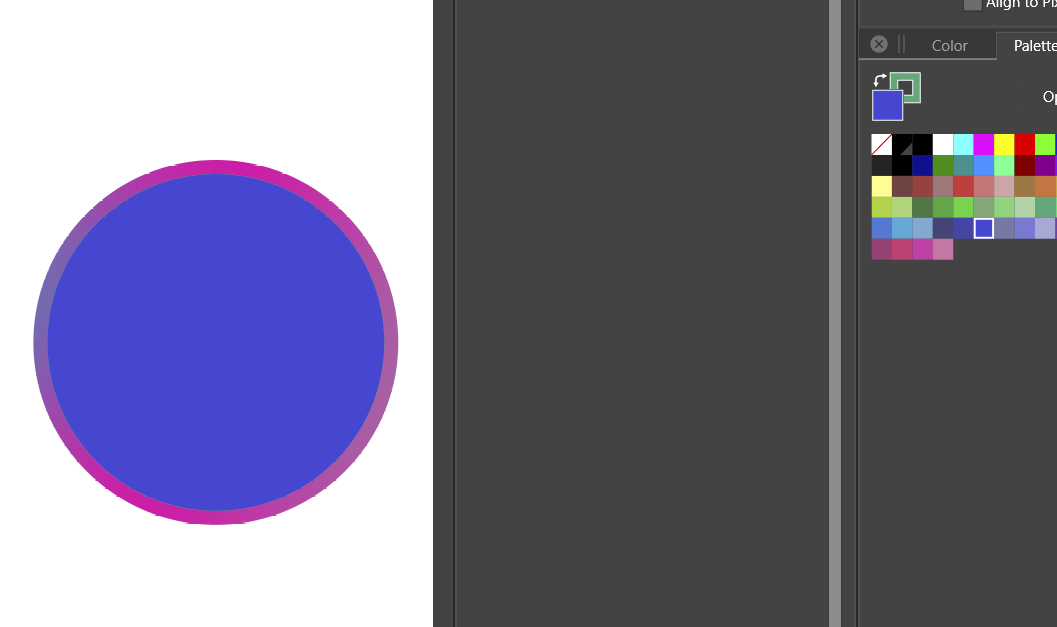
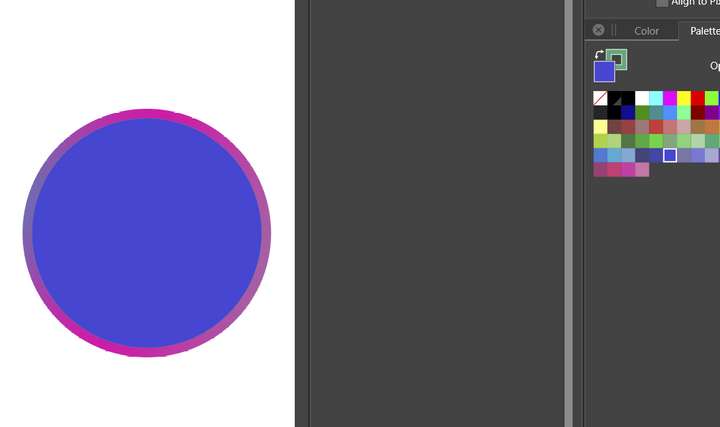
      I created a shape and played with various functions (boolean subtraction, colour gradients etc.). Then I wanted to redraw various shapes and I can't manage to reset the stroke colours. What should I do at this stage?
      Thanks for the follow up.
      Patrick
      W10
      0_1636635764956_e036c286-f4ac-4ba7-9510-271304e87b19-image.png

      W11 Pro 25H2 - 12th Gen Intel(R) i7-12700K 3.61 GHz - RAM 64 Go - NVIDIA GF GTX 4070 Ti - Intuos - Dell UP3216Q / Eizo ColorEdge
      W11 Pro 25H2 - 12th Gen Intel(R) i7-12700KF 3.60 GHz -RAM 64 Go - NVIDIA GF GTX 3080 - IntuosPro- ProArt PA329C

      1 Reply Last reply Reply Quote 0
      • B Offline
        B-Vs-V
        last edited by

        I still have a lot to learn. The new object I created was positioned in the layer of the previous object: Then I could change the colour of the fill but not the stroke colour and I don't know why.
        Now, it is fine because I took the new object out of the former layer.
        P.

        W11 Pro 25H2 - 12th Gen Intel(R) i7-12700K 3.61 GHz - RAM 64 Go - NVIDIA GF GTX 4070 Ti - Intuos - Dell UP3216Q / Eizo ColorEdge
        W11 Pro 25H2 - 12th Gen Intel(R) i7-12700KF 3.60 GHz -RAM 64 Go - NVIDIA GF GTX 3080 - IntuosPro- ProArt PA329C

        1 Reply Last reply Reply Quote 1
        • encartE Offline
          encart
          last edited by

          0_1636637140499_screenshot_20211111_142514.png

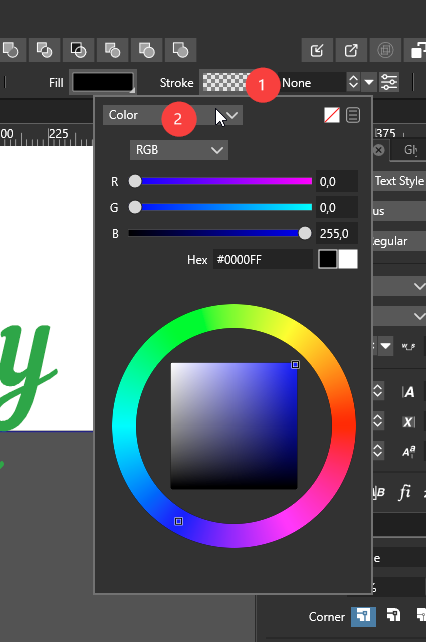
          2.You Can open a Stroke Panel from Panels > Stroke
          3. Click on the bottom color palette. Left button - Fill color, and Right button - Stroke color

          MacBook Air M4 24Gb, Tahoe 26.2

          1 Reply Last reply Reply Quote 2
          • B Offline
            B-Vs-V
            last edited by

            @encart Thank you. I will try to reproduce the steps I did to identify my mistake.

            W11 Pro 25H2 - 12th Gen Intel(R) i7-12700K 3.61 GHz - RAM 64 Go - NVIDIA GF GTX 4070 Ti - Intuos - Dell UP3216Q / Eizo ColorEdge
            W11 Pro 25H2 - 12th Gen Intel(R) i7-12700KF 3.60 GHz -RAM 64 Go - NVIDIA GF GTX 3080 - IntuosPro- ProArt PA329C

            1 Reply Last reply Reply Quote 0
            • First post
              Last post