VectorStyler
    • Categories
    • Unread
    • Recent
    • Tags
    • Popular
    • Register
    • Login

    Shape Paint not recognizing inner divisions within overall shape
    Scheduled Pinned Locked Moved Questions and Support
    9 Posts 2 Posters 8.0k Views 1 Watching
    Loading More Posts
    • Oldest to Newest
    • Newest to Oldest
    • Most Votes
    Reply
    • Reply as topic
    Log in to reply
    This topic has been deleted. Only users with topic management privileges can see it.
    • BoldlineB Offline
      Boldline
      last edited by

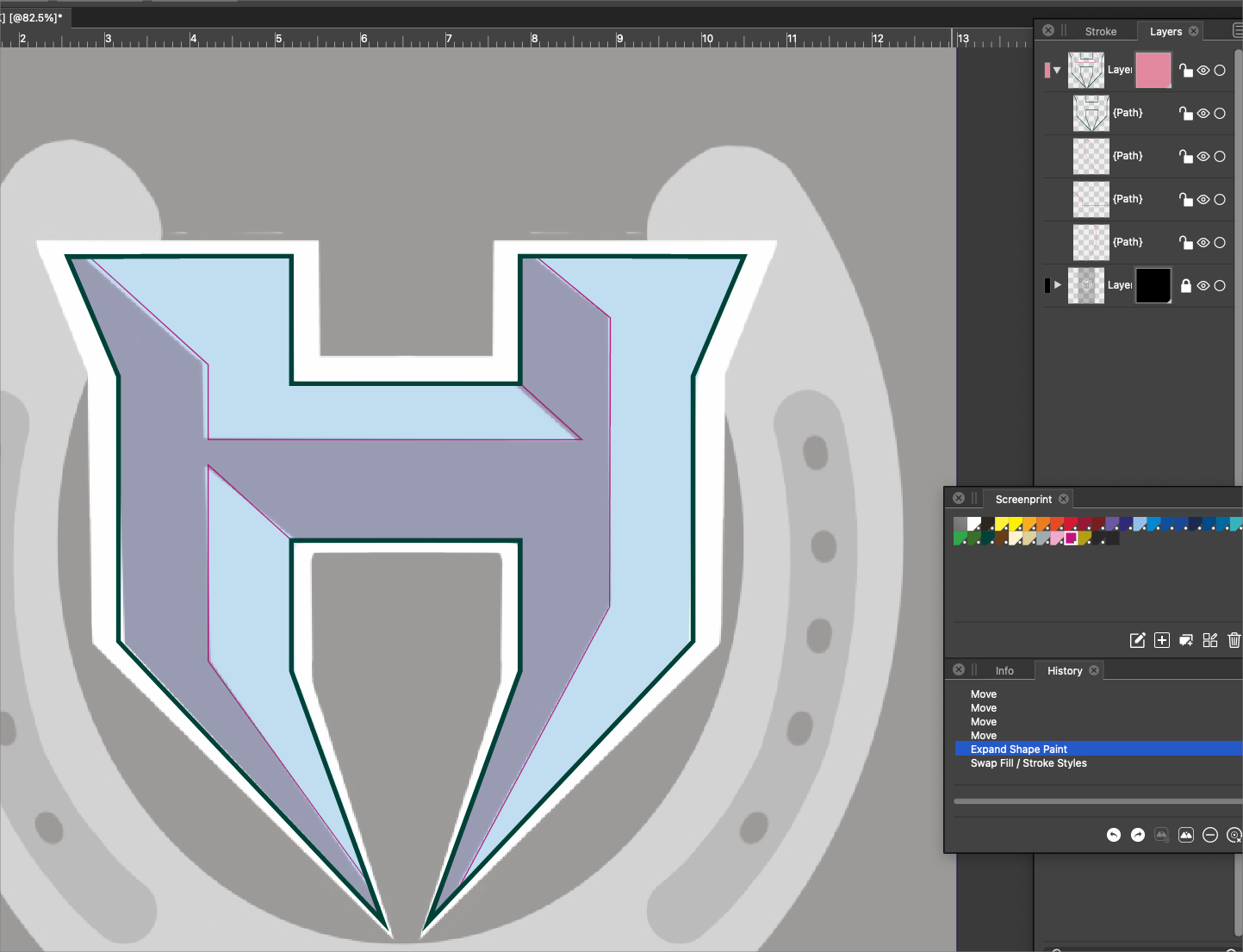
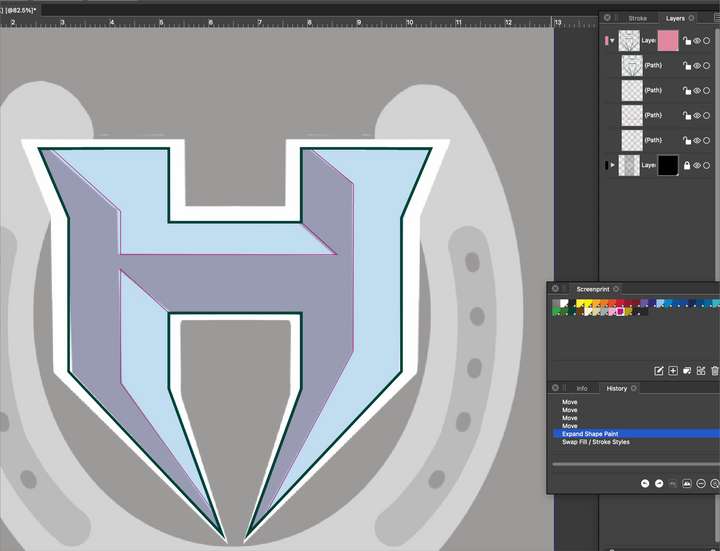
      Trying out the Shape Paint tool more, it seems like it could successfully replace what "live paint" does in Illustrator.
      However when using it in this situation, it was not recognizing the pink strokes I had selected along with the outer green stroke. My expectation was that it would recognize any and all strokes within the selection and each closed space would get highlighted for potentially a different color fill.
      0_1641918606890_2a8914c6-400b-4514-bba1-1272c71fa025-BLD 2022-01-11 at 11.29.58.png

      🍎 macOS Tahoe 26.2, Mac mini (M1, 2020), Chip Apple M1, Memory 16 GB
      Cintiq 27QHD Display and LG Ultra HD Display

      BoldlineB 1 Reply Last reply Reply Quote 0
      • BoldlineB Offline
        Boldline @Boldline
        last edited by Boldline

        @vectoradmin Would it be possible to have the shape paint tool in the toolbar get automatically selected when someone clicked on "styles>shape paint>create shape paint"? That seems to be the next logical step.

        Would it make sense to have the shape paint tool be allowed to be selected first and then used to create a selection around the things it could then be used to fill? So the tool in the toolbar acts the same as "styles>shape paint>create shape paint"?

        🍎 macOS Tahoe 26.2, Mac mini (M1, 2020), Chip Apple M1, Memory 16 GB
        Cintiq 27QHD Display and LG Ultra HD Display

        1 Reply Last reply Reply Quote 1
        • BoldlineB Offline
          Boldline
          last edited by

          Trying a fresh shape paint selection, this time I am able to pick up one part of the pink stroke, but not the others, and I can't fill the interior of the pink stroke section.

          File is attached:
          0_1641919454044_Horseshoe.vstyler

          🍎 macOS Tahoe 26.2, Mac mini (M1, 2020), Chip Apple M1, Memory 16 GB
          Cintiq 27QHD Display and LG Ultra HD Display

          VectorStylerV 1 Reply Last reply Reply Quote 0
          • VectorStylerV Offline
            VectorStyler @Boldline
            last edited by

            @Boldline The problem is that the thin pink lines should intersect with the green line (not just the stroke, but the actual curve).
            Moving just a bit the endings of the pink lines can fix the issues.

            BoldlineB 1 Reply Last reply Reply Quote 0
            • BoldlineB Offline
              Boldline
              last edited by

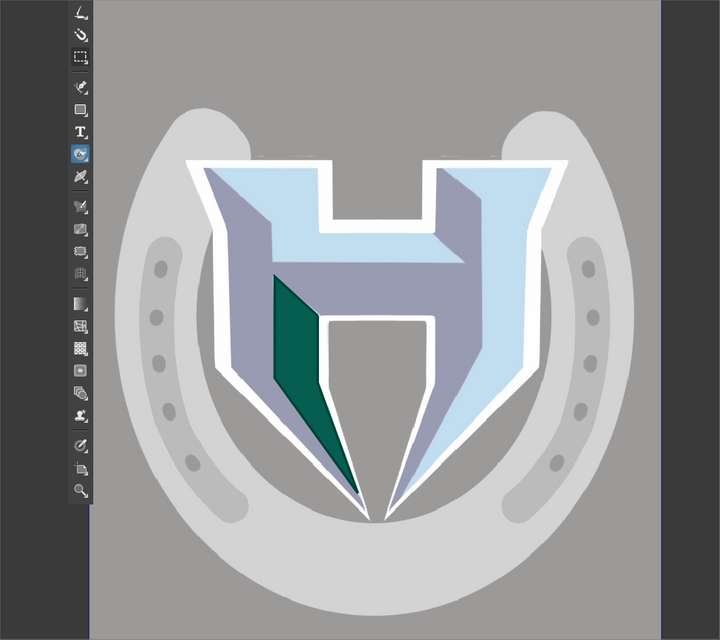
              I understand I can drag with the shape paint tool to merge sections together - but when I did it in this same example, I was able to only get one portion to fill
              0_1641919883293_3213f1c3-ae45-4455-9436-72ce8957adc2-BLD 2022-01-11 at 11.50.01.png /Users/bldneo/Library/Application Support/CleanShot/media/media_c3s3tTCrKw/BLD 2022-01-11 at 11.50.01.png

              🍎 macOS Tahoe 26.2, Mac mini (M1, 2020), Chip Apple M1, Memory 16 GB
              Cintiq 27QHD Display and LG Ultra HD Display

              1 Reply Last reply Reply Quote 0
              • BoldlineB Offline
                Boldline @VectorStyler
                last edited by Boldline

                @vectoradmin said in Shape Paint not recognizing inner divisions within overall shape:

                @Boldline The problem is that the thin pink lines should intersect with the green line (not just the stroke, but the actual curve).
                Moving just a bit the endings of the pink lines can fix the issues.

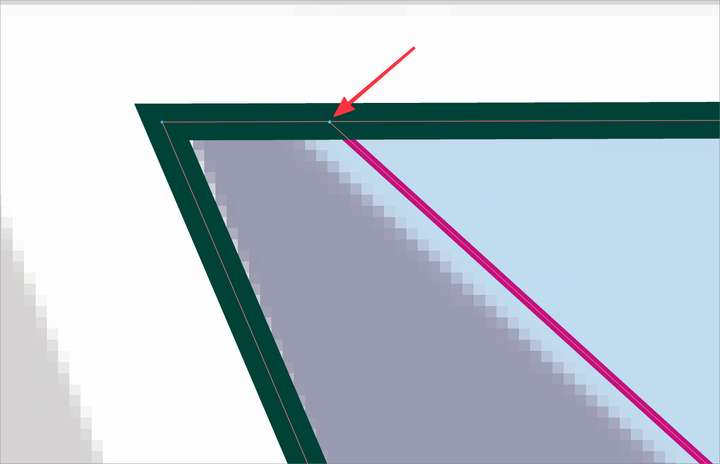
                Can you clarify more what you mean about the "actual curve"? I am only using strokes in this example and I used the snapping guides when I created it to get the pink stroke to touch the green stroke. The rest of the pink stroke sits underneath the green stroke

                The stroke needs to extend beyond where the snapping puts it?
                0_1641920076061_4a3538b8-dea9-4f63-a558-57bc5b69bebe-BLD 2022-01-11 at 11.52.33.png

                🍎 macOS Tahoe 26.2, Mac mini (M1, 2020), Chip Apple M1, Memory 16 GB
                Cintiq 27QHD Display and LG Ultra HD Display

                VectorStylerV 1 Reply Last reply Reply Quote 0
                • VectorStylerV Offline
                  VectorStyler @Boldline
                  last edited by

                  @Boldline It looks like those top green lines are not exactly straight, so Snap to Object will not position the ending node precisely.
                  Use Snap to Shape (and disable Snap to Object) for this

                  BoldlineB 1 Reply Last reply Reply Quote 0
                  • BoldlineB Offline
                    Boldline @VectorStyler
                    last edited by

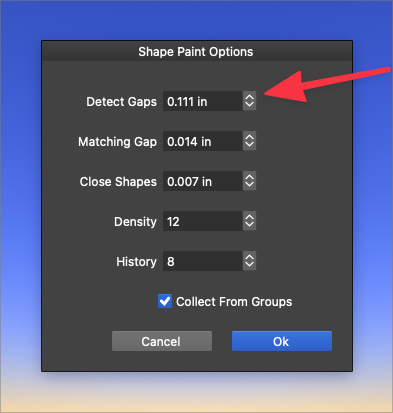
                    @vectoradmin thanks - Could this also be remedied by increasing the "detect gaps" setting? While I understand why it is happening, trying to think ahead for future use - the less fiddling with exact placement the better. could this be adjusted some by default to compensate for these small discrepancies?
                    0_1641921413951_9478340c-72dc-4523-8502-25c7caee1cdb-BLD 2022-01-11 at 12.14.14.png

                    🍎 macOS Tahoe 26.2, Mac mini (M1, 2020), Chip Apple M1, Memory 16 GB
                    Cintiq 27QHD Display and LG Ultra HD Display

                    VectorStylerV 1 Reply Last reply Reply Quote 0
                    • VectorStylerV Offline
                      VectorStyler @Boldline
                      last edited by

                      @Boldline That should work, but it seems that in this case the gap is only applied between endings of open shapes.
                      I opened a bug on this one.

                      1 Reply Last reply Reply Quote 1
                      • First post
                        Last post
