Select same fill and stroke - treat null fill/null stroke as an entity to be selected?
-
I noticed when I come across a "ghost" vector with no stroke or fill, I don't know of an easy way to "select all" fill and stroke to chose them and erase or fill them or whatever else I prefer.
I would think if I chose one with no fill and no stroke, and then did a "select-by-style - fill content", it would select them, but instead it selects everything, including what is a solid black fill. Even selecting "fill and stroke" selects everything - solid fills and empty fills alike. Is there a way to differentiate that I am missing from the existing find options?
In illustrator, if I select same as - fill and stroke on a ghost vector, it will treat the ghost vectors like a color and select only other ghost images... can this be done in VS?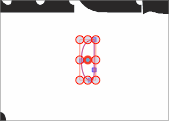
-
@Boldline it seems to be a bug in the selection mode. I will fix that.
There is also a need for a (new) selection mode to select all such objects.

