Tapered Reduction of Steps option in Offset path
-
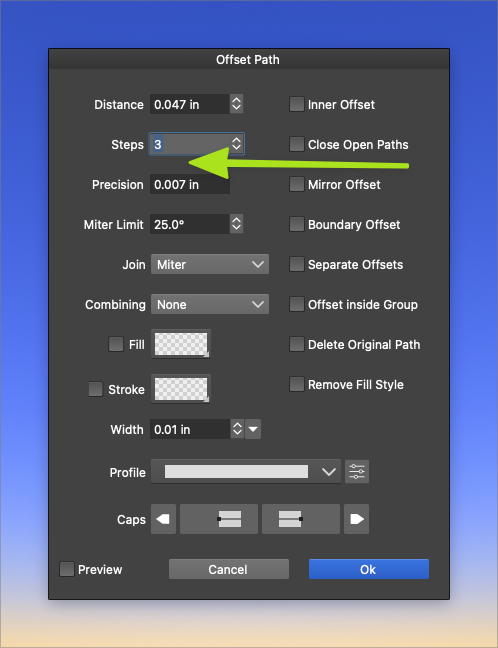
Inside the offset path menu there's the option to choose how many offset steps will be created. This is a great feature already but i wanted to improve upon it if possible. Could we choose the distribution of those steps? default being all steps are of equal width, another option would be 1/2 less width than the prior step, another option with each step being 1/3, and last being 1/4th?
Maybe this could be a dropdown icon to the right side of the current steps option so it does not take up more real estate and clutter things up?
Again, the default if the user takes no extra action is the default it is now, with all steps being of equal proportion
🍎 macOS Tahoe 26.2, Mac mini (M1, 2020), Chip Apple M1, Memory 16 GB
Cintiq 27QHD Display and LG Ultra HD Display -
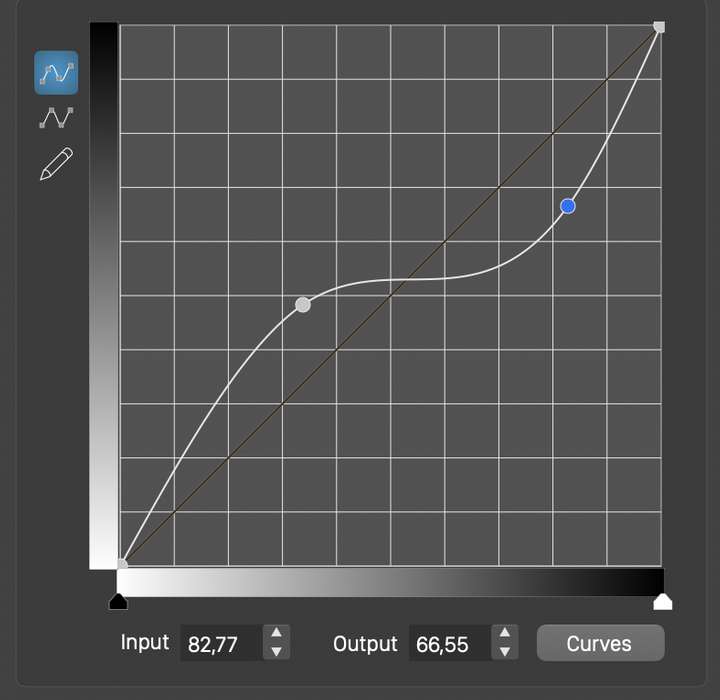
@Boldline I add this as a feature request to the backlog. How about using a "transfer function" to control the distribution of offsets:
-
@vectoradmin
Like yor Idea
-
@vectoradmin I'm open to different solutions for this. The image you included reminds me of the kind of control option for things like brush taper and stylus sensitivity, but I'm not understanding how it would work with offset path. Could you elaborate on it? I'm guessing this transfer function could offer unlimited options to the distribution of offset path steps instead of just a few static ones. I'm totally for this, but would also like the ability to create measured increasing /decreasing steps.
There are times I can foresee I'd like to personally control and adjust the distances and sizing of the steps and other times I would want VS to do the thinking for me and give me precise steps-with the ability to reduce/increase by an equal percentage
Would this "transfer function" offer both solutions? -
@Boldline As it is now, the distances (offsets) of multiple offsets are positioned uniformly.
A curve could adjust this by increasing / decreasing the distance of intermediary shapes.
Of course this can be hard to use to control specific offset locations. But it has the advantage that it can work with any number of offsets, producing a gradually increasing / decreasing spacing.
-
@vectoradmin I really like the idea you suggested - especially when I was thinking about how I use the curves panel when I am doing tapered lines and also in the repeater.
I don't profess to have any professional mock up skills, but I put together a hybrid based on the ideas so far - what about adding a section below the curve for choosing a precise percentage distribution of step width and whether you want to start with the smallest and enlarge outward or start with the largest and reduce as you go out. The settings chosen in this area would affect the curve above in real time, so it could be even further tweaked.
This would give the user total control of distribution and you'd have a solution for those wanting to do it by hand and those who want rigid structure and precision to the distribution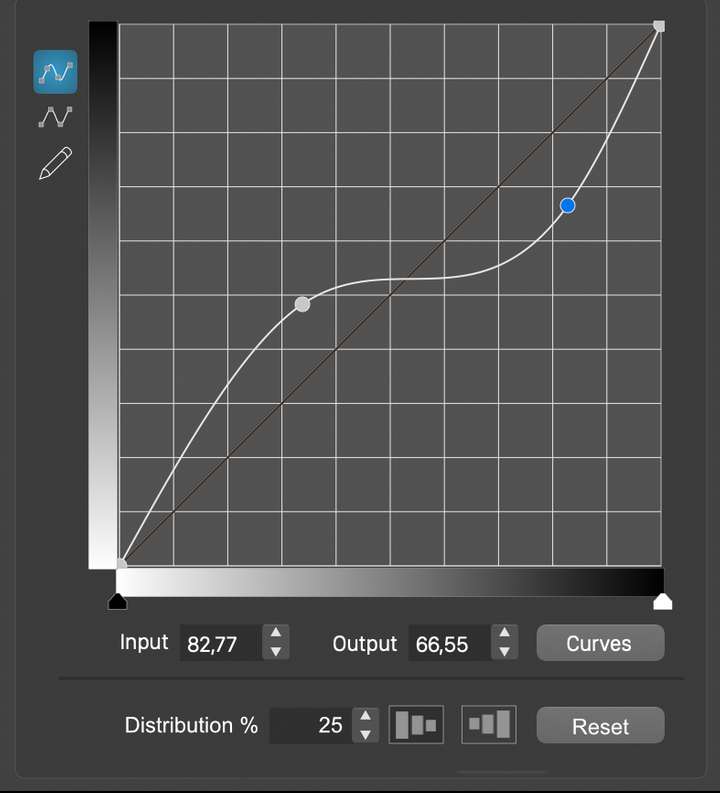
-
@vectoradmin I was researching more into blends and found this old conversation from last year.
You suggested "Something like this can be done with using the Blend Options in the panel menu, and selecting the Transfer tab. Here each aspect (shape, style, position) selected in the Transfer field can be controlled with a curve."I went ahead and tried that out - That was fascinating and cool what can be done to adjust and control the blend in every aspect. It reminded me of the conversation in this thread where you suggested a curve panel to control offset path tapering and steps. If it functions in a similar way to the blend options curves panel - it could be a neat feature to add to offset path.
At the risk of being repetitive, I'd still like to see controlled steps reducing or increasing the size of the steps as a possibility as well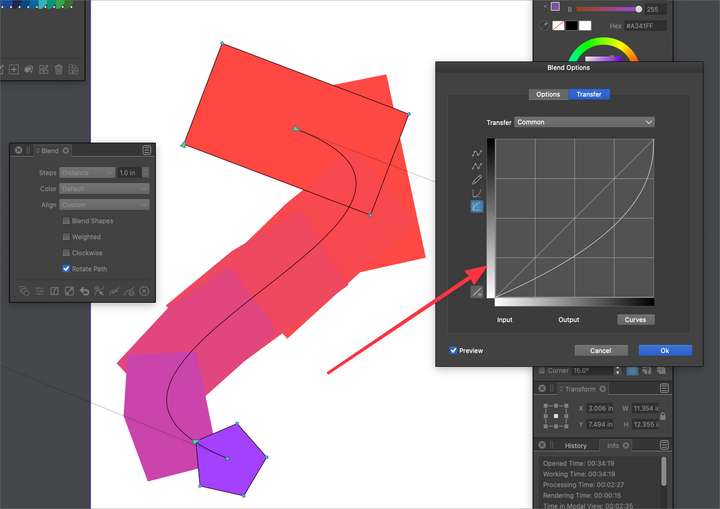
-
@Boldline This should be available in build 1.1.024

