VectorStyler
    • Categories
    • Unread
    • Recent
    • Tags
    • Popular
    • Register
    • Login

    General question : how to get a sharp end of a stroke object
    Scheduled Pinned Locked Moved Questions and Support
    4 Posts 2 Posters 4.7k Views 2 Watching
    Loading More Posts
    • Oldest to Newest
    • Newest to Oldest
    • Most Votes
    Reply
    • Reply as topic
    Log in to reply
    This topic has been deleted. Only users with topic management privileges can see it.
    • B Offline
      B-Vs-V
      last edited by B-Vs-V

      Hi,
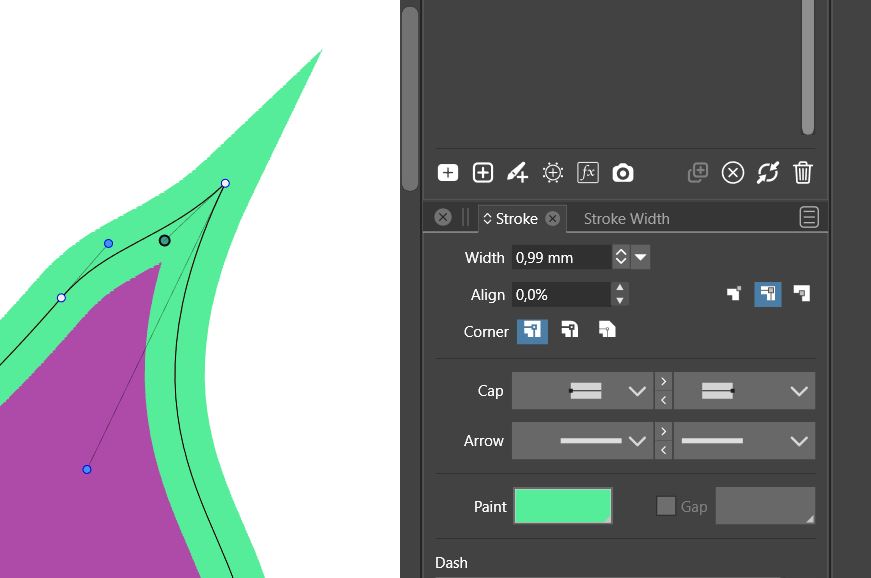
      I'm trying VS and here's a general question: how can I modify the nodes handles as I want them to be and still have a sharp end?
      Thanks.
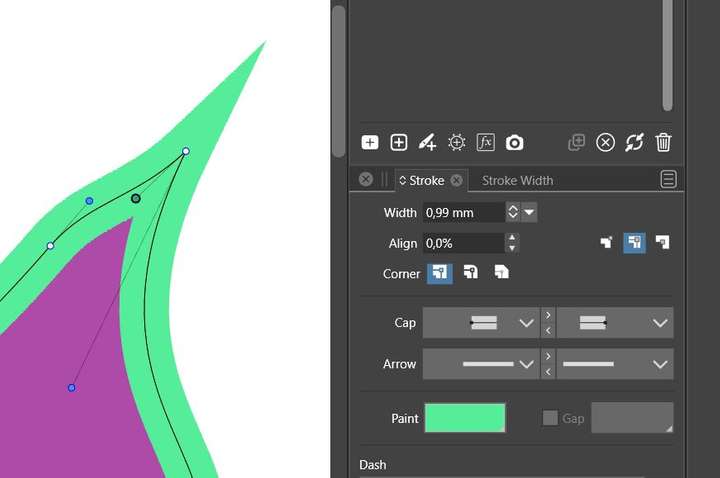
      0_1643030281560_F1.JPG
      0_1643030288747_F2.JPG
      0_1643030332882_F3.JPG

      W11 Pro 25H2 - 12th Gen Intel(R) i7-12700K 3.61 GHz - RAM 64 Go - NVIDIA GF GTX 4070 Ti - Intuos - Dell UP3216Q / Eizo ColorEdge
      W11 Pro 25H2 - 12th Gen Intel(R) i7-12700KF 3.60 GHz -RAM 64 Go - NVIDIA GF GTX 3080 - IntuosPro- ProArt PA329C

      VectorStylerV 1 Reply Last reply Reply Quote 0
      • VectorStylerV Offline
        VectorStyler @B-Vs-V
        last edited by

        @PatrickM To have sharp corners at smaller angles set the Miter Limit in View -> Display -> Display Options command Precision section.

        B 1 Reply Last reply Reply Quote 1
        • B Offline
          B-Vs-V @VectorStyler
          last edited by

          @vectoradmin Thanks ! Could this "Mitter Limit" be added in the stroke panel ?

          W11 Pro 25H2 - 12th Gen Intel(R) i7-12700K 3.61 GHz - RAM 64 Go - NVIDIA GF GTX 4070 Ti - Intuos - Dell UP3216Q / Eizo ColorEdge
          W11 Pro 25H2 - 12th Gen Intel(R) i7-12700KF 3.60 GHz -RAM 64 Go - NVIDIA GF GTX 3080 - IntuosPro- ProArt PA329C

          VectorStylerV 1 Reply Last reply Reply Quote 3
          • VectorStylerV Offline
            VectorStyler @B-Vs-V
            last edited by

            @PatrickM I will add it there.

            1 Reply Last reply Reply Quote 1
            • First post
              Last post