VectorStyler
    • Categories
    • Unread
    • Recent
    • Tags
    • Popular
    • Register
    • Login

    Blend not showing result
    Scheduled Pinned Locked Moved Questions and Support
    6 Posts 3 Posters 5.9k Views 2 Watching
    Loading More Posts
    • Oldest to Newest
    • Newest to Oldest
    • Most Votes
    Reply
    • Reply as topic
    Log in to reply
    This topic has been deleted. Only users with topic management privileges can see it.
    • BoldlineB Offline
      Boldline
      last edited by

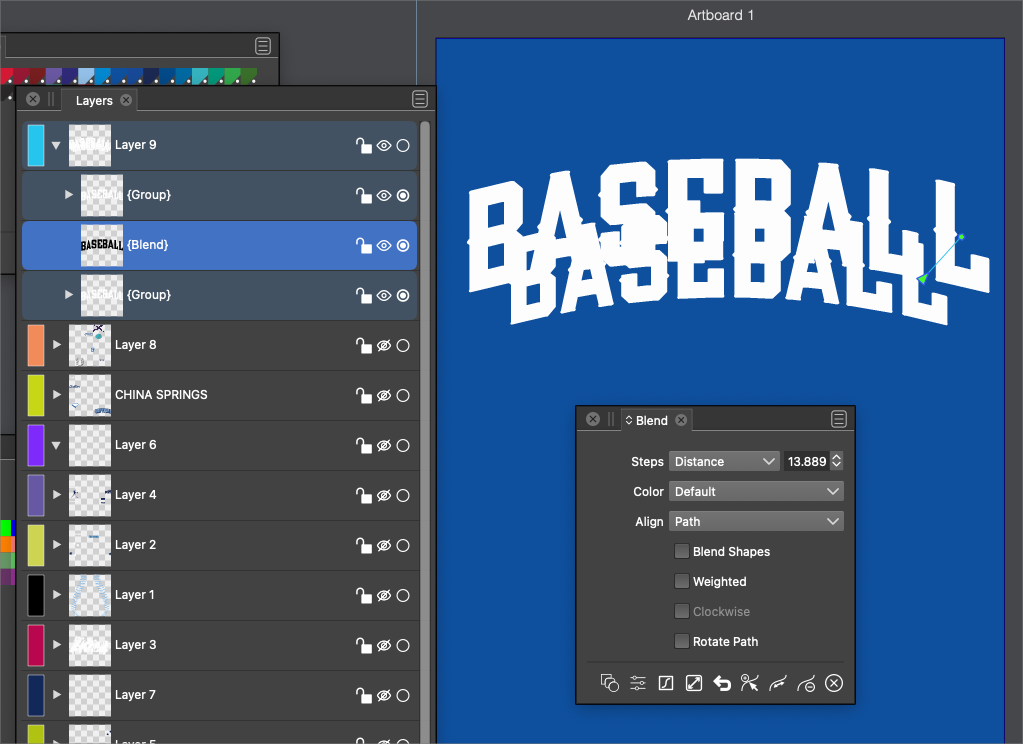
      I am trying to create a 3D look to the word "baseball" I created the word, arched it and then converted to curves. I made a duplicate of the word and shrunk it down slightly and set it behind the larger original word. I selected both words and then went to blend. I did not see any results on the artboard, but i do see the new layer in-between my two words in the layer panel and that has a dark set of letters in it where I assume the blend is taking place. Problem is, I can't seem to get it to show on the artboard.
      I am sure I'm missing a step here but nothing seems intuitive
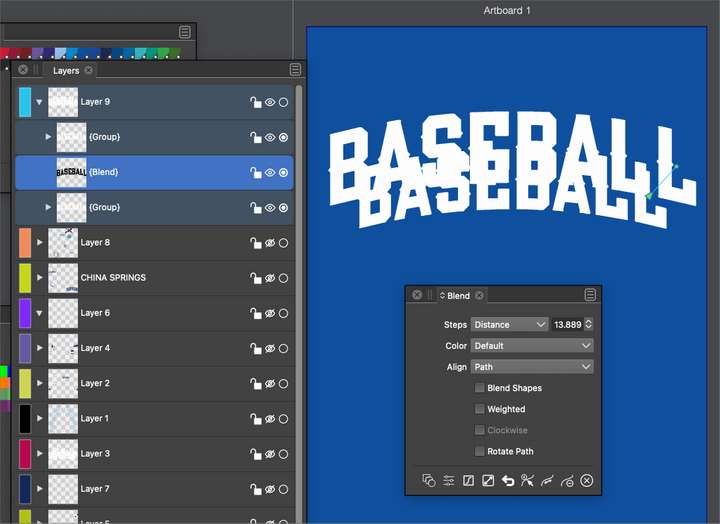
      0_1643879784950_cc6d0cb2-a004-49f6-87bf-3a2c19d58f3c-BLD 2022-02-03 at 04.15.10.png

      🍎 macOS Tahoe 26.2, Mac mini (M1, 2020), Chip Apple M1, Memory 16 GB
      Cintiq 27QHD Display and LG Ultra HD Display

      b77B VectorStylerV 3 Replies Last reply Reply Quote 0
      • b77B Offline
        b77 @Boldline
        last edited by b77

        @Boldline Blending the distorted editable text should work even without converting to curves.
        The issue is related to using spot colors, I think.

        MacBook Pro (Intel) running Monterey 12.6.4

        BoldlineB 1 Reply Last reply Reply Quote 0
        • b77B Offline
          b77 @Boldline
          last edited by

          @Boldline But despite this bug, you can go in the Layers menu, select the Blend object, expand it and do the rest — combining all the shapes with Union and deleting the zig-zag nodes to have a "straight" extrusion.

          MacBook Pro (Intel) running Monterey 12.6.4

          1 Reply Last reply Reply Quote 0
          • VectorStylerV Offline
            VectorStyler @Boldline
            last edited by

            @Boldline Send me the file, I will check what happens.

            1 Reply Last reply Reply Quote 0
            • BoldlineB Offline
              Boldline @b77
              last edited by Boldline

              @b77 said in Blend not showing result:

              The issue is related to using spot colors, I think.

              That's really observant of you - @b77 that indeed seems to be the immediate problem. I switched the fill colors over to non-spot colors and it worked just fine
              @vectoradmin - Extrapolating upon this, and the issue we found yesterday with exporting an eps/pdf with spot colors, are there other tools or features in VS that we should specifically test with spot colors?
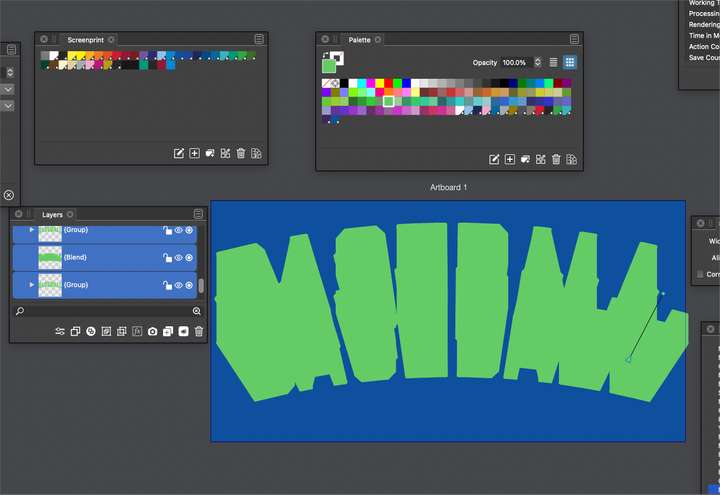
              0_1643899520047_9172db3a-3b7e-4287-be1b-665be0654ad1-BLD 2022-02-03 at 09.44.15.png

              🍎 macOS Tahoe 26.2, Mac mini (M1, 2020), Chip Apple M1, Memory 16 GB
              Cintiq 27QHD Display and LG Ultra HD Display

              VectorStylerV 1 Reply Last reply Reply Quote 0
              • VectorStylerV Offline
                VectorStyler @Boldline
                last edited by

                @Boldline I think the Contour effect might have the same bug.

                1 Reply Last reply Reply Quote 0
                • First post
                  Last post
