VectorStyler
    • Categories
    • Unread
    • Recent
    • Tags
    • Popular
    • Register
    • Login

    Perform multiple autonomous tasks as one step
    Scheduled Pinned Locked Moved Questions and Support
    14 Posts 4 Posters 11.5k Views 3 Watching
    Loading More Posts
    • Oldest to Newest
    • Newest to Oldest
    • Most Votes
    Reply
    • Reply as topic
    Log in to reply
    This topic has been deleted. Only users with topic management privileges can see it.
    • b77B Offline
      b77 @Boldline
      last edited by

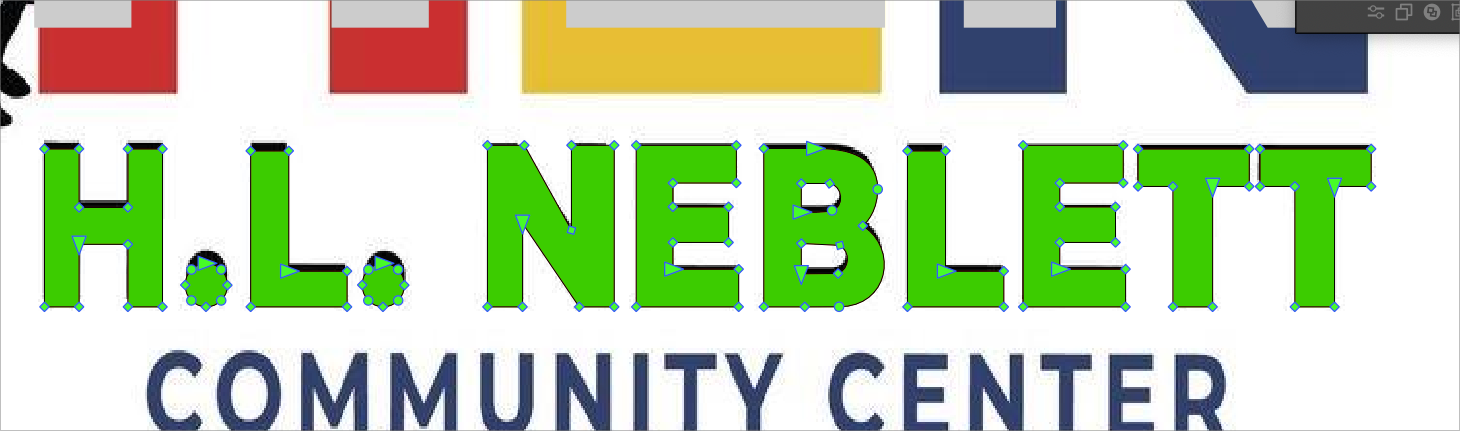
      Oh, I understand — you hand-traced over the bitmap image and the letters are not the exact same height.

      No idea how this can be done faster than dragging two guidelines from the horizontal ruler and scaling each shape to them.

      MacBook Pro (Intel) running Monterey 12.6.4

      BoldlineB 1 Reply Last reply Reply Quote 0
      • BoldlineB Online
        Boldline @b77
        last edited by

        @b77 essentially - I used a similar font and expanded it and then moved around the nodes to get them to where they were in the original source letters. I don't think there's currently an ability in VS or another vector program that can do this - but I don't see why it could not eventually happen

        🍎 macOS Tahoe 26.2, Mac mini (M1, 2020), Chip Apple M1, Memory 16 GB
        Cintiq 27QHD Display and LG Ultra HD Display

        b77B 1 Reply Last reply Reply Quote 0
        • VectorStylerV Offline
          VectorStyler @Boldline
          last edited by

          @Boldline If you want to make objects of the same height (or width) use the Align Size options in the Alignment panel:
          https://recordit.co/iIGXdKXkxg

          b77B 1 Reply Last reply Reply Quote 4
          • b77B Offline
            b77 @Boldline
            last edited by

            @vectoradmin I tried to solve this with an action that scales the object vertically at a set size in pt, but it looks like when you run it on other shapes it just applies a percentage-based scaling.

            MacBook Pro (Intel) running Monterey 12.6.4

            1 Reply Last reply Reply Quote 0
            • b77B Offline
              b77 @VectorStyler
              last edited by

              @vectoradmin said in Perform multiple autonomous tasks as one step:
              Use the Align Size options in the Alignment panel:

              https://recordit.co/iIGXdKXkxg

              Awesome!

              MacBook Pro (Intel) running Monterey 12.6.4

              encartE 1 Reply Last reply Reply Quote 1
              • encartE Offline
                encart @b77
                last edited by

                @vectoradmin Thanks! Is it possible such an operation with proportion lock?
                Sometimes I need to scale the words list this way so that they are all the same width.

                MacBook Air M4 24Gb, Tahoe 26.2

                VectorStylerV 2 Replies Last reply Reply Quote 0
                • VectorStylerV Offline
                  VectorStyler @encart
                  last edited by

                  @encart said in Perform multiple autonomous tasks as one step:

                  @vectoradmin Thanks! Is it possible such an operation with proportion lock?

                  Not possible at this time, added this to the backlog as a feature. It is a small thing to add.

                  b77B 2 Replies Last reply Reply Quote 2
                  • b77B Offline
                    b77 @VectorStyler
                    last edited by

                    @vectoradmin The first and fifth button under 'Align Size' will resize the object to the width or height of the top object.

                    However their tooltips explain what they do as 'Resizing to the width/height of the reference object'.

                    Why not use 'top object' instead?

                    MacBook Pro (Intel) running Monterey 12.6.4

                    VectorStylerV 1 Reply Last reply Reply Quote 1
                    • b77B Offline
                      b77 @VectorStyler
                      last edited by b77

                      @vectoradmin Also: because sometimes you don't know which is the top object (even if it overlaps you are not sure), maybe highlight it somehow (dashed light blue contour) when hovering any of these two buttons.

                      MacBook Pro (Intel) running Monterey 12.6.4

                      1 Reply Last reply Reply Quote 1
                      • VectorStylerV Offline
                        VectorStyler @b77
                        last edited by

                        @b77 Added these to the backlog

                        1 Reply Last reply Reply Quote 0
                        • VectorStylerV Offline
                          VectorStyler @encart
                          last edited by

                          @encart Proportional lock for resizing using the Alignment panel Align Size options is available in the panel menu.

                          1 Reply Last reply Reply Quote 1
                          • First post
                            Last post
