VectorStyler
    • Categories
    • Unread
    • Recent
    • Tags
    • Popular
    • Register
    • Login

    Isometric drawing

    Scheduled Pinned Locked Moved Tutorials
    21 Posts 6 Posters 39.6k Views 5 Watching
    Loading More Posts
    • Oldest to Newest
    • Newest to Oldest
    • Most Votes
    Reply
    • Reply as topic
    Log in to reply
    This topic has been deleted. Only users with topic management privileges can see it.
    • J Offline
      Jayanta Das
      last edited by

      @Devil-Dinosaur Thanks for sharing. Excellent work.

      Mac Mini M4 Pro | 24Gb
      WIndows 11 | Intel i5 11Gen
      Wacom Intuos Pro

      1 Reply Last reply Reply Quote 1
      • S Offline
        Subpath
        last edited by

        @Devil-Dinosaur

        Did you also use transformation cages e.g. for the round lights ?
        Or did you do everything just with the help of the grid ?

        Win 11
        CPU: AMD Ryzen 5 9600X, 6-core.
        GPU: Nvidia Geforce RTX 5070.

        Devil DinosaurD 1 Reply Last reply Reply Quote 0
        • Devil DinosaurD Offline
          Devil Dinosaur @Subpath
          last edited by

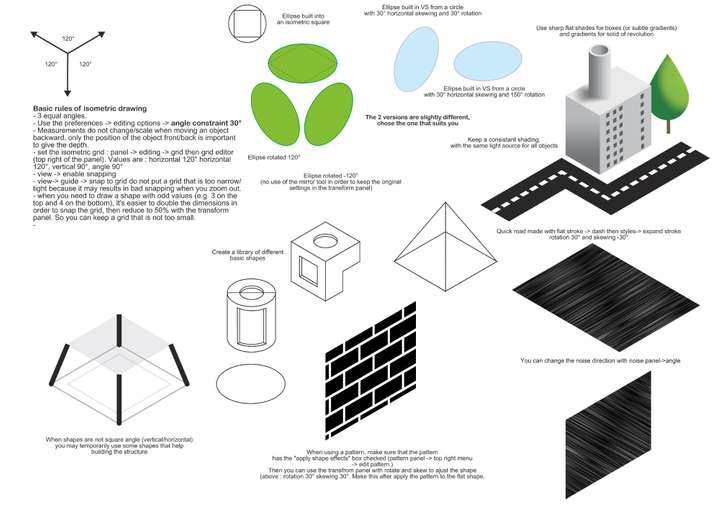
          @Subpath Ellipses are made according to the square, like in 2D. In 2D you can fit a square both outside and inside a circle, I use that as a reference and my ellipses fit an isometric square. I also set the rotation constraints to 30° angles. Using 30°, 60°, sometimes 120° is very useful. In some cases, I first rotate 30° then skew accordingly. The AC holes were done easily that way : dash lines, rotated 30°, turned into curves (style->expand), then skewed 30°. The good thing in isometric is that scale doesn't change when objects move backward, so you don't have to change the space between repeating object for instance.

          It's a little bit late for me here, but I can share some tricks tomorrow, with visuals.

          Fred.
          MacBook Pro (M1) - MacOs Sonoma 14

          S 1 Reply Last reply Reply Quote 2
          • S Offline
            Subpath @Devil Dinosaur
            last edited by

            @Devil-Dinosaur

            Understand, if you find the time, it would be interesting to learn a few tricks 🙂 Thanks in advance.

            Win 11
            CPU: AMD Ryzen 5 9600X, 6-core.
            GPU: Nvidia Geforce RTX 5070.

            1 Reply Last reply Reply Quote 0
            • Devil DinosaurD Offline
              Devil Dinosaur
              last edited by Devil Dinosaur

              I put a link below for those who want to download some info and tricks about the isometric drawing. Since it's a VS file, feel free to add your own tips and correct my "globish" if necessary 😁
              Iso mini tuto
              or
              Iso mini tuto (link 2)
              My website is not https, so your browser may refuse to download thru the 1st link.

              Fred.
              MacBook Pro (M1) - MacOs Sonoma 14

              S 1 Reply Last reply Reply Quote 1
              • S Offline
                Subpath @Devil Dinosaur
                last edited by Subpath

                @Devil-Dinosaur

                Thanks for your tutorial file and the insights on how to do Isometric in
                VS. As I saw your method how to move and rotate circles/ellipses in
                Isometric is really easy to do.

                There are unfortunately a few small problems when I use the file into VS.
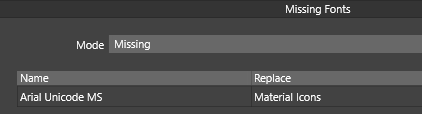
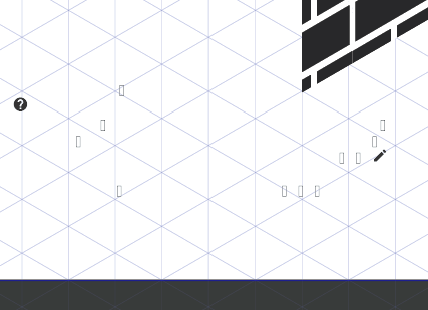
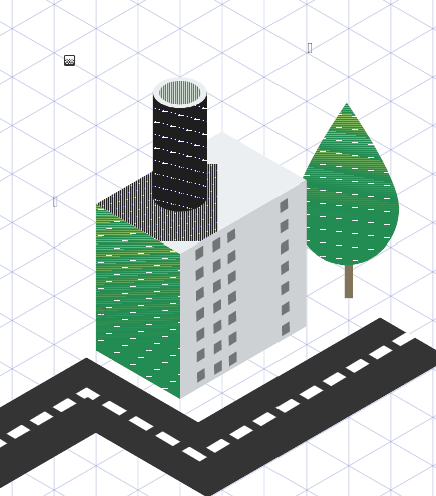
                Works so far, but one font is missed / can't be displayed and the examples
                with the noise effect may are not displayed correctly I think.

                Here some Pictures
                0_1647348656909_1.png

                0_1647348666393_2.png

                0_1647348673248_3.png

                Win 11
                CPU: AMD Ryzen 5 9600X, 6-core.
                GPU: Nvidia Geforce RTX 5070.

                1 Reply Last reply Reply Quote 2
                • Devil DinosaurD Offline
                  Devil Dinosaur
                  last edited by Devil Dinosaur

                  Sorry for the font, I used Arial unicode and Arial rounded.
                  I'm quite surprised about the gradient (less about the noise). It's strange that a native VS file cannot be read easily on another computer. That's why I skipped the PDF. I will check my preferences... (edit: if it make a difference, my file is CMYK)
                  Same document with embedded color profile
                  Here's how it should look :
                  0_1647350410246_Iso_tuto_bitmap.jpg

                  Fred.
                  MacBook Pro (M1) - MacOs Sonoma 14

                  S 1 Reply Last reply Reply Quote 5
                  • S Offline
                    Subpath @Devil Dinosaur
                    last edited by

                    @Devil-Dinosaur

                    No problem, I also wonder about the font, I have Arial (actually a standard
                    font on Windows) installed, but not the Unicode version, which seems to be a
                    little different. I think it also contains special characters for other languages.

                    I also wonders about the Effects.

                    Thanks for the bitmap version which works fine, naturally 🙂

                    Win 11
                    CPU: AMD Ryzen 5 9600X, 6-core.
                    GPU: Nvidia Geforce RTX 5070.

                    1 Reply Last reply Reply Quote 0
                    • S Offline
                      Subpath
                      last edited by

                      @Devil-Dinosaur

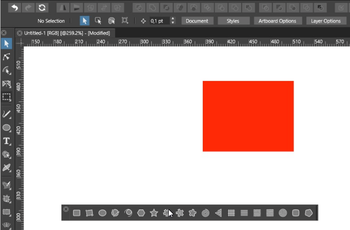
                      Want to show a little trick I once figured out in Affinity Designer
                      (which has the great Isometric Studio) while playing with Symbols
                      in Isometric Studio.

                      Something similar also works in VS. Might be useful for complicated
                      Isometric shapes in VS. I use Clones in VS for that.

                      Here is the video:
                      Isometric Clone trick
                      0_1647356964784_IsometricCloneTrick.png

                      Win 11
                      CPU: AMD Ryzen 5 9600X, 6-core.
                      GPU: Nvidia Geforce RTX 5070.

                      Devil DinosaurD 1 Reply Last reply Reply Quote 4
                      • S Offline
                        Subpath
                        last edited by Subpath

                        Had also tried to recreate something like the Isometric Studio with the tools of VS.
                        ( Transform Cages and Pick Shape Effect ). But that didn't work so well with complicated shapes
                        and different sizes.

                        Here a Video
                        Transform Cage and Pick Shape Effect

                        0_1647358493984_TransformCagePickshapeEffect.png

                        Win 11
                        CPU: AMD Ryzen 5 9600X, 6-core.
                        GPU: Nvidia Geforce RTX 5070.

                        1 Reply Last reply Reply Quote 2
                        • Devil DinosaurD Offline
                          Devil Dinosaur @Subpath
                          last edited by

                          @Subpath
                          Using a clone is a very good idea. Very useful, thanks. 😃

                          Fred.
                          MacBook Pro (M1) - MacOs Sonoma 14

                          S 1 Reply Last reply Reply Quote 1
                          • S Offline
                            Subpath @Devil Dinosaur
                            last edited by Subpath

                            @Devil-Dinosaur

                            your welcome and nice that it is helpful

                            Win 11
                            CPU: AMD Ryzen 5 9600X, 6-core.
                            GPU: Nvidia Geforce RTX 5070.

                            1 Reply Last reply Reply Quote 1
                            • J Offline
                              Jono
                              last edited by

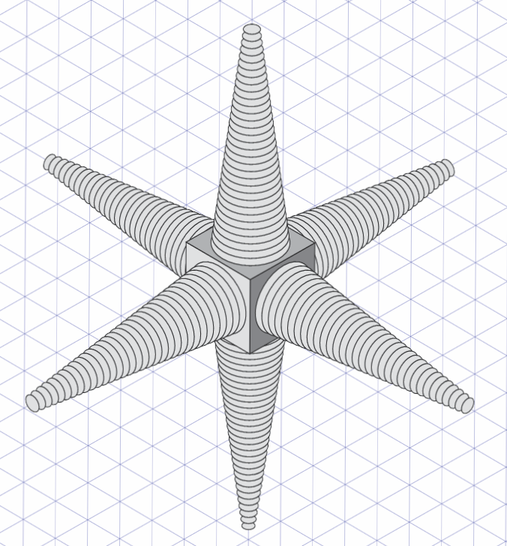
                              @Devil-Dinosaur Thanks for the great tips sheet - I was wondering how to deal with ellipses (and now I know!) 😀

                              @Subpath Thanks for the clone trick. You never know when these things will come in handy!

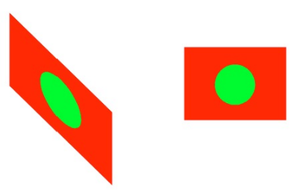
                              Ellipses!
                              0_1647418204892_isometric-testing.png

                              Mac mini (M1, 2020) | Tahoe 26.1 | Wacom Cintiq 16 (1920 x 1080 px)

                              S 1 Reply Last reply Reply Quote 5
                              • S Offline
                                Subpath @Jono
                                last edited by Subpath

                                @Jono

                                Wow, @Jono very cool
                                i think that sparks some imagination 🙂

                                Win 11
                                CPU: AMD Ryzen 5 9600X, 6-core.
                                GPU: Nvidia Geforce RTX 5070.

                                1 Reply Last reply Reply Quote 0
                                • S Offline
                                  Subpath
                                  last edited by Subpath

                                  @Devil-Dinosaur , @Jono

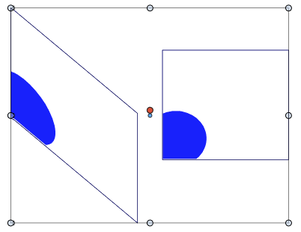
                                  You could also use clipping in Clones.
                                  Recommend to set the "Isolation Opacity"
                                  in View > Display > Display Options lower
                                  for a better view.

                                  Here the vid
                                  Clipping in Clones

                                  0_1647419265853_Clipping in Clones.png

                                  And the clipping object with "no fill"
                                  offers some further possibilities.

                                  0_1647420605233_1.png

                                  0_1647420615305_Bildschirminhalt erfassen-2.png

                                  Win 11
                                  CPU: AMD Ryzen 5 9600X, 6-core.
                                  GPU: Nvidia Geforce RTX 5070.

                                  1 Reply Last reply Reply Quote 5
                                  • First post
                                    Last post