VectorStyler
    • Categories
    • Unread
    • Recent
    • Tags
    • Popular
    • Register
    • Login

    Guide Shapes: Is there a place to save them as Guides?
    Scheduled Pinned Locked Moved Questions and Support
    4 Posts 3 Posters 4.5k Views 2 Watching
    Loading More Posts
    • Oldest to Newest
    • Newest to Oldest
    • Most Votes
    Reply
    • Reply as topic
    Log in to reply
    This topic has been deleted. Only users with topic management privileges can see it.
    • Victor VectorV Offline
      Victor Vector
      last edited by Victor Vector

      Hi
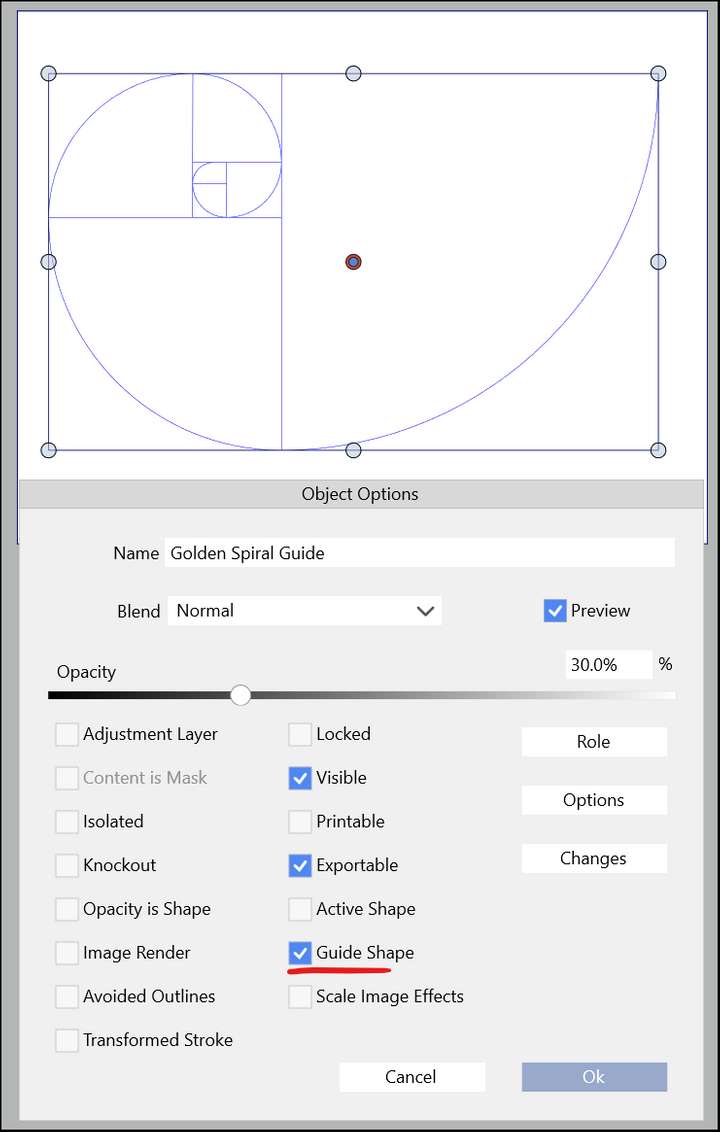
      I was trying to make some guide shapes for use in future projects and I was wondering, is there a specific place to save guide shapes?

      I am aware of the save option in the Guideline Panel menu (Save to preset) but that appears to only work for lines generated by the guideline feature.

      Options to work around this (if it is missing) are saving said guide shape as a preset in the shape panel, but when fetching, the shape looses the "Guide Shape" attribute. Another option is to save a .vstyler template and just load it when needed.

      So, I ask this, in case I was missing something.
      Thank you.
      0_1648571423043_Shapes into Guides.png

      VectorStylerV BoldlineB 2 Replies Last reply Reply Quote 1
      • VectorStylerV Offline
        VectorStyler @Victor Vector
        last edited by

        @Victor-Vector I think one option here is to save it as a "symbol preset" in the Presets panel (+) icon Create Synbol.
        In this way it will be accessible from other documents.
        But it must be added to a document when used.

        Victor VectorV 1 Reply Last reply Reply Quote 1
        • Victor VectorV Offline
          Victor Vector @VectorStyler
          last edited by

          @vectoradmin Ah, okay. Yes, I had not considered that option.
          Thanks for enlightening me ☺

          1 Reply Last reply Reply Quote 0
          • BoldlineB Offline
            Boldline @Victor Vector
            last edited by

            @Victor-Vector Very cool idea to make guide shapes like that for future use - nice job!

            🍎 macOS Tahoe 26.2, Mac mini (M1, 2020), Chip Apple M1, Memory 16 GB
            Cintiq 27QHD Display and LG Ultra HD Display

            1 Reply Last reply Reply Quote 1
            • First post
              Last post
