Convert object shape to curve shape
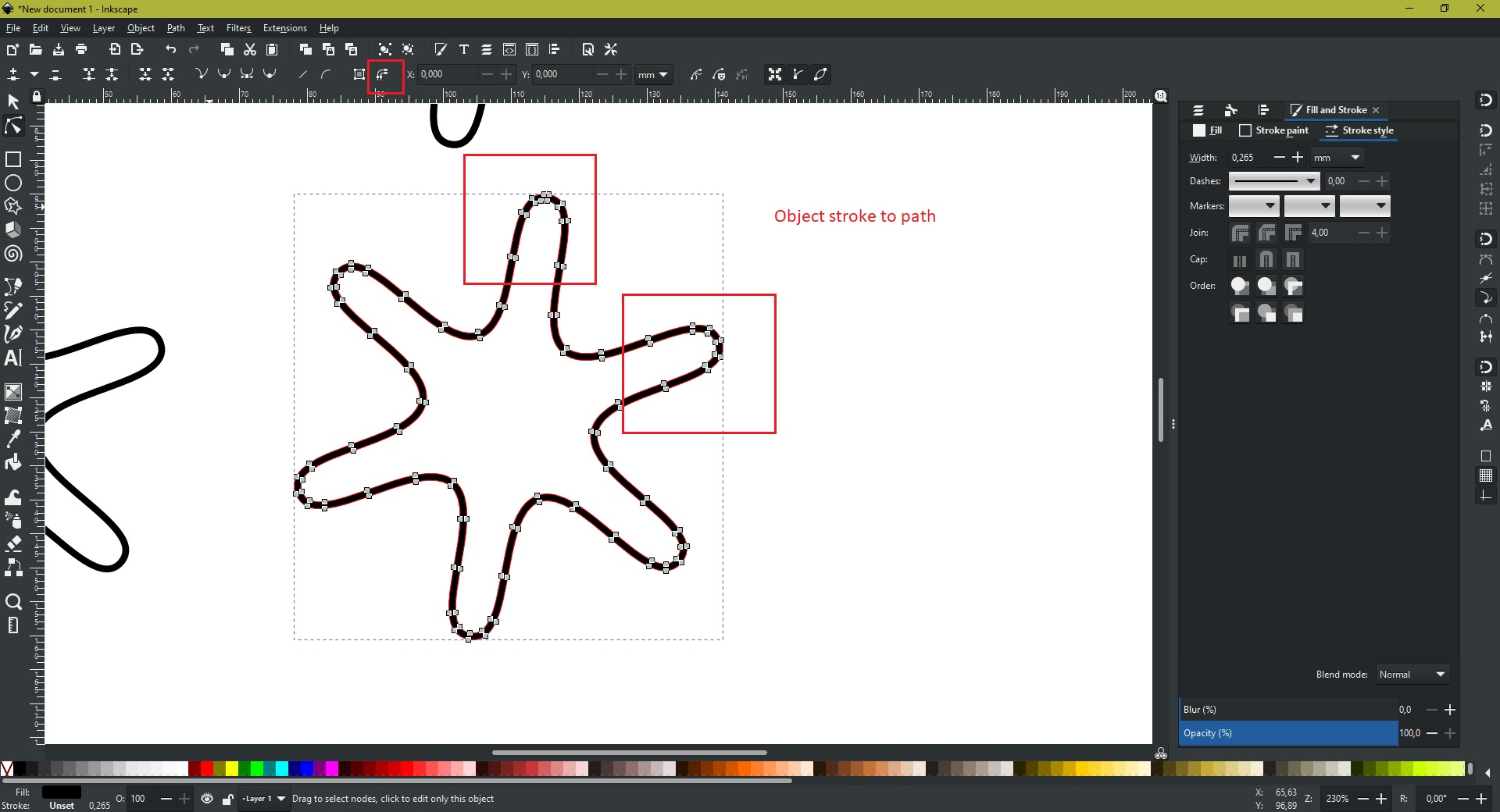
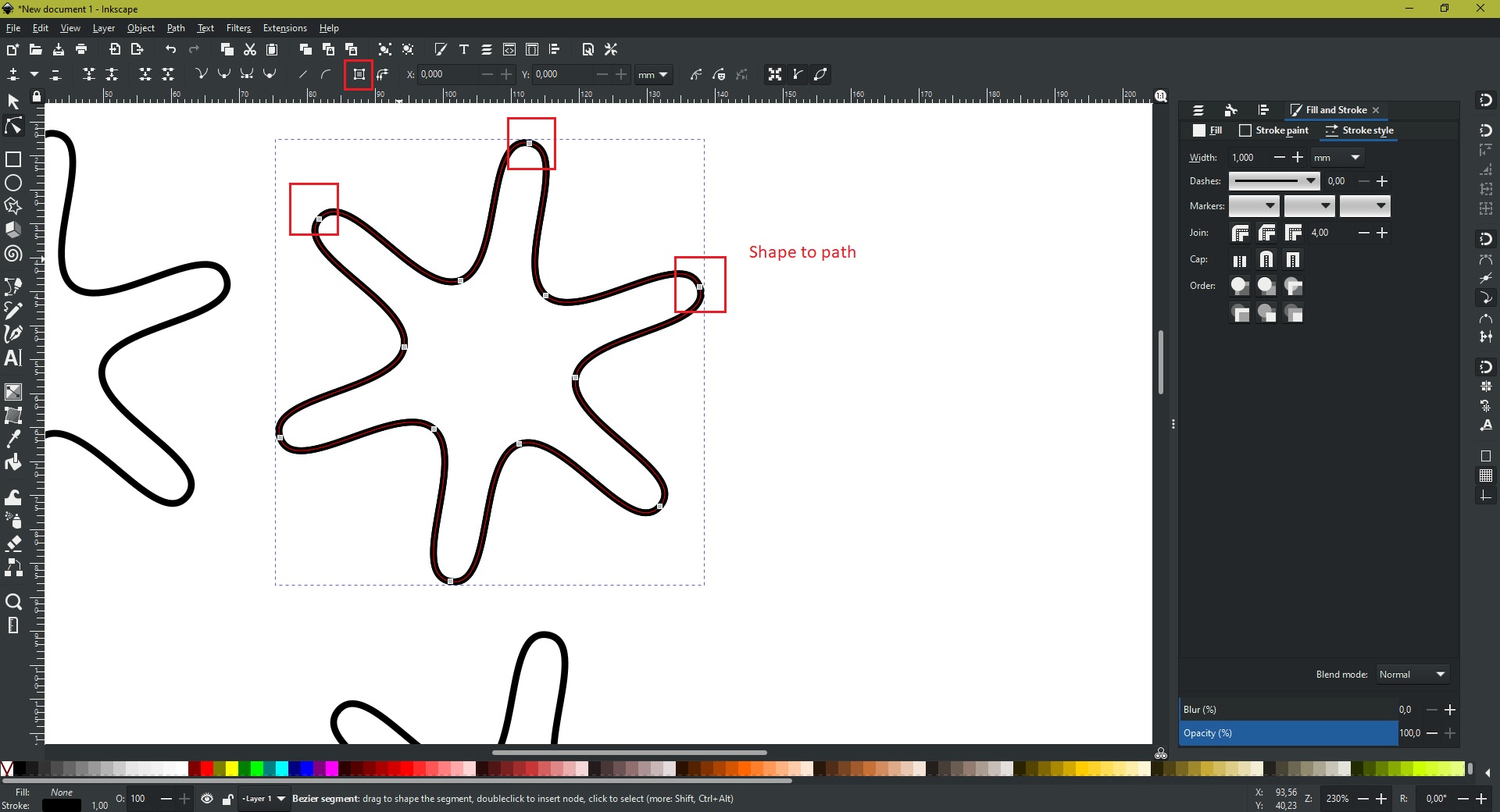
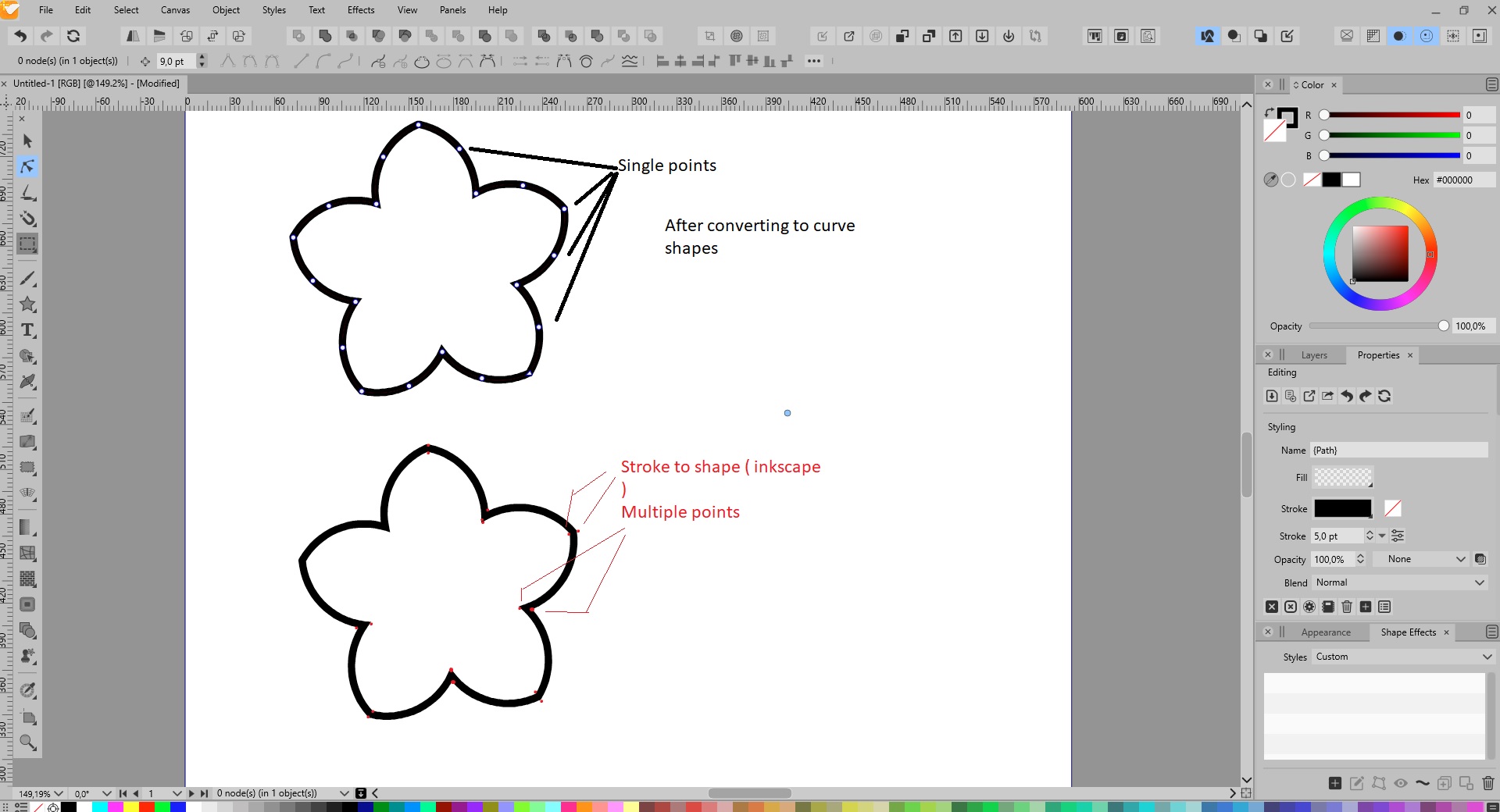
-
Thanks , if I may be so rude to say , that's a rather poor location to hide it away
Can't we just have some radio buttons to achieve that task ?I do have to say I love vectorstyler for drawing freehand , feels so good !
Edit there is a bug , it does not always work
I hover over it with the select tool and see al the created nodes , then swtiching to the node tool I can't select them
I will make new topic for it -
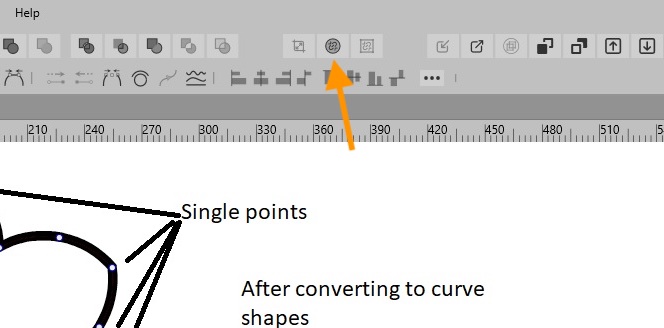
@gentlecl OK, there is also a direct button for that, introduced recently I think:
MacBook Pro (Intel) running Monterey 12.6.4
-
@gentlecl said in Convert object shape to curve shape:
There is a bug , it does not always work
I hover over it with the select tool and see al the created nodes , then swtiching to the node tool I can't select themIf the object has a fill and a stroke, 'Expand Stroke' will group the expanded stroke with the fill object.
Maybe the issue you mention is related to this?
-
It's def. a bug , I just tried it with the dedicated radio button , it needs to be pressed twice to get the desired result .
Brush used is simple with no fill
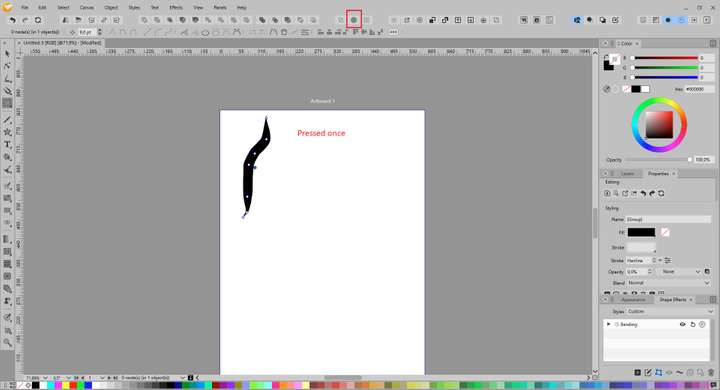
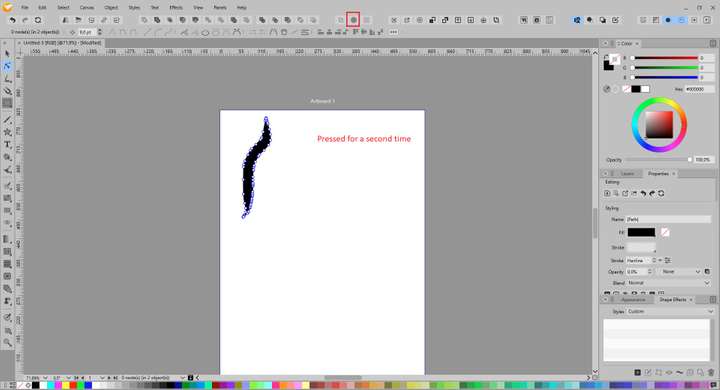
-
@gentlecl Brush strokes are vector objects distorted along a path and adjusted to a stroke profile. If you change the brush stroke color from black to something lighter you can see the path (spine) of the stroke.
So in the case of brush strokes, after using 'Expand Stroke' use 'Convert to Curves' also. This should convert the vector shape to a fillable object, then you can edit its nodes without issues.
MacBook Pro (Intel) running Monterey 12.6.4
-
@b77 Interesting. I tested this with 2 strokes, one without a brush shape and one with a brush shape and:
- Making a simple stroke with no brush shape and "Expanding Stroke", then switching to "Shape Editor", yields a shape with the nodes right away.
- But if you make a stroke with a brush shape, you first have to "Expand Stroke", "Convert to Curves", and switch to "Shape Editor" to be able to access the nodes.
In the condition of a simple stroke with a brush shape, "Expanding Stroke" and clicking on "Shape Editor", it does not show the nodes until you do the "Convert to Curves".
Can you explain why? Like, what is going on here after the "Expand Stroke"? I ask because it shows no nodes when using the "Shape Editor" tool.
But switching back to the "Transform Tool" and hovering over the shape, without selecting, shows the nodes.
I find this behaviour confusing. Is there something going on that I don't understand? -
@b77 said in Convert object shape to curve shape:
OK, there is also a direct button for that, introduced recently I think:
I had not noticed that yet up there until you pointed it out - very cool!
-
@Victor-Vector said in Convert object shape to curve shape:
In the condition of a simple stroke with a brush shape, "Expanding Stroke" and clicking on "Shape Editor", it does not show the nodes until you do the "Convert to Curves".
Can you explain why? Like, what is going on here after the "Expand Stroke"? I ask because it shows no nodes when using the "Shape Editor" tool.A vector brush is a group of vector objects stretched along a path using a Bend shape effect. The rationale behind having this "two step" stroke expansion for vector brushes, is to have access to the Bend effect parameters used to create the brush.
So the first expansion results in a group of objects (accessible in the layers panel), distorted with a Bend effect along the original shape. The effect parameters can be now edited, and the Bend spine can still be adjusted.
Then an additional Convert to Curve will flatten the Bend effect into paths. -
@vectoradmin I appreciate you taking the time to explain this and to help me understand that it opens more creative options and control.
Thank you! -
@b77 said in Convert object shape to curve shape:
@gentlecl Brush strokes are vector objects distorted along a path and adjusted to a stroke profile. If you change the brush stroke color from black to something lighter you can see the path (spine) of the stroke.
So in the case of brush strokes, after using 'Expand Stroke' use 'Convert to Curves' also. This should convert the vector shape to a fillable object, then you can edit its nodes without issues.
I am aware of al that , been using vector drawing programs for a pretty long time by now

Point being , the button still has be pressed twice
Steps to reproduce
-Load vector stuyler and directly choose the Brush tool and a brush stroke , NOT THE PENCIL TOOL
-Draw a stroke with a brush
-select the node tool , we can adjust a node
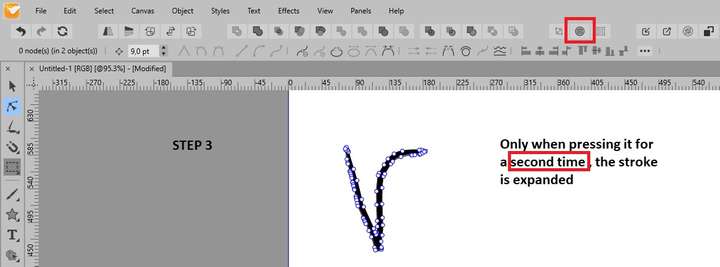
-press the button 'expand stroke ';- if we now return to the node tool , we can NOT select any nodes anymore , the node tool selects the WHOLE object and while the exisint gnodes keep flickering and some radio buttons to which might indicate there is a gui related issue
- press the 'expand button 'for second time
--NOw we can select the (additional ) nodes
I hope this clears things up
It is clearly a bug because it only happens for the first time when using the brush tool and a brush stroke .
It does not happen with the pencil tool , after that only one press is enough when the brush tool is used
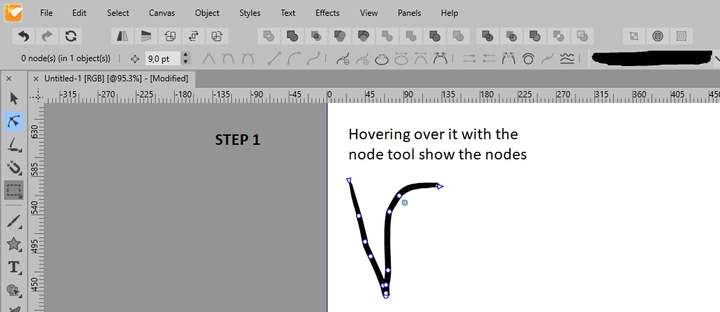
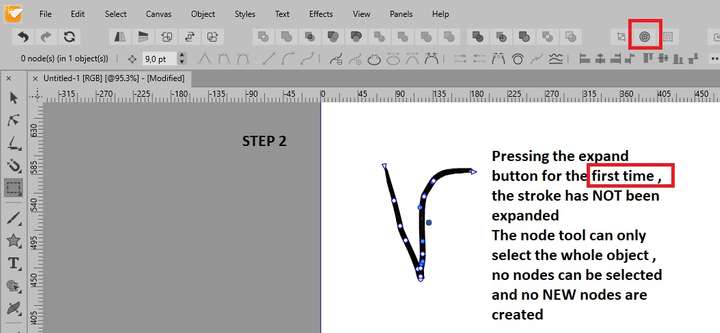
-
@gentlecl I think @vectoradmin explained what is going on 3 posts up:
https://www.vectorstyler.com/forum/topic/1903/convert-object-shape-to-curve-shape/10
It's not a bug, but it exposes the "Bending" Shape Effect when pressed once. Click on the "Fx" icon to bring up the Shape Effect options window.
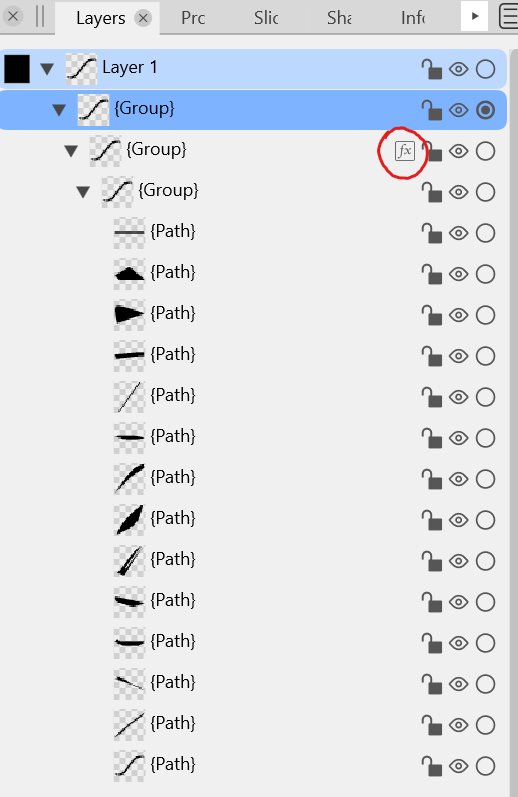
Press "Expand Stroke" again and it converts the bend effect to curves.


