VectorStyler
    • Categories
    • Unread
    • Recent
    • Tags
    • Popular
    • Register
    • Login

    Opening VS shifts panels to left
    Scheduled Pinned Locked Moved Questions and Support
    6 Posts 2 Posters 8.3k Views
    Loading More Posts
    • Oldest to Newest
    • Newest to Oldest
    • Most Votes
    Reply
    • Reply as topic
    Log in to reply
    This topic has been deleted. Only users with topic management privileges can see it.
    • BoldlineB Offline
      Boldline
      last edited by

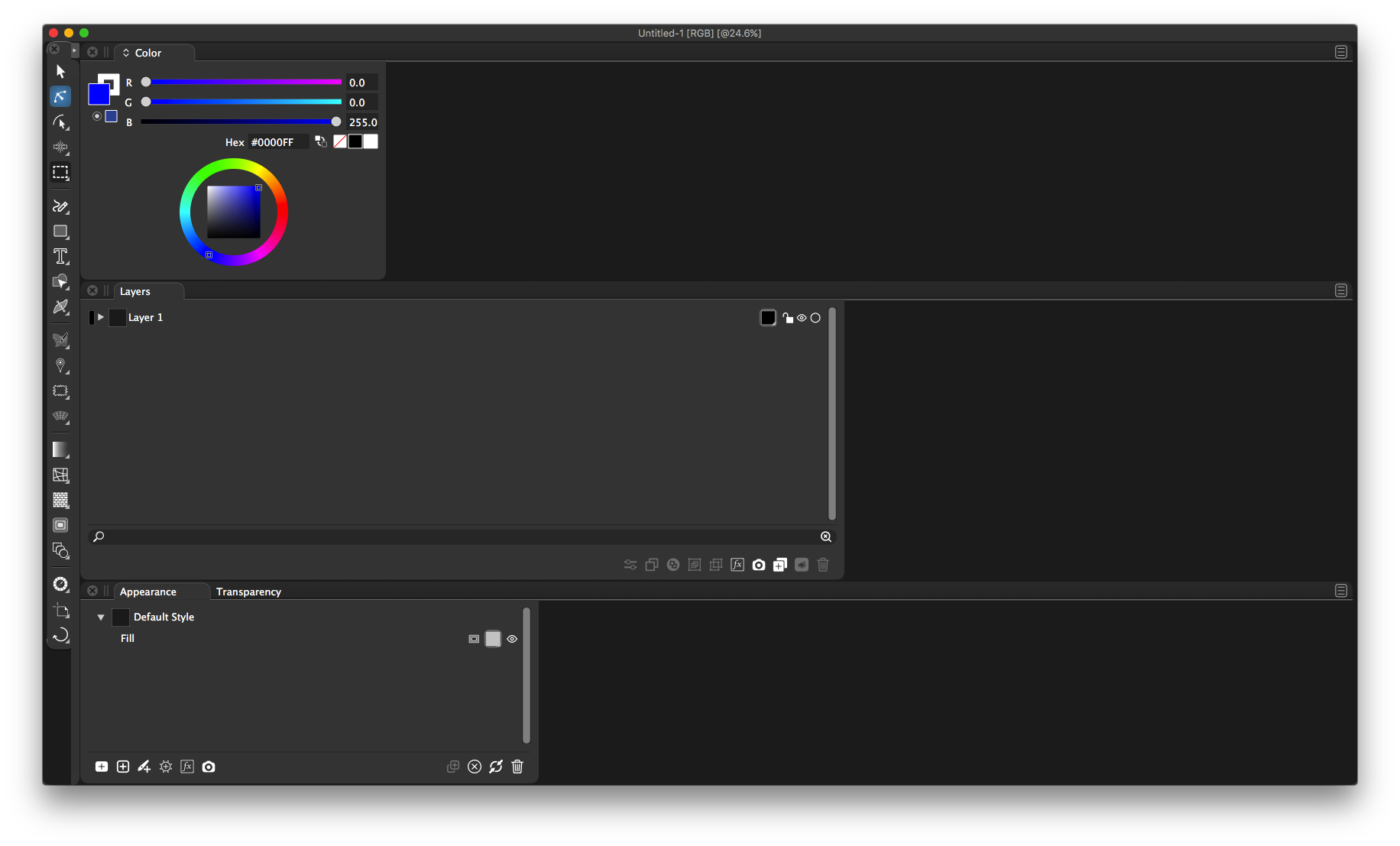
      I've noticed over the last couple beta versions, when I go to open VS for the first time. All the panels and boxes are shifted to the left side because there is no open document. But even when I go and create one, I still have to manually rearrange the layout, or go in and reset the workspace under Vectorstyler>Workspaces
      Is this a bug or did I need to do something to fix this on my end? thanks!
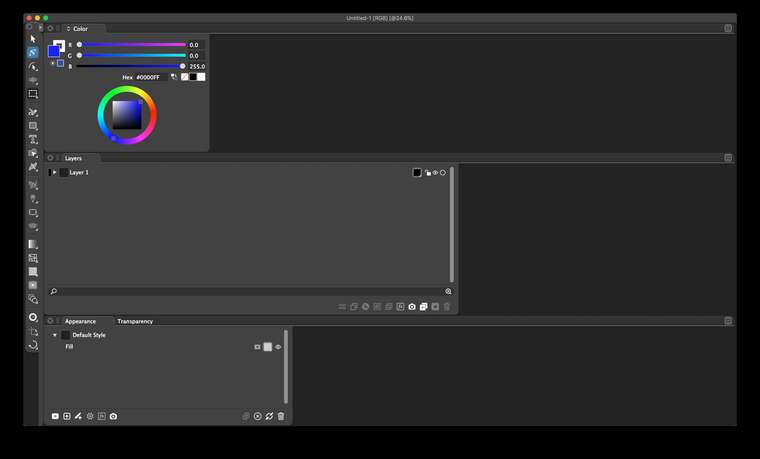
      0_1609167796295_Screen Shot 2020-12-28 at 9.59.58 AM.png

      🍎 macOS Tahoe 26.2, Mac mini (M1, 2020), Chip Apple M1, Memory 16 GB
      Cintiq 27QHD Display and LG Ultra HD Display

      VectorStylerV 1 Reply Last reply Reply Quote 0
      • VectorStylerV Offline
        VectorStyler @Boldline
        last edited by

        @Boldline You could try a reset Shift + Option + Command and start VS
        If you have custom presets (created in VS) you will loose those on reset.
        You can back them up first from the ~/Library/Application Support/NumericPath/VectorStyler1.0/vector/data/presets/ folder.

        You can also try removing the ~/Library/Application Support/NumericPath folder, which results in a initial state for VS.
        (the ~/Library/ folder can only be accessed using the Go to Folder command of Finder).

        It could be that reset was needed a few updates ago, as the workspace file was not compatible anymore.

        Let me know if the problem persists after a reset.

        1 Reply Last reply Reply Quote 1
        • BoldlineB Offline
          Boldline
          last edited by

          the first reset option worked - thank you. I'll try the others if it persists. thank you!

          🍎 macOS Tahoe 26.2, Mac mini (M1, 2020), Chip Apple M1, Memory 16 GB
          Cintiq 27QHD Display and LG Ultra HD Display

          VectorStylerV 2 Replies Last reply Reply Quote 0
          • VectorStylerV Offline
            VectorStyler @Boldline
            last edited by

            @Boldline Seems that problem exists even after reset (could be replicated).
            Will include a fix into the next build.

            1 Reply Last reply Reply Quote 0
            • VectorStylerV Offline
              VectorStyler @Boldline
              last edited by

              @Boldline There is a new build with improvements on panel persistence.

              BoldlineB 1 Reply Last reply Reply Quote 1
              • BoldlineB Offline
                Boldline @VectorStyler
                last edited by

                @vectoradmin just installed it and works perfectly now

                🍎 macOS Tahoe 26.2, Mac mini (M1, 2020), Chip Apple M1, Memory 16 GB
                Cintiq 27QHD Display and LG Ultra HD Display

                1 Reply Last reply Reply Quote 1
                • First post
                  Last post
