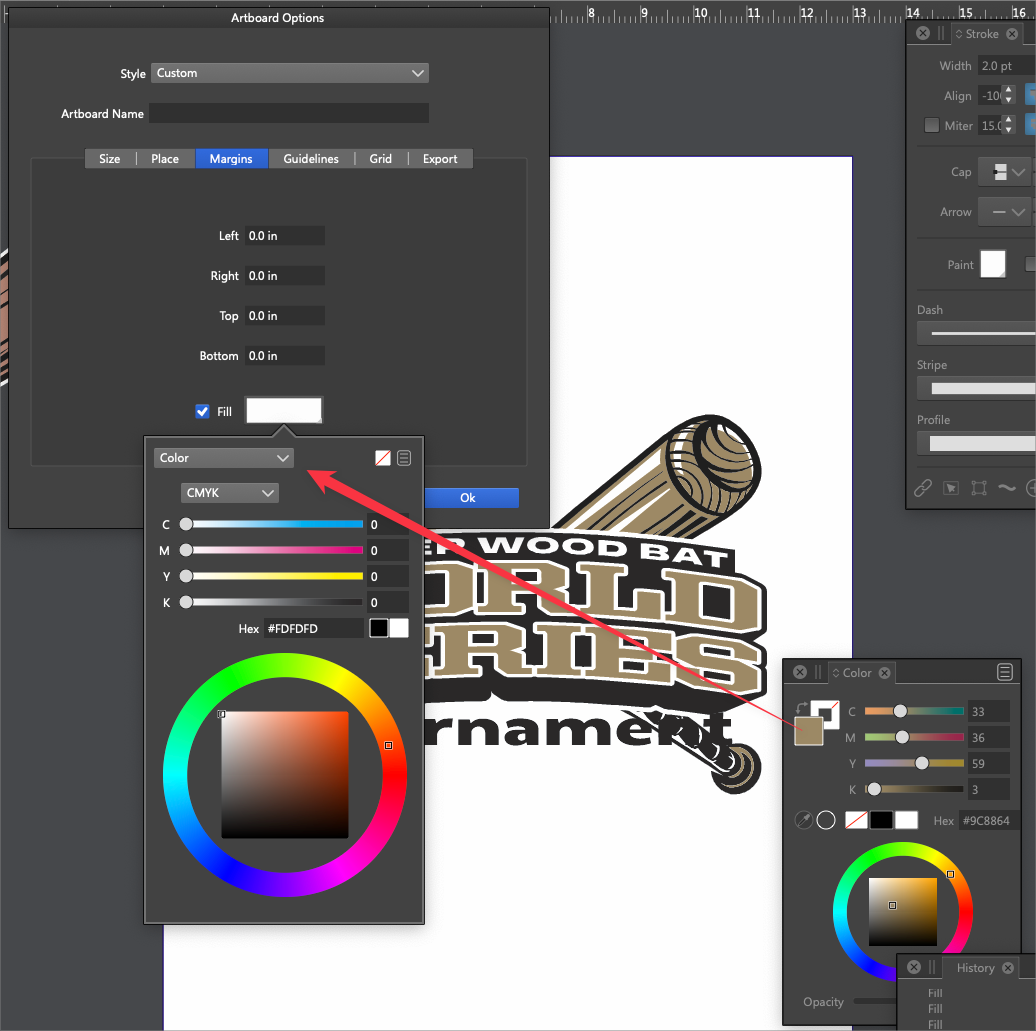
Could the color panel color select option in artboard panel be tied to current color panel settings?
-
I understand the artboard panel is modular - does this keep it from being able to use the current color panel settings when you select the color panel from within the artboard panel?
-
@Boldline This could be implemented, but the question is: what color should be the default when Fill is checked?
Currently this is white (since it is the most likely artboard background).
-
@VectorStyler I think it's good to have white be the default - that makes the most sense. My end goal is to be able to make the artboard background any color I want. For example, the ability to sample from a linked png image. Ideally, I'd think an eyedropper in that artboard color section would be best, but I understand with the panel being self-contained, it can't go beyond itself - so the next best thing would be the ability to add colors to a palette beforehand using the eyedropper tool for example, in the main palette panel and then have those colors show up in the swatches and/or active color choices when choosing a color in the artboard panel
-
@Boldline An other way to select the artboard background: use the Artboard tool to select the artboard. Then use the Color panel or any of the opened color palettes to select a color.
-
@VectorStyler said in Could the color panel color select option in artboard panel be tied to current color panel settings?:
An other way to select the artboard background: use the Artboard tool to select the artboard. Then use the Color panel or any of the opened color palettes to select a color.
Oh wow! just tried that - love it! I bookmarked that one.
I still think having the option in the artboard panel if not too hard to accomplish, would still be good - but I like this shortcut! -
That must be in Artboard Options, I've lost a LOT of time trying to change the artboard background. Wouldn't even think to use a TOOL from the toolbox for that. I had to change the BG color using the FILL in Margins tab, not user friendly.
A TOOL is a thing used frequently, I think it should be removed from the Toolbox and instead some other tool could be added (or that could be customized by the user).
Also when you click the Artboard Editor nothing happens, even the mouse cursor stays the same, an artboard isn't highlighted in any way. That way all these minor glitches turn into a bigger problem. -
@plrang said in Could the color panel color select option in artboard panel be tied to current color panel settings?:
Also when you click the Artboard Editor nothing happens, even the mouse cursor stays the same, an artboard isn't highlighted in any way.
The cursor changes here when it hovers the canvas (the space between artboards) and stays the same (a selection cursor) when hovering an artboard, because you can click that artboard to select it.
………………………………………………
A TOOL is a thing used frequently, I think it should be removed from the Toolbox and instead some other tool could be added (or that could be customized by the user).
What do you mean by this? The 'Artboard Tool' (Shift-O) should be removed from the toolbox?


