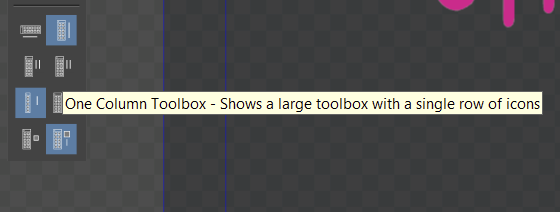
Customizing Toolboxes
-
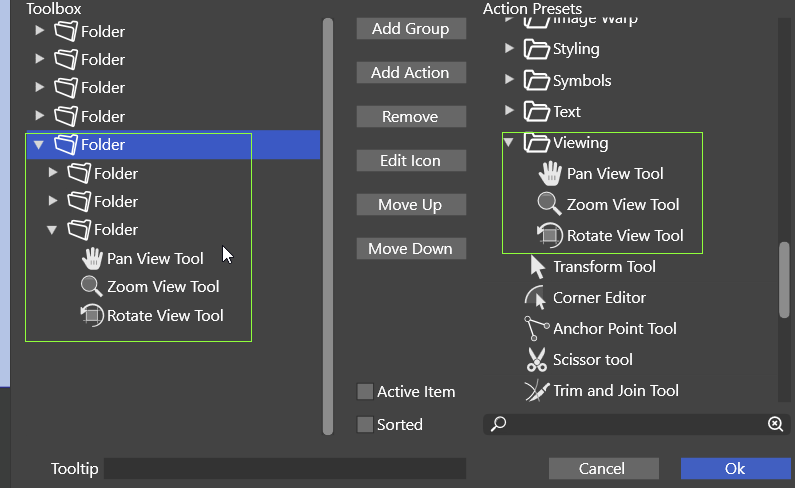
@plrang There is no drag&drop interface for now. First, the "folder" naming bugs will be fixed. A drag&drop interface will be added later
-
@VectorStyler
If that panel would get some love, no need for drag'n'drop I think.Here is a video of an additional Toolbox panel allowing to streamline the specific workflow.
I just need some life and do not want to waste the time while jumping around those nested dropdowns.
Since VectorStyler is highly customizable
 I'm gonna try to polish it more. Maybe you gonna get some inspiration from this.
There are some issues like:
- some actions do not work like the "Font - list of available - menu"
- "paragraph alignment"
- some panels are not filled with the right values (visible in the video)
That important for me "Character" is missing the "font size, leading, kerning" values.
"Properties" is empty. - "Preference files" action won't open
- "Panels> Toolbox Style > Horizontal/Vertical" doesn't work with the custom Toolbox
- Panels opened from the Toolbox keep forgetting their position, they open in different places
If that could be fixed the Toolbox would be even more powerful.
-
@plrang just an FYI, some dropdown are available in the UI by default that can be handy to tap and adjust in the dropdown and then move on with the project - like the alignment panel
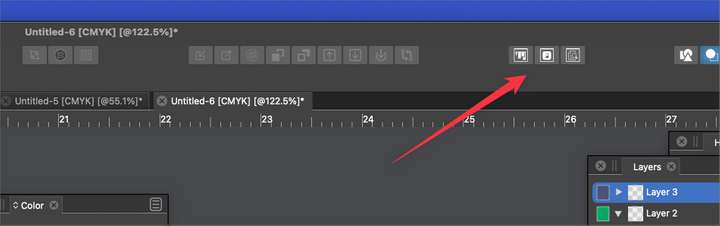
I like what you're doing with the secondary toolbar filled the things you would use most... there's also the ability to make your own dropdown menu filled them things you use most there as well.
Also, I'm not sure when this is planned, but panels will eventually be able to be customized in their layout and their arrangement saved - similar to what Illustrator offers where you can switch between panel layouts based on the task at hand and also reset them if they get out of order during the course of a work session.
-
@Boldline Yes, I used that at the beginning, but that tray couldn't handle it.
The good thing is a Toolbar can easily get drag'n'dropped just below the upper menu, so we don't lose anything. it's more flexible that way.Dropdown, you mean the Context menu? It doesn't have icons, tried that and didn't like it. Also it needs additional keystrokes or clicking.
About those plans, that would be great, and that's what I am aiming for using current possibilities. There can be many toolbars. The first one is just for testing, mainly for text based designs.
Now, when I know more about VS I'm gonna create more complicated design and will adjust that toolbar to fit the workflow better.
-
@plrang said in Customizing the Toolboxes:
Dropdown, you mean the Context menu? It doesn't have icons, tried that and didn't like it. Also it needs additional keystrokes or clicking.
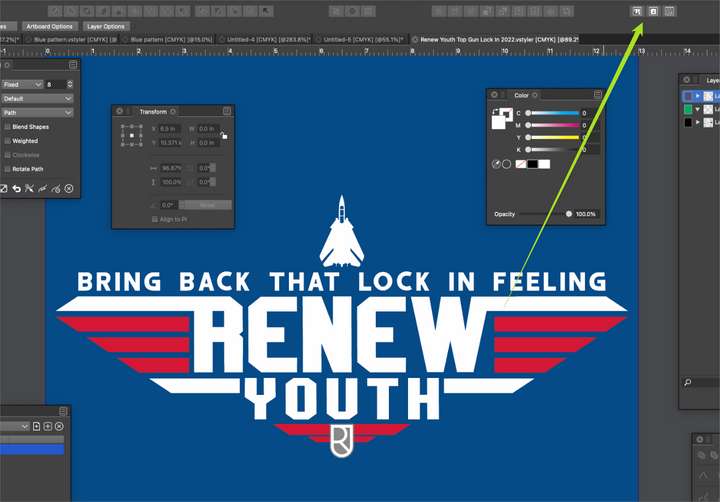
This section is not part of the contextual menu and is available at all times during use of VS
-
-
@plrang yeah that is cool to be able to do with the secondary toolbar. I was more meaning that some things in your custom toolbar are already easily accessible in the UI - such as the alignment panel.
-
@Boldline That alignment panel is too far, out of the context. I had most important panels opened right around the artboard, but it took too much space. Takes no time to launch the desired operation without walking around the screen and drop down menus. Gonna polish it while designing some stuff.
-
@plrang said in Customizing the Toolboxes:
If that could be fixed the Toolbox would be even more powerful.
Yes, some actions do not behave well when placed into the toolbox. I will review these and fix the bugs.
-
@VectorStyler COOL.
I just found these actions for my Toolbox

Unfortunately these do not work with the CUSTOM Toolbox and some of the icons belong to wrong actions or do not work.