Request change to Transform Panel
-
Hi
Can I request that the Transform Panel be changed to a more standard layout ?
Specifically, the top line being the X and Y position co-ordinates of the object and the lower line being the X and Y width and height of the object - the proportion lock being between the X and Y width/height. It doesn't matter if position and size are transposed, but X & Y are traditionally horizontally inline and not above/below each other.
The tab order would follow that new layout.
Just a small thing, but it's like swapping the clutch and brake pedals because it looks sexier LOL :-)))Neil
BTW, I like that the origin icon reflects the rotation of the object - great idea !
iMac 27" 2015 Catalina 32Gb, MacBook Pro 13" 2016 Monterey 8Gb, Mac Mini M2 2023 8Gb
-
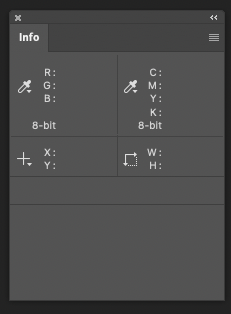
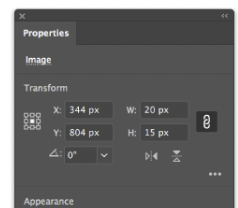
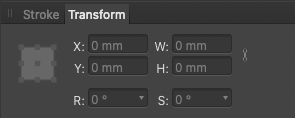
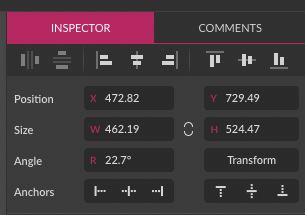
Standard from where?
Photoshop:
Illustrator:
Affinity:
Perhaps in Gravit Designer:
(With a market share of 0.01% )
)
🍏 macOS Sequoia Apple Silicon
-
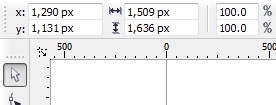
@Igull In defense of leaving them stacked vertically I can say that this allows CorelDRAW to eliminate almost all distance between them, and thus reduce the height of its Transform panel (something which I think VS could do as well):
-
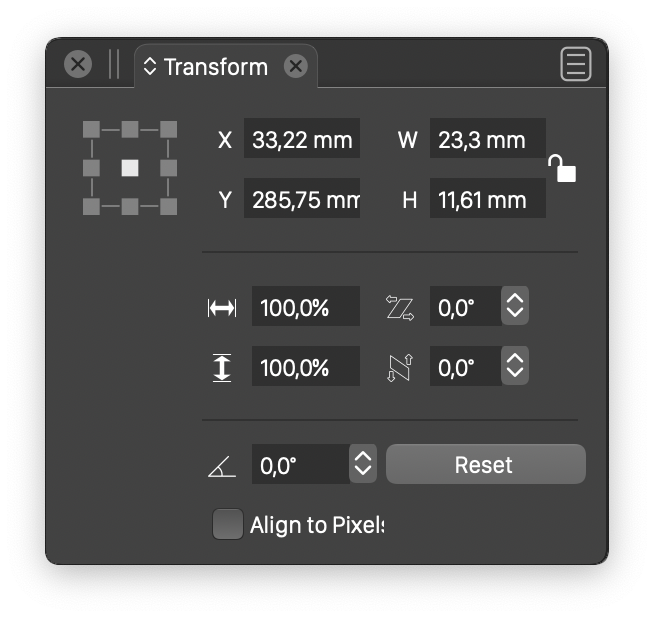
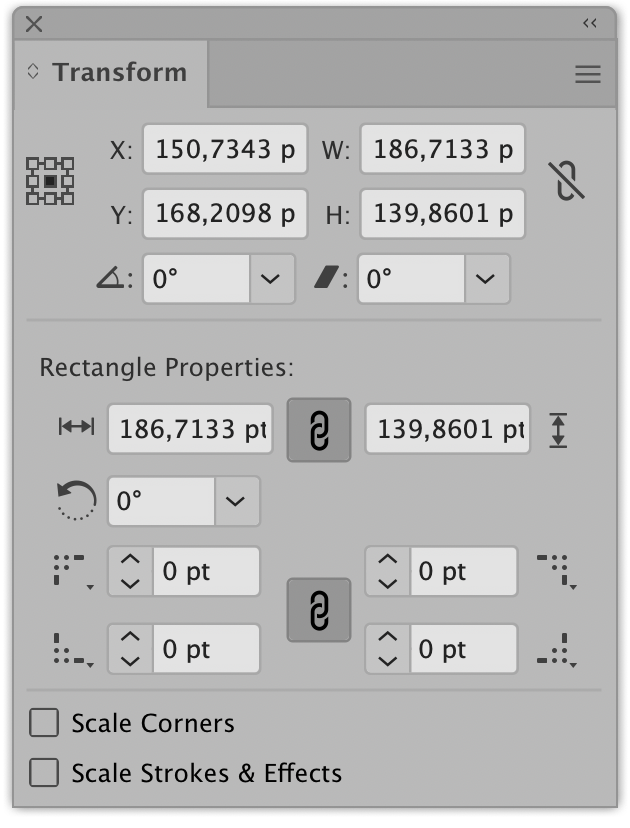
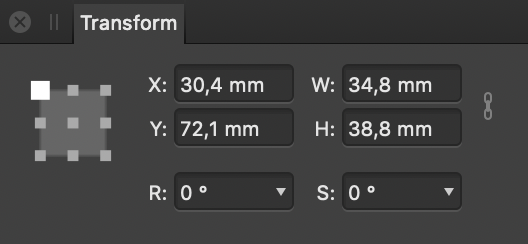
@Igull This would be very easy to fix. The only problem is that in AI and AD also have the same layout (and tab order) and changing it might result in confusion for other users:
VectorStyler:
Illustrator:
Affinity:
-
I like the vertical layout as it is in VS
and I don't see any improvement with a horizontal
layout -
To be honest, I've never liked the vertical organization of x,y and w,h in any programs myself, but I think I understand it. It makes it easier to organize the content of a panel. Especially if it's going to be narrow. But I haven't used transform that much, so I really expected a horizontal arrangement too, based on how I've read x,y all these years in maths etc.
But as now shown with many screenshots, this is how it looks in pretty much every other major program, thus the de facto standard in the program genre. So one should not stand out, unless it is a significant improvement customers will appreciate.
Vectorstylers big task as a new program and alternative, is that new customers should not learn everything from scratch, but experience a fairly high degree of recognizability. And be able to bring habits and muscle memory with them. For better or worse. Unless they want otherwise.
It's quite possible that new generations will come with different experiences from new web-based tools soon - with the same desire for horizontal placement. For example, I have colleagues who have not even HEARD of mighty Microsoft Project, but have only used newer project collaboration web software. It may be that in a few years Illustrator will start to experience the same.
🍏 macOS Sequoia Apple Silicon
-
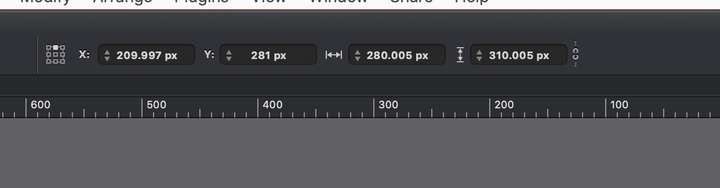
LOL, I see your four and raise you my three
Illustrator

Graphic
Inkscape
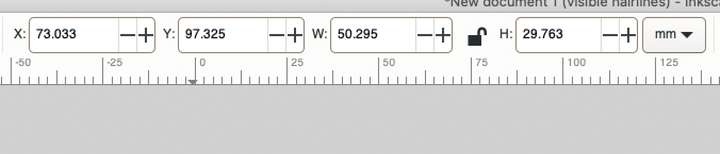
Plus your Gravit Designer - that makes it 4:3I purposely didn't add all the old CAD apps I had either
However, it was simply a request - a preference if you like - we can meet in the middle and have a preference for this - that would be the best solution all round - or is it to be mice at dawn LOL
Neil
iMac 27" 2015 Catalina 32Gb, MacBook Pro 13" 2016 Monterey 8Gb, Mac Mini M2 2023 8Gb
-
@Ingolf
Yep, I agree completely with the muscle memory thing - my muscles (weak as they are) are around the 70yr mark now
And you're right about stuff changing tooTBH I'd like to see an option for a small horizontal bar that can exist in the context (or whatever the other bar below it is called
) toolbar that simply shows X Y W lock H - a la the Illustrator bar above that I loaded.Finally, what IS Microsoft Project BTW - it was MacProject when I was a lad
Neil
-
@VectorStyler
I wasn't actually suggesting changing the tab order, it would still be XYWH whatever positions these editfields take.
Perhaps having an option to change it - or better still, an option for a completely separate horizontal bar (rather than a panel that takes up screen real estate) on the context area per the AI one below ...
Neil
-
@Igull said in Request change to Transform Panel:
LOL, I see your four and raise you my three

Illustrator
Ah, I think we might be comparing apples and pears.
It looks like context bars in your post, and floating panels in my post. So a chronic horizontal narrow static bar vs floating bars with a dynamic size.



