Separation preview?
-
@b77 said in Separation preview?:
OK, but since you can generate the PDFs with the separations (Print to file), it means you can open each PDF, merge the shapes then run the Repeater on them, or on the bitmaps.
For me, I can't get the print to file (pdf or ps) to work consistently, out of around 20 tries I managed to get separations to work twice and, one output as PDF (which failed to work again) and one as .ps (which failed to work again) and that's going through all combinations of PDF and postscript, it seems to go through the motions but doesn't create a file. and now switching off separations no longer includes spot colours on a composite pdf and only includes one trim mark bottom left - that's my patience shot for the day --- may re-visit in a week or so?
-
@Dazmondo It might be that you didn't enable the Pantones to separate by clicking their buttons in the Print window > Color tab?
Anyway, send the file to the developer if indeed it fails to generate the separation PDFs.
-
@Dazmondo said in Separation preview?:
For me, I can't get the print to file (pdf or ps) to work consistently
Send me an example where print to file did not work. I will try to replicate the problem.
Please note that the printing options are stored in the file, so if you save the file after (attempting to) print, I will have the same print settings, which helps in replicating this issue. -
@VectorStyler said in Separation preview?:
Send me an example where print to file did not work. I will try to replicate the problem.
Please note that the printing options are stored in the file, so if you save the file after (attempting to) print, I will have the same print settings, which helps in replicating this issue.Thank's
Update: by going back to selecting the first PDF option in the Printer section of the print dialog I've manage to get a composite with spots to work again - and managed to get one sep (pantone Green C) to pdf but can't trick any others
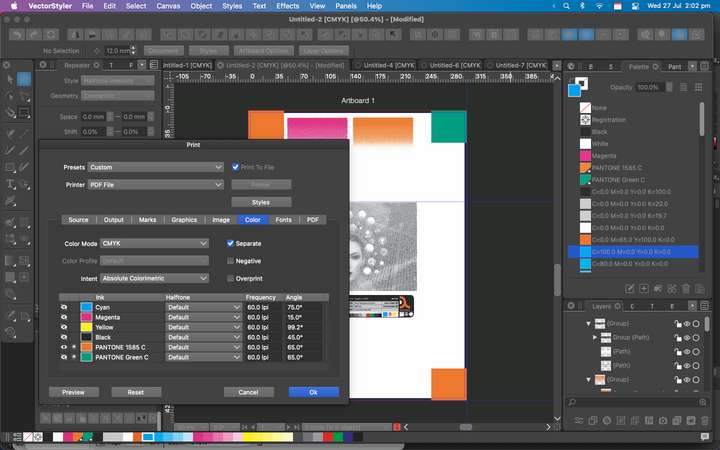
Link to doc: https://drive.google.com/file/d/1uAWislybOREy0BLBnABgeUA2vcvQZP6O/view?usp=sharing
-
@Dazmondo Looks like it gets confused by the file name given after the Print view is confirmed. This can be replicated here
Try to avoid periods in the file name, then it should work. -
@VectorStyler said in Separation preview?:
@Dazmondo Looks like it gets confused by the file name given after the Print view is confirmed. This can be replicated here
Try to avoid periods in the file name, then it should work.So sending separations is working for you?
The periods where originally generated by VS inserting this: 'PEEEE.pdf.ps.pdf.ps.pdf.ps.pdf' which did generate a PDF but when I originally simplified the name to say P1585 to produce an orange sep PDF it didn't generate anything - I'm gonna have to step away from this for a bit and come back at a later date --- Thanks anyway
-
@Dazmondo said in Separation preview?:
So sending separations is working for you
Yes I tested with the uploaded file. When printing, I enabled all color channels (with the icons in the first column) and I just gave a simple file name (test1.pdf).
I got 6 files with the name augmented by the color channel name. -
Yes I tested with the uploaded file. When printing, I enabled all color channels (with the icons in the first column) and I just gave a simple file name (test1.pdf).
I got 6 files with the name augmented by the color channel name.Wow that would be ideal - just can't trick it into producing a file - is it because I'm saving to desktop?
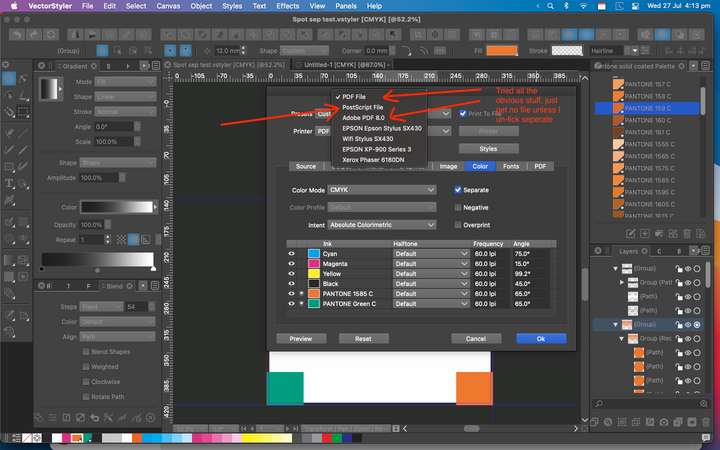
-
@Dazmondo The first option "PDF File" should be working.
Try disabling "Background Printing" in preferences. -
@VectorStyler said in Separation preview?:
@Dazmondo The first option "PDF File" should be working.
Try disabling "Background Printing" in preferences.Tried = no PDF produced so tried unticking seps = great composit PDF with spots intact (see grab) re-tick seps = no output???
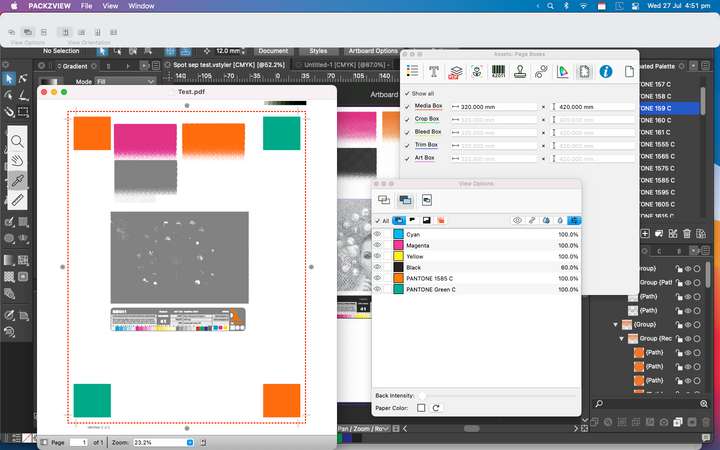
Would you recommend switching background printing back on? -
@Dazmondo said in Separation preview?:
Would you recommend switching background printing back on?
Yes, at least here it does not affect the output.
Can you make a recording of the whole thing (with Separate checked). Including the part where the folder and file name for the output is selected.
-
@VectorStyler said in Separation preview?:
Can you make a recording of the whole thing (with Separate checked). Including the part where the folder and file name for the output is selected.
Vid grab: https://drive.google.com/file/d/1L8GPvPbDlN7sHjvoy_joJTQaFpOX5lY3/view?usp=sharing
Note: The Test.pdf file on my desktop is a composite which produce great - also doing a find for TestA.pdf (the seps pdf produced in the vid grab) finds no match
Thanks
-
@Dazmondo All looks correct in the recording. But! there could be another issue.
Do you have it through the App Store?
This might be a bug the way file names are generated by VS, and the Mac App Store sandboxing.
-
@VectorStyler said in Separation preview?:
Do you have it through the App Store?
This might be a bug the way file names are generated by VS, and the Mac App Store sandboxing.Yes boss -- Mac app store version
-
@Dazmondo Then that is the issue.
-
@VectorStyler You should have a new email with a license for regular VS. If you are willing to try, this one is notarized (Apple) but not sandboxed.
-
@VectorStyler said in Separation preview?:
@VectorStyler You should have a new email with a license for regular VS. If you are willing to try, this one is notarized (Apple) but not sandboxed.
Wow you really are a true genius --- 7 separation PDFs produced, now working great

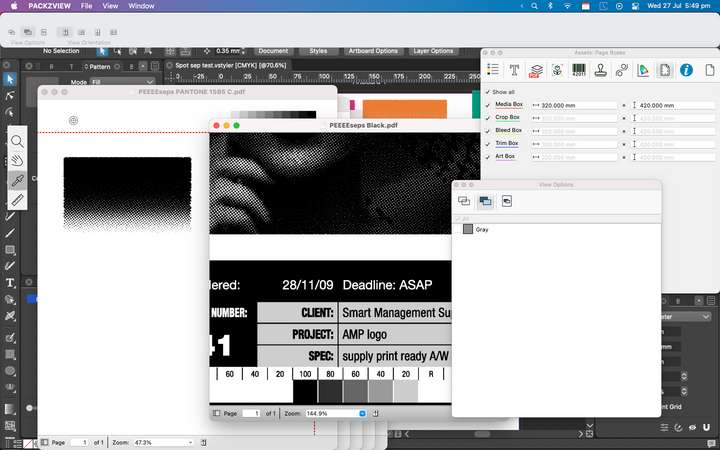
-
@Dazmondo Amazing! Awesome job persevering and sticking in there with it all. I want to echo his compliments to you @VectorStyler - you are indeed a genius. I'm impressed so often by what you figure out and solve and how quickly you make it happen



