VectorStyler
    • Categories
    • Unread
    • Recent
    • Tags
    • Popular
    • Register
    • Login

    Docked Color Palette Oddity
    Scheduled Pinned Locked Moved Questions and Support
    8 Posts 4 Posters 6.6k Views 4 Watching
    Loading More Posts
    • Oldest to Newest
    • Newest to Oldest
    • Most Votes
    Reply
    • Reply as topic
    Log in to reply
    This topic has been deleted. Only users with topic management privileges can see it.
    • S Offline
      SJStalter
      last edited by SJStalter

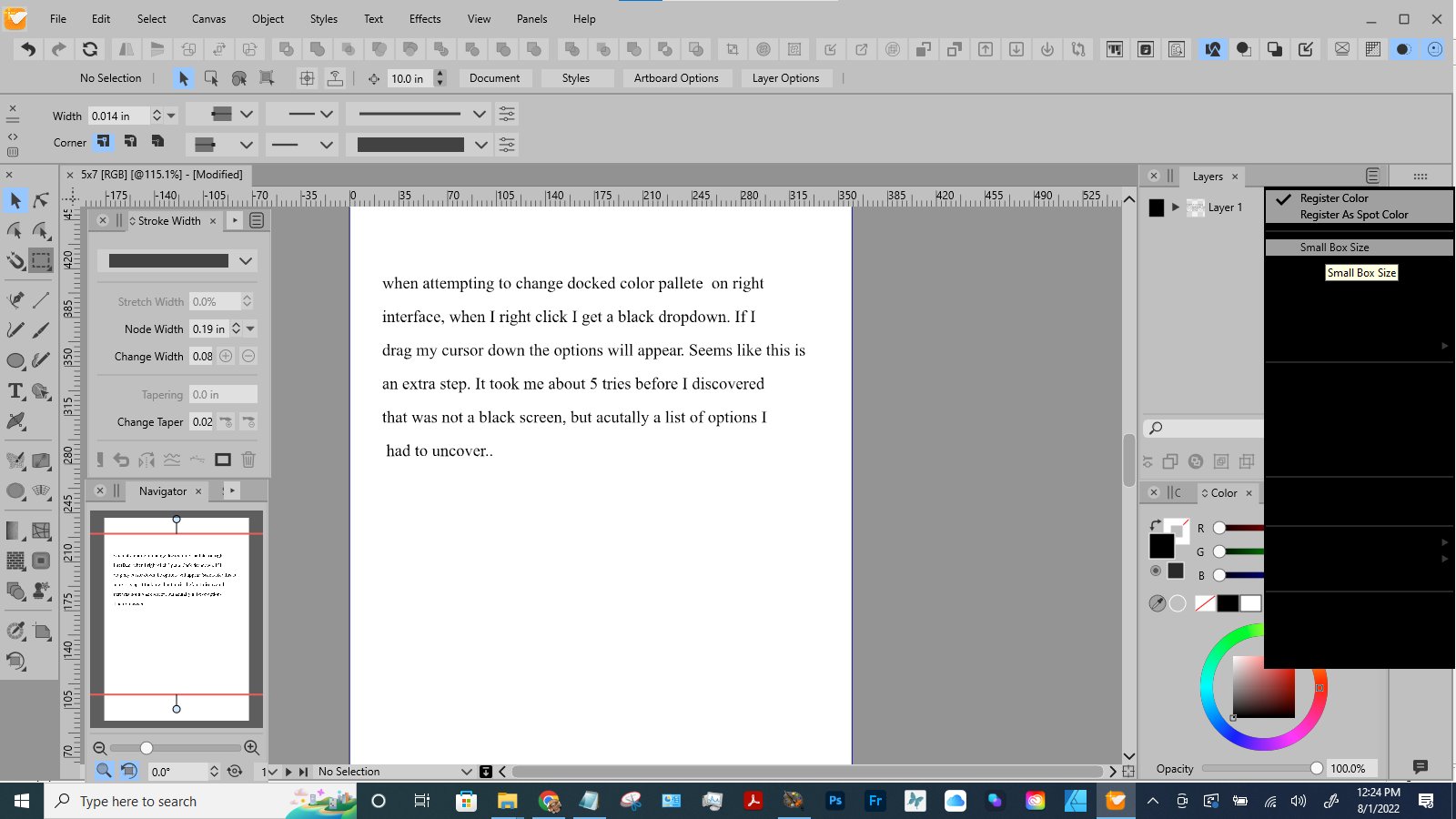
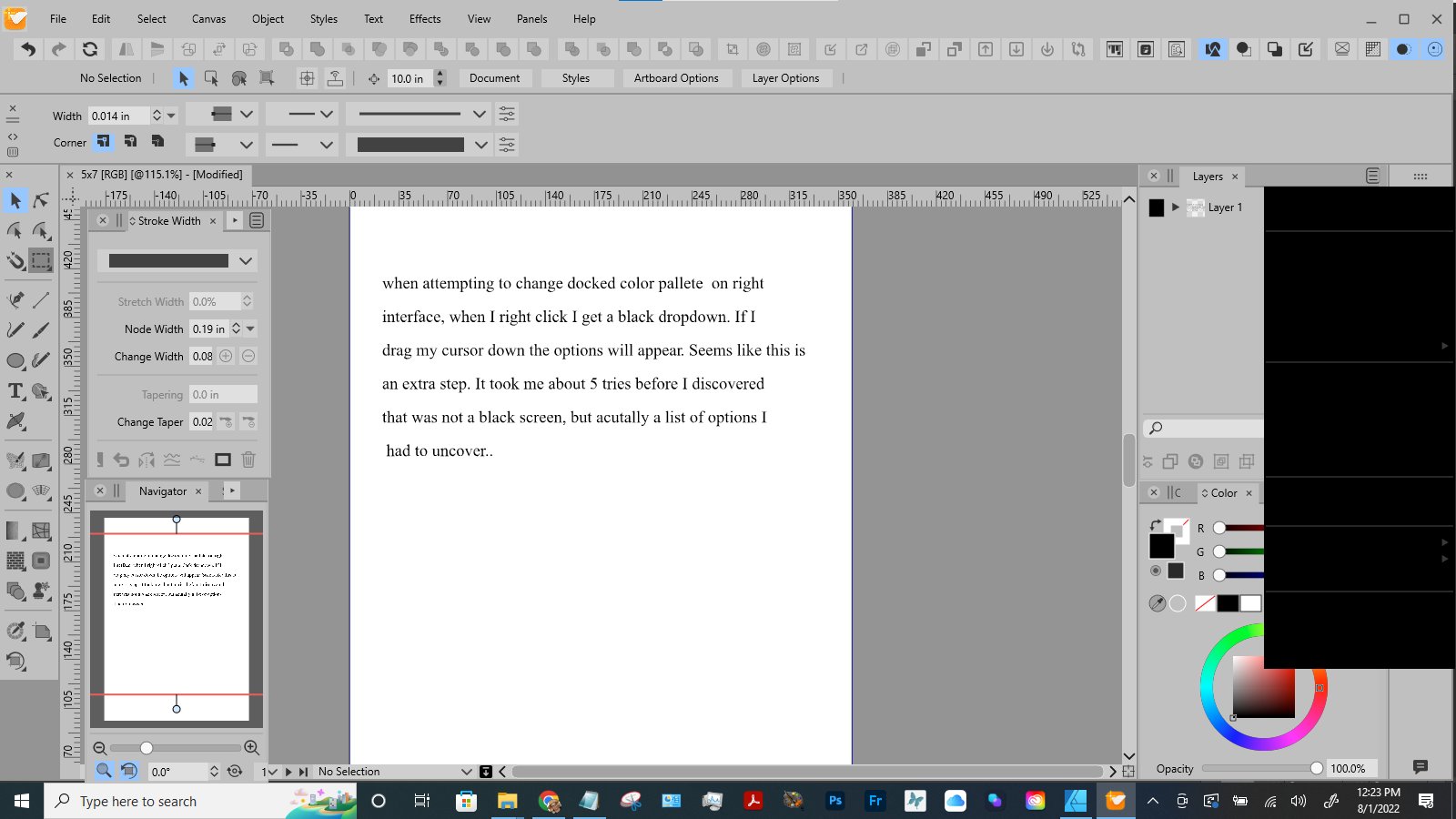
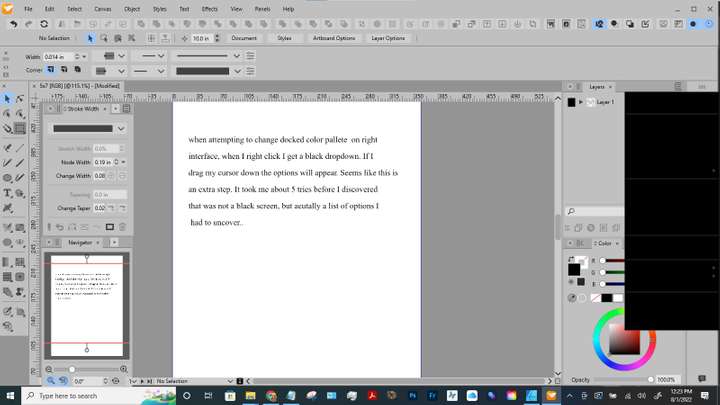
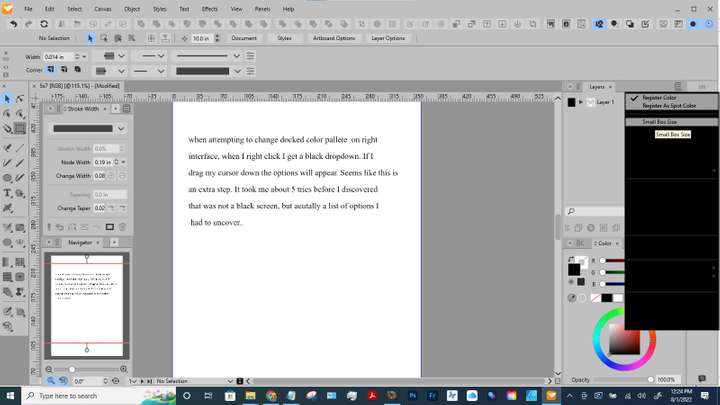
      I've attached two screen shots.

      1. Shows black box when right click on right side docked palette
        0_1659375222039_Image1.jpg
      2. show when I have dragged my cursor down a few lines on the black box
        0_1659375233930_Image2.jpg

      Windows 10-HP Laptop

      Win 10
      HP Laptop
      AMD Athlon Gold 3150U with Radeon Graphics
      64-bit operating system

      VectorStylerV S 3 Replies Last reply Reply Quote 0
      • VectorStylerV Offline
        VectorStyler @SJStalter
        last edited by

        @SJStalter That should be a popup menu with some options for the palette.
        I tried to replicate it here on Windows, but seems to be working.

        What is the selected theme? I tried with Light Gray and Light, but for both the menu was working here.

        Some things to try: is the VS window maximized (full screen)? what happens if it is smaller than the screen?
        Also, the vertical color palette can be dragged (from the dots representing the title) to the bottom of the window, maybe the popup menu shows correctly.

        If none works, the same actions can be found in the Palette panel menu (Panels -> Color Palette).

        1 Reply Last reply Reply Quote 0
        • VectorStylerV Offline
          VectorStyler @SJStalter
          last edited by

          @SJStalter I open a bug on this one and will try to replicate it.

          1 Reply Last reply Reply Quote 0
          • S Offline
            SJStalter
            last edited by

            What is the selected theme? Light Grey
            Maximizing VS window made no difference
            If smaller than screen made no difference
            When palette is moved to the bottom, no difference
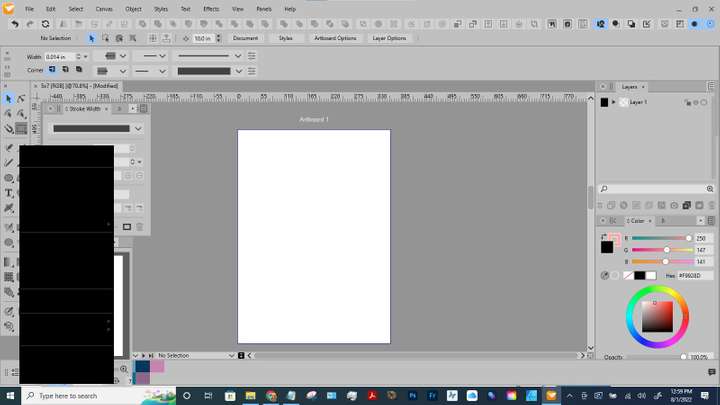
            0_1659377029242_Image 3.jpg

            Win 10
            HP Laptop
            AMD Athlon Gold 3150U with Radeon Graphics
            64-bit operating system

            b77B 1 Reply Last reply Reply Quote 0
            • S Offline
              Subpath @SJStalter
              last edited by Subpath

              @SJStalter

              works here, no problem in any of this positions
              Win 10 too

              the area that is black in your case
              is the right click menu of the color palette

              Win 11
              CPU: AMD Ryzen 5 9600X, 6-core.
              GPU: Nvidia Geforce RTX 5070.

              1 Reply Last reply Reply Quote 0
              • b77B Offline
                b77 @SJStalter
                last edited by

                @SJStalter Still an issue after restarting the computer?

                MacBook Pro (Intel) running Monterey 12.6.4

                1 Reply Last reply Reply Quote 0
                • S Offline
                  SJStalter
                  last edited by

                  After reboot, I clicked and the dropdown showed the options like it should. But........
                  5 seconds later when I clicked again, it was black and required that I drag my cursor over the black area for the text to show up. I can live with it. I just hope it doesnt happen to a lot of people.

                  Win 10
                  HP Laptop
                  AMD Athlon Gold 3150U with Radeon Graphics
                  64-bit operating system

                  VectorStylerV 1 Reply Last reply Reply Quote 0
                  • VectorStylerV Offline
                    VectorStyler @SJStalter
                    last edited by

                    @SJStalter I will try to fix this ASAP, but I have to replicate it first.

                    1 Reply Last reply Reply Quote 0
                    • First post
                      Last post