Adding stroke to a fill shape uses same color as fill
-
When adding a stroke to a fill using the bracket keys, would it make sense to have the stroke take on the same color as the fill rather than default to black?
I know I would find it useful, but I can also see how that might be too different from expectations.
Sometimes I am wanting to thicken the shape some and use the bracket key to add a stroke and then merge it with the initial shape
🍎 macOS Tahoe 26.2, Mac mini (M1, 2020), Chip Apple M1, Memory 16 GB
Cintiq 27QHD Display and LG Ultra HD Display -
@Boldline I added this to the backlog.
-
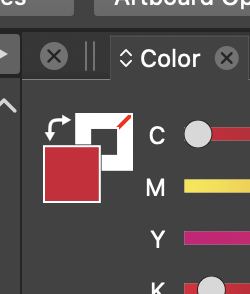
Not sure about changing this default, since you can get what @Boldline suggests by dragging the Fill color swatch over the Stroke swatch in the Color panel.
-
@b77 said in Adding stroke to a fill shape uses same color as fill:
Not sure about changing this default, since you can get what @Boldline suggests by dragging the Fill color swatch over the Stroke swatch in the Color panel.
Yes, that is true. But in this case the stroke is added when trying to increase the stroke width of an object without any stroke.
So we should consider what is the reasonable default color for the stroke for such case.Of course, this would not be done, when a stroke width is set.
-
@VectorStyler Yes, I get that, but still… is "fattening up" an object or text by increasing the stroke width needed more often than having the stroke visibly different?
-
@b77 I'm not necessarily saying it has to be changed. I was just bringing up the idea for the sake of considering things. Sort of like the idea with the gradient taking on the existing color in the color panel instead of defaulting initially to black and white.
I was also thinking about what the default should be and why is it black necessarily?
Typically I thicken things up with the offset path as it's more accurate. -
It could be part of the settings - just like there could hopefully be control over what the default black and white swatches are in the color panel. I'd like to set the permanent black and white swatches to spot colors in my main imported palette.
I actually did not know about the trick of dragging the color from the stroke or fill to the other to copy the color over. - that's a handy tip


