VectorStyler
    • Categories
    • Unread
    • Recent
    • Tags
    • Popular
    • Register
    • Login

    Snapping: how to get this...
    Scheduled Pinned Locked Moved Questions and Support
    5 Posts 2 Posters 4.3k Views 2 Watching
    Loading More Posts
    • Oldest to Newest
    • Newest to Oldest
    • Most Votes
    Reply
    • Reply as topic
    Log in to reply
    This topic has been deleted. Only users with topic management privileges can see it.
    • B Offline
      B-Vs-V
      last edited by B-Vs-V

      Hi,
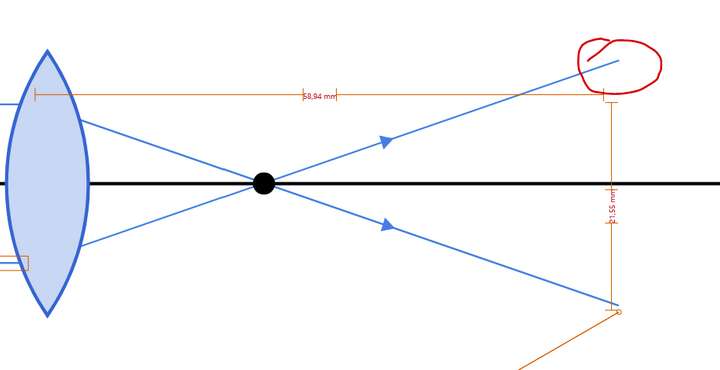
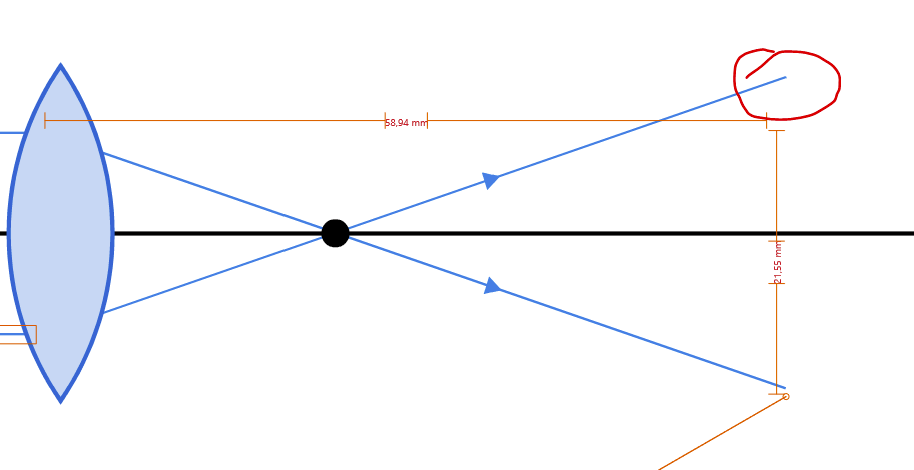
      Sorry in advance for this simple question: I would like the snapping to be done between the two ends of my blue lines. I ended up enabling all snapping but I can't seem to get a reference that tells me the two ends are the same distance apart (from the lens design). As I have a lot of objects on the artboard, I have plenty of indications of distances etc. but I can't get this simple indication*.
      I'm starting to use VS for the smallest graphics and no longer systematically go for the simplest (AD) but as I'm always short of time, I can't work systematically and rationally to find the solution(s)... Thanks for any tip.
      Patrick

      *edit: while moving the end point.

      0_1668158184972_176a1136-51f0-4e6c-9d15-806d4db972ac-image.png

      W11 Pro 25H2 - 12th Gen Intel(R) i7-12700K 3.61 GHz - RAM 64 Go - NVIDIA GF GTX 4070 Ti - Intuos - Dell UP3216Q / Eizo ColorEdge
      W11 Pro 25H2 - 12th Gen Intel(R) i7-12700KF 3.60 GHz -RAM 64 Go - NVIDIA GF GTX 3080 - IntuosPro- ProArt PA329C

      VectorStylerV 1 Reply Last reply Reply Quote 0
      • VectorStylerV Offline
        VectorStyler @B-Vs-V
        last edited by

        @PatrickM I think Snap to Objects and Snap to Distances should be in this case. And disable the others, as they may interfere.
        But not yet sure from the picture, what we need to achieve.
        Is it the length of the two lines to be same? or is the distance of the line end from the lens?

        B 1 Reply Last reply Reply Quote 0
        • B Offline
          B-Vs-V @VectorStyler
          last edited by

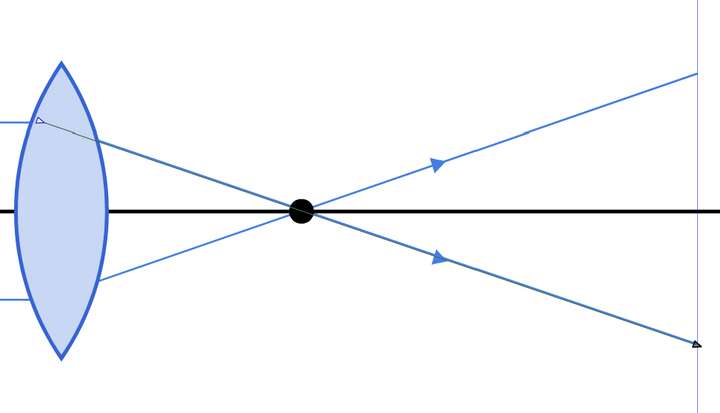
          @VectorStyler Thanks but I don't get any indication: I had to place a guide ☺

          0_1668159965370_eb88773d-a6d7-4e7c-bc54-2c37073fde5d-image.png

          W11 Pro 25H2 - 12th Gen Intel(R) i7-12700K 3.61 GHz - RAM 64 Go - NVIDIA GF GTX 4070 Ti - Intuos - Dell UP3216Q / Eizo ColorEdge
          W11 Pro 25H2 - 12th Gen Intel(R) i7-12700KF 3.60 GHz -RAM 64 Go - NVIDIA GF GTX 3080 - IntuosPro- ProArt PA329C

          VectorStylerV 1 Reply Last reply Reply Quote 0
          • VectorStylerV Offline
            VectorStyler @B-Vs-V
            last edited by

            @PatrickM I will try to replicate this. Can you send me the drawing?

            B 1 Reply Last reply Reply Quote 0
            • B Offline
              B-Vs-V @VectorStyler
              last edited by

              @VectorStyler File sent 👍

              W11 Pro 25H2 - 12th Gen Intel(R) i7-12700K 3.61 GHz - RAM 64 Go - NVIDIA GF GTX 4070 Ti - Intuos - Dell UP3216Q / Eizo ColorEdge
              W11 Pro 25H2 - 12th Gen Intel(R) i7-12700KF 3.60 GHz -RAM 64 Go - NVIDIA GF GTX 3080 - IntuosPro- ProArt PA329C

              1 Reply Last reply Reply Quote 1
              • First post
                Last post