VectorStyler
    • Categories
    • Unread
    • Recent
    • Tags
    • Popular
    • Register
    • Login

    Image Effects

    Scheduled Pinned Locked Moved VectorStyler 1.1 Bugs
    27 Posts 3 Posters 39.5k Views 3 Watching
    Loading More Posts
    • Oldest to Newest
    • Newest to Oldest
    • Most Votes
    Reply
    • Reply as topic
    Log in to reply
    This topic has been deleted. Only users with topic management privileges can see it.
    • IngolfI Offline
      Ingolf
      last edited by

      Pretty sure now that it doesn't occur on Windows (software).

      Think I narrowed it down on macOS:

      • With metal - metal in prefs I reproduced it instantly
      • Restarted VS
      • I set software - software
      • Restarted VS
      • No issues
      • Set only compute engine to Metal, display mode to software
      • Restarted VS
      • Again reproduced it instantly
      • Reversed that setting to Display metal, compute enging software
      • Restarted VS
      • No issues

      So compute engine set to Metal on macOS seems to be a good place to look for the root cause.

      🍏 macOS Sequoia Apple Silicon

      VectorStylerV 1 Reply Last reply Reply Quote 2
      • VectorStylerV Offline
        VectorStyler @Ingolf
        last edited by

        @Ingolf Got it. I will try to replicate this on Monterey.

        1 Reply Last reply Reply Quote 0
        • IngolfI Offline
          Ingolf
          last edited by

          Saw this on Montery and now Ventura.

          🍏 macOS Sequoia Apple Silicon

          1 Reply Last reply Reply Quote 1
          • J Offline
            Jayanta Das @VectorStyler
            last edited by

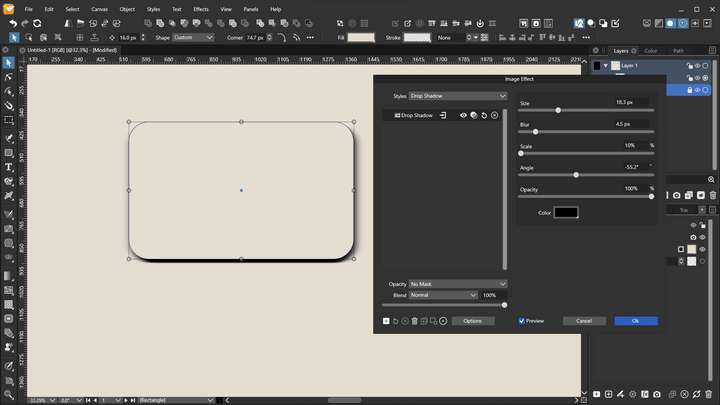
            The effect of the Angle is very small, as it controls the direction of the blur, not the direction of the glow.

            @VectorStyler Is the angle in drop shadow also for controlling the direction of blur and not the angle of light/shadow?
            0_1669210101409_Screenshot_20221123_185803.png

            Mac Mini M4 Pro | 24Gb
            WIndows 11 | Intel i5 11Gen
            Wacom Intuos Pro

            VectorStylerV 1 Reply Last reply Reply Quote 0
            • VectorStylerV Offline
              VectorStyler @Jayanta Das
              last edited by

              @Jayanta-Das No, the angle of drop shadow is the direction of the shadow.

              J 1 Reply Last reply Reply Quote 0
              • J Offline
                Jayanta Das @VectorStyler
                last edited by

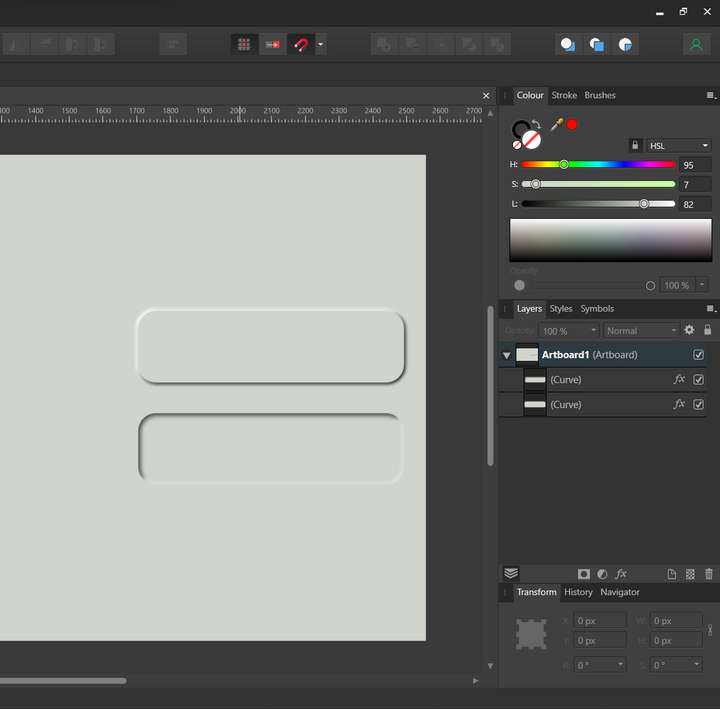
                @VectorStyler What I am doing to do in create button pressed and normal state like the image below:
                0_1669215414795_Screenshot_20221123_202515.png

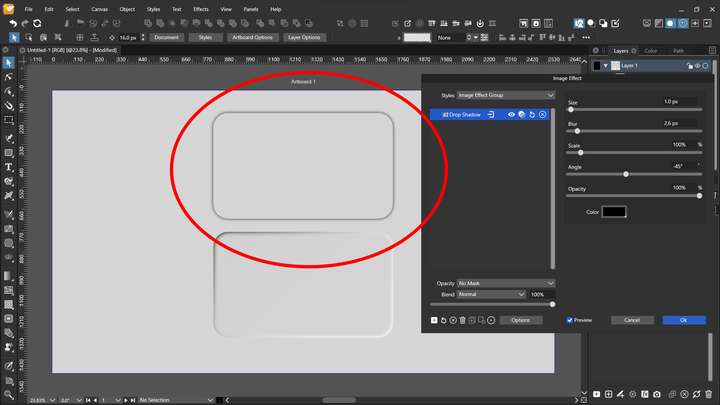
                But when I apply outer shadow and increase blur it bleed to all direction.
                0_1669216997515_Screenshot_20221123_204821.png

                I found the there is no offset of control of shadow like this.

                Mac Mini M4 Pro | 24Gb
                WIndows 11 | Intel i5 11Gen
                Wacom Intuos Pro

                VectorStylerV 2 Replies Last reply Reply Quote 0
                • VectorStylerV Offline
                  VectorStyler @Jayanta Das
                  last edited by

                  @Jayanta-Das I'm not sure that it applies to this case, but in Drop Shadow there is the Size field that controls the offset.

                  1 Reply Last reply Reply Quote 0
                  • VectorStylerV Offline
                    VectorStyler @Jayanta Das
                    last edited by

                    @Jayanta-Das As for the other images, I think these look more like using Emboss.

                    J 1 Reply Last reply Reply Quote 0
                    • J Offline
                      Jayanta Das @VectorStyler
                      last edited by Jayanta Das

                      @VectorStyler Emboss effect applied within the shape. I am trying to get neumorphic style button where shadow and lights are applied to outside of the shape
                      Edit: When the button is in pressed state effects are applied inside the shape and in normal state effects are applied outside of the shape.

                      Mac Mini M4 Pro | 24Gb
                      WIndows 11 | Intel i5 11Gen
                      Wacom Intuos Pro

                      1 Reply Last reply Reply Quote 1
                      • J Offline
                        Jayanta Das
                        last edited by

                        @VectorStyler If you could add offset control in shadow and glow it would be a great addition.

                        Mac Mini M4 Pro | 24Gb
                        WIndows 11 | Intel i5 11Gen
                        Wacom Intuos Pro

                        VectorStylerV 1 Reply Last reply Reply Quote 0
                        • VectorStylerV Offline
                          VectorStyler @Jayanta Das
                          last edited by

                          @Jayanta-Das said in Image Effects:

                          If you could add offset control in shadow and glow it would be a great addition.

                          I think, technically this is not difficult, but how a glow with offset would look like?

                          J 1 Reply Last reply Reply Quote 0
                          • J Offline
                            Jayanta Das @VectorStyler
                            last edited by

                            @VectorStyler Sorry I mean Offset to shadow and angle to control the direction of glow.

                            Mac Mini M4 Pro | 24Gb
                            WIndows 11 | Intel i5 11Gen
                            Wacom Intuos Pro

                            1 Reply Last reply Reply Quote 1
                            • First post
                              Last post
