VectorStyler
    • Categories
    • Unread
    • Recent
    • Tags
    • Popular
    • Register
    • Login

    Option to rearrange Artboards
    Scheduled Pinned Locked Moved Features and Ideas
    10 Posts 4 Posters 9.2k Views 3 Watching
    Loading More Posts
    • Oldest to Newest
    • Newest to Oldest
    • Most Votes
    Reply
    • Reply as topic
    Log in to reply
    This topic has been deleted. Only users with topic management privileges can see it.
    • BoldlineB Online
      Boldline
      last edited by

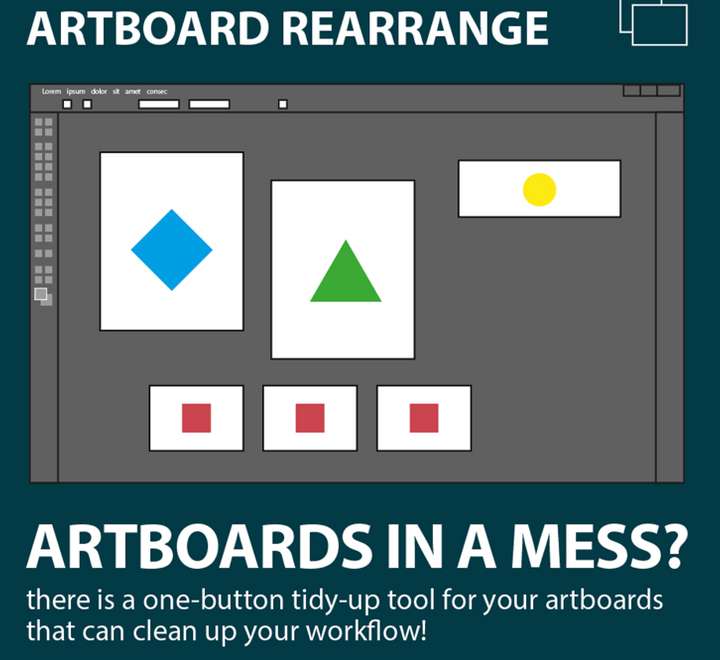
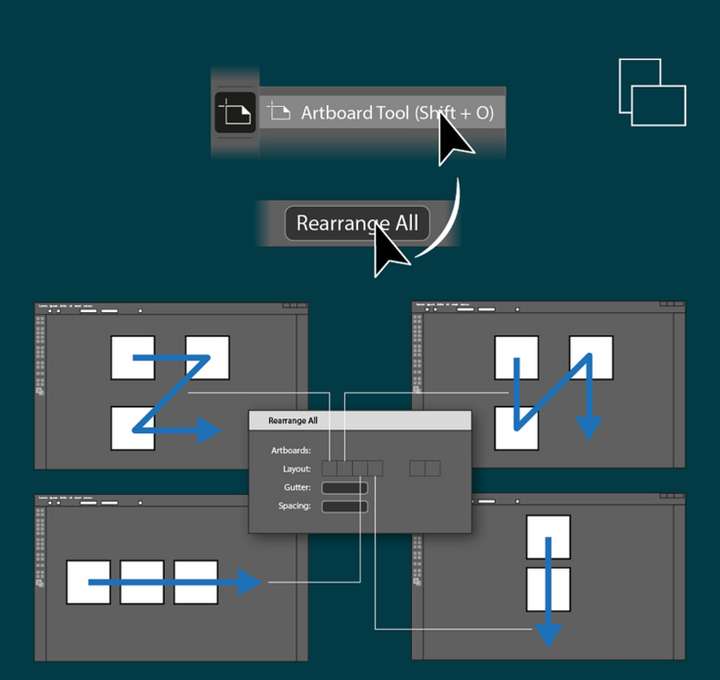
      This could come in handy. If added, it could be a option inside the "artboard options" tab in the contextual menu.
      0_1669271086011_ec34af75-106e-46e1-a1df-c74f102ae76b-CleanShot 2022-11-24 at 01.23.36.png

      0_1669271219760_64a59203-5db8-4eda-b1e9-1aad1b3d8f4a-CleanShot 2022-11-24 at 01.26.36.png

      🍎 macOS Tahoe 26.2, Mac mini (M1, 2020), Chip Apple M1, Memory 16 GB
      Cintiq 27QHD Display and LG Ultra HD Display

      VectorStylerV 1 Reply Last reply Reply Quote 0
      • VectorStylerV Offline
        VectorStyler @Boldline
        last edited by

        @Boldline There is a Canvas -> Arrange Artboards command that does this.

        1 Reply Last reply Reply Quote 1
        • J Offline
          JuurGroove
          last edited by

          But there isn't any way to change the order or artboards in relation to each other, is there?

          VectorStyler 1.2.057 | macOS Sequoia 15.2 | MacBook Pro 14" M1 Pro/16GB (2021) | XPPen Artist Pro 16 (Gen 2)

          VectorStylerV 1 Reply Last reply Reply Quote 0
          • VectorStylerV Offline
            VectorStyler @JuurGroove
            last edited by

            @JuurGroove said in Option to rearrange Artboards:

            But there isn't any way to change the order or artboards in relation to each other, is there?

            In the canvas & artboards panel you can rearrange the artboard order

            J 1 Reply Last reply Reply Quote 2
            • J Offline
              JuurGroove @VectorStyler
              last edited by

              @VectorStyler Not sure how I missed that but thanks!

              VectorStyler 1.2.057 | macOS Sequoia 15.2 | MacBook Pro 14" M1 Pro/16GB (2021) | XPPen Artist Pro 16 (Gen 2)

              VectorStylerV 1 Reply Last reply Reply Quote 1
              • VectorStylerV Offline
                VectorStyler @JuurGroove
                last edited by

                @JuurGroove Please remember that in VS artboards are just "indicators" on the canvas for regions to be printed or exported.
                All the artboards of a canvas share the same layer hierarchy, and changing the artboard order will not affect the layer or object order.

                J 1 Reply Last reply Reply Quote 1
                • J Offline
                  JuurGroove @VectorStyler
                  last edited by

                  @VectorStyler Yes, I'm taking my very first steps in VS, so when I searched the Artboards panel in the Help > Search, it didn't come up and I missed it myself in the Panels menu.

                  VectorStyler 1.2.057 | macOS Sequoia 15.2 | MacBook Pro 14" M1 Pro/16GB (2021) | XPPen Artist Pro 16 (Gen 2)

                  VectorStylerV 1 Reply Last reply Reply Quote 1
                  • VectorStylerV Offline
                    VectorStyler @JuurGroove
                    last edited by

                    @JuurGroove said in Option to rearrange Artboards:

                    Artboards

                    The menu name is "Canvas & Artboard"

                    M 1 Reply Last reply Reply Quote 1
                    • M Offline
                      monsterfox @VectorStyler
                      last edited by

                      @VectorStyler It seems that there is no function to create artboards in batches for the time being. It is necessary to add one.

                      VectorStylerV 1 Reply Last reply Reply Quote 0
                      • VectorStylerV Offline
                        VectorStyler @monsterfox
                        last edited by

                        @monsterfox The Canvas -> Create Artboard command can add multiple artboards in one step.

                        1 Reply Last reply Reply Quote 0
                        • First post
                          Last post
