VectorStyler
    • Categories
    • Unread
    • Recent
    • Tags
    • Popular
    • Register
    • Login

    Object Style Preset

    Scheduled Pinned Locked Moved Questions and Support
    6 Posts 2 Posters 5.2k Views 2 Watching
    Loading More Posts
    • Oldest to Newest
    • Newest to Oldest
    • Most Votes
    Reply
    • Reply as topic
    Log in to reply
    This topic has been deleted. Only users with topic management privileges can see it.
    • J Offline
      Jayanta Das
      last edited by

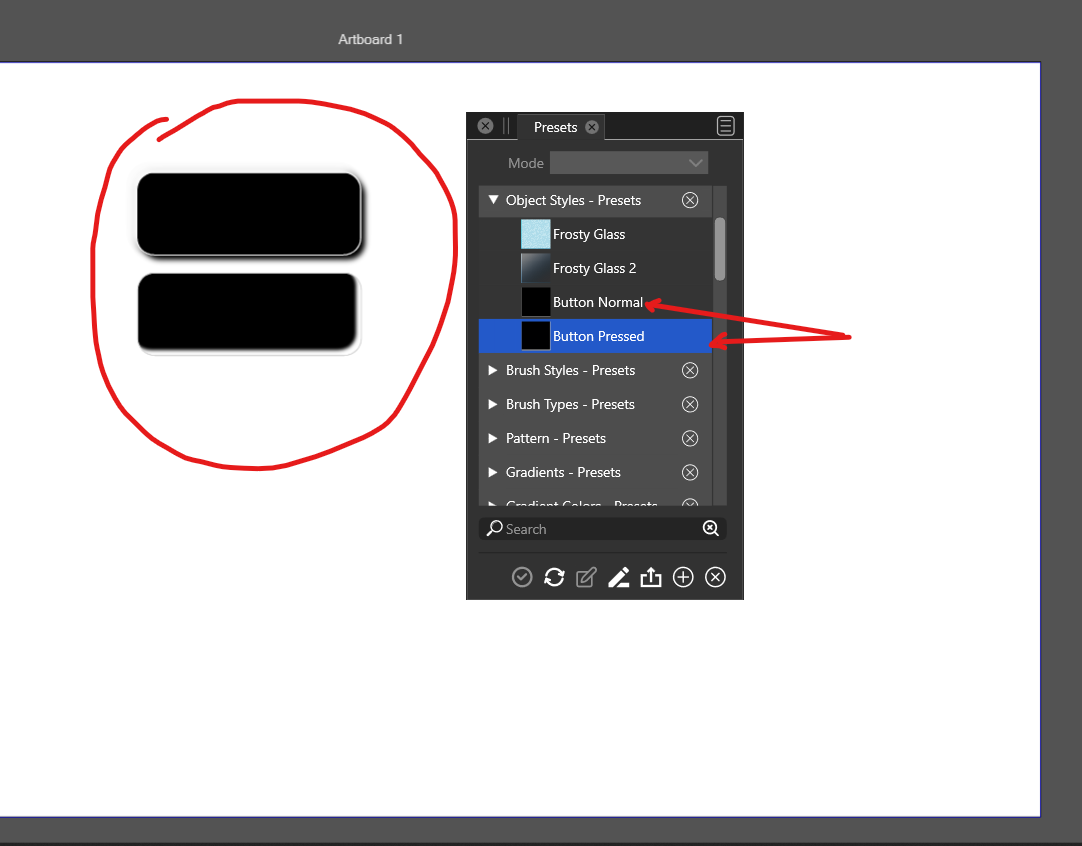
      There is an issue in applying Object Style Preset which I created yesterday. After applying it is just a black object.
      0_1669301789996_Screenshot_20221124_202214.png

      Mac Mini M4 Pro | 24Gb
      WIndows 11 | Intel i5 11Gen
      Wacom Intuos Pro

      VectorStylerV 1 Reply Last reply Reply Quote 0
      • VectorStylerV Offline
        VectorStyler @Jayanta Das
        last edited by

        @Jayanta-Das Was the style created from the example on the top?
        Send me a file with that and also the preset if possible.
        Presets can be saved to a file with the Presets panel menu -> Save As command (will be an elementstyle.preset file).

        J 1 Reply Last reply Reply Quote 0
        • J Offline
          Jayanta Das @VectorStyler
          last edited by

          @VectorStyler The preset was created yesterday, after creating I tested once it was ok. Today I applied the style to those 2 rectangle and the result is this.

          I sent you the file and the preset.

          Mac Mini M4 Pro | 24Gb
          WIndows 11 | Intel i5 11Gen
          Wacom Intuos Pro

          VectorStylerV 2 Replies Last reply Reply Quote 1
          • VectorStylerV Offline
            VectorStyler @Jayanta Das
            last edited by

            @Jayanta-Das Got it! I will try to replicate this and fix it ASAP.

            1 Reply Last reply Reply Quote 1
            • VectorStylerV Offline
              VectorStyler @Jayanta Das
              last edited by

              @Jayanta-Das It looks like the fill opacity is set to zero. In the Appearance panel, open the Fill item and adjust the Opacity value to something larger.

              The reason for this being zero might be an other bug.
              Was the opacity in the original object adjusted after saving the preset?

              J 1 Reply Last reply Reply Quote 0
              • J Offline
                Jayanta Das @VectorStyler
                last edited by Jayanta Das

                @VectorStyler Yes its fill was set to zero, thats the effect I wanted. As I said after saving as preset I had tested the preset by applying to other shape and it was working ok.

                Mac Mini M4 Pro | 24Gb
                WIndows 11 | Intel i5 11Gen
                Wacom Intuos Pro

                1 Reply Last reply Reply Quote 1
                • First post
                  Last post