VectorStyler
    • Categories
    • Unread
    • Recent
    • Tags
    • Popular
    • Register
    • Login

    Trace B/W shape without white

    Scheduled Pinned Locked Moved Questions and Support
    7 Posts 3 Posters 7.1k Views 3 Watching
    Loading More Posts
    • Oldest to Newest
    • Newest to Oldest
    • Most Votes
    Reply
    • Reply as topic
    Log in to reply
    This topic has been deleted. Only users with topic management privileges can see it.
    • P Offline
      postdes
      last edited by

      I want to trace b/w illustrations in a way that the white shapes are ignored. This means there is no white background, and potentially white objects within the shapes are cut outs from the black shapes. I have not been able to do this in VS yet, but have been able to do so in some online trace services and other apps. Is this an oversight on my part?

      b77B VectorStylerV 3 Replies Last reply Reply Quote 0
      • b77B Offline
        b77 @postdes
        last edited by b77

        @postdes Here if I click 'Extract Alpha' in the Trace panel the white parts are ignored.

        MacBook Pro (Intel) running Monterey 12.6.4

        1 Reply Last reply Reply Quote 0
        • P Offline
          postdes
          last edited by

          That is good to know. This option was somehow greyed out in black and white color mode. When I switched to the default mode I could select it. However, the option does delete the background, but there are still white shapes within the black shapes, which is not what I want.

          1 Reply Last reply Reply Quote 0
          • P Offline
            postdes
            last edited by

            I tried to do the same thing in Inkscape, and it just works, without any issues: It creates one black shape without white elements. Vectorstyler is a superior app in any way, but the trace function is quite hard to work with. Also the way the result is always a group instead of 1 shape is not very practical for my use case. It would be good to have some options for this.

            b77B 1 Reply Last reply Reply Quote 0
            • b77B Offline
              b77 @postdes
              last edited by

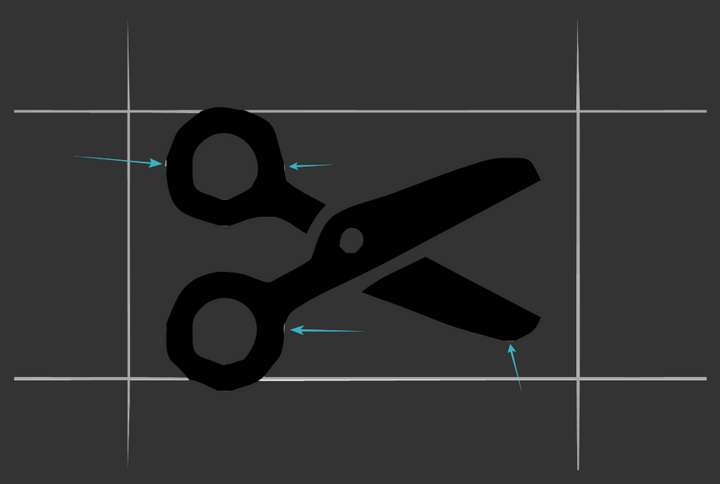
              @postdes By "white shapes within the black shapes" do you mean small like these:
              0_1670800389633_Screenshot 206.png

              …or big like these?

              0_1670800409665_Screensh345.png

              MacBook Pro (Intel) running Monterey 12.6.4

              1 Reply Last reply Reply Quote 0
              • VectorStylerV Offline
                VectorStyler @postdes
                last edited by

                @postdes There is an "Ignore White" option in the Image Trace panel menu, this should be enabled.

                If this is not working, send me the image to be traced by email so I can replicate the issue.

                1 Reply Last reply Reply Quote 0
                • b77B Offline
                  b77 @postdes
                  last edited by

                  @postdes 'Ignore White' is the correct setting for this, not 'Extract Alpha'. My apologies. 🙂

                  MacBook Pro (Intel) running Monterey 12.6.4

                  1 Reply Last reply Reply Quote 0
                  • First post
                    Last post