Image to color palette, notice and suggestion
-
When extracting colors from an image, I noticed a few things
and also wanted to suggest some changes.1
In VS it is possible to use Image to color palette to create a palette
with more colors than are actually present in the image.Unfortunately it is difficult to impossible to differ between
the colors from the image and those colors added by VS.
Would like to see a marker here. A separation line
or something similar.1b
As an alternative to 1.
If an image has e.g. only 8 or 24 colors it should not be possible
to create a palette with more colors e.g. 36 or 64 to name a number.
VS should only use the colors for the palette that are actually present
in the image.2
Find the slider range from 1 to 128 resp. 1 to 256 too narrow.
This makes it difficult to set an exact value with the slider
in this range and actually makes the slider a bit unusable.Therefore I plead for a broader slider range from 1 to 128 or 1 to 256.
Think the range 128 / 256 or less is more often needed to create a palette
from an image. And i guess it's rare that someone would create a color palette
with more than 256 colors from a Image.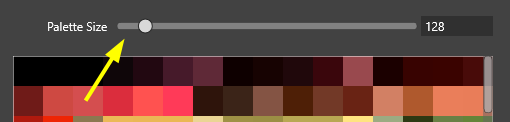
-
@Subpath Added these to the backlog:
-
The number of colors must be set before the colors are extracted. The solution here will be to have fewer colors than set.
-
This is easy to do.
An observation: some images (JPEG) may contain small / difficult to see color variations.
-
-
@VectorStyler said in Image to color palette, notice and suggestion:
thanks
An observation: some images (JPEG) may contain small / difficult to see color variations.
would and have not used JPEGs too to create a color palette from an image
because I know that could be (maybe because of JPEG compression artifacts)
