VectorStyler
    • Categories
    • Unread
    • Recent
    • Tags
    • Popular
    • Register
    • Login

    Multiple deletes required to fully remove all selected nodes

    Scheduled Pinned Locked Moved Questions and Support
    7 Posts 2 Posters 6.4k Views 1 Watching
    Loading More Posts
    • Oldest to Newest
    • Newest to Oldest
    • Most Votes
    Reply
    • Reply as topic
    Log in to reply
    This topic has been deleted. Only users with topic management privileges can see it.
    • BoldlineB Offline
      Boldline
      last edited by Boldline

      I'm running into a problem trying to fully delete nodes and negative shapes from within a larger shape.
      It's taking me three deletes to fully remove what I would expect to be done in one step

      Here is a video of this in action

      0_1683056189036_deleting nodes multiple times.vstyler Here is the source file if you want to test it on any negative space shape

      Here is a screenshot step by step of the issue:
      I have a shape I want to remove specific negative shapes from.
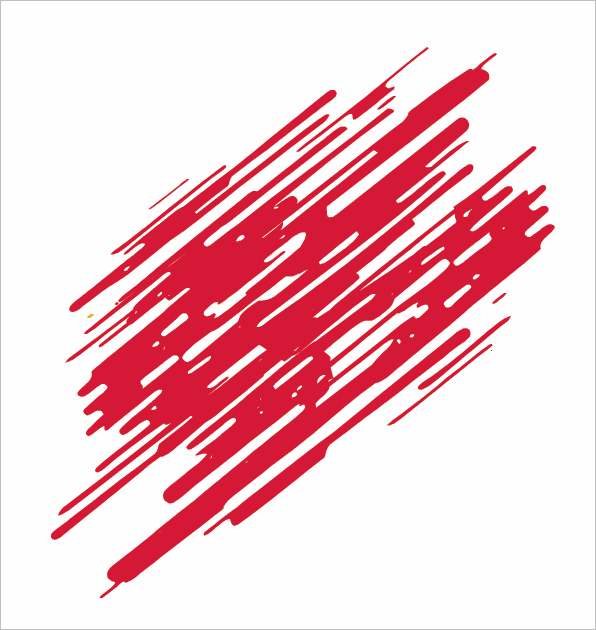
      0_1683056279067_1dc8a74e-f9fd-4728-8b7c-453832053e22-BLD 2023-05-02 at 15.37.12.png

      Zooming in, I want to remove this entire circular negative space shape - I select the shape using the shape editor tool and then delete
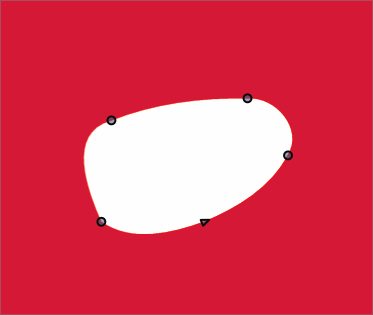
      0_1683055864595_BLD 2023-05-02 at 15.30.26.png

      Everything disappears as expected except for a small triangle and path line - so I delete it again
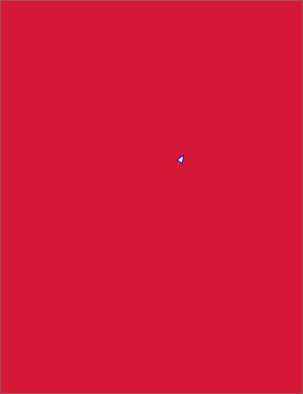
      0_1683055987220_BLD 2023-05-02 at 15.30.41.png

      Then I am left with a circle shape node - when I delete it this time, it fully goes away
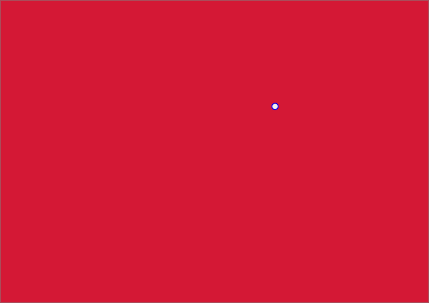
      0_1683056039914_BLD 2023-05-02 at 15.30.53.png

      🍎 macOS Tahoe 26.2, Mac mini (M1, 2020), Chip Apple M1, Memory 16 GB
      Cintiq 27QHD Display and LG Ultra HD Display

      VectorStylerV 1 Reply Last reply Reply Quote 0
      • VectorStylerV Offline
        VectorStyler @Boldline
        last edited by

        @Boldline How was the selection made? Shift+click, or using a box around the nodes?

        BoldlineB 1 Reply Last reply Reply Quote 0
        • BoldlineB Offline
          Boldline @VectorStyler
          last edited by Boldline

          @VectorStyler I've tried two ways: Using the Shape editor tool with the alt/option key modifier to select using the lasso option and also with just the regular box around the nodes once the main shape is selected

          🍎 macOS Tahoe 26.2, Mac mini (M1, 2020), Chip Apple M1, Memory 16 GB
          Cintiq 27QHD Display and LG Ultra HD Display

          VectorStylerV 1 Reply Last reply Reply Quote 0
          • VectorStylerV Offline
            VectorStyler @Boldline
            last edited by

            @Boldline I tried to replicate this, but here the deletion works.
            Send me that shape.

            BoldlineB 1 Reply Last reply Reply Quote 0
            • BoldlineB Offline
              Boldline @VectorStyler
              last edited by

              @VectorStyler ok tried again with all three methods and none worked here

              I attached the file to the first post in this thread - I can also email it if that is better for you

              🍎 macOS Tahoe 26.2, Mac mini (M1, 2020), Chip Apple M1, Memory 16 GB
              Cintiq 27QHD Display and LG Ultra HD Display

              1 Reply Last reply Reply Quote 0
              • BoldlineB Offline
                Boldline
                last edited by Boldline

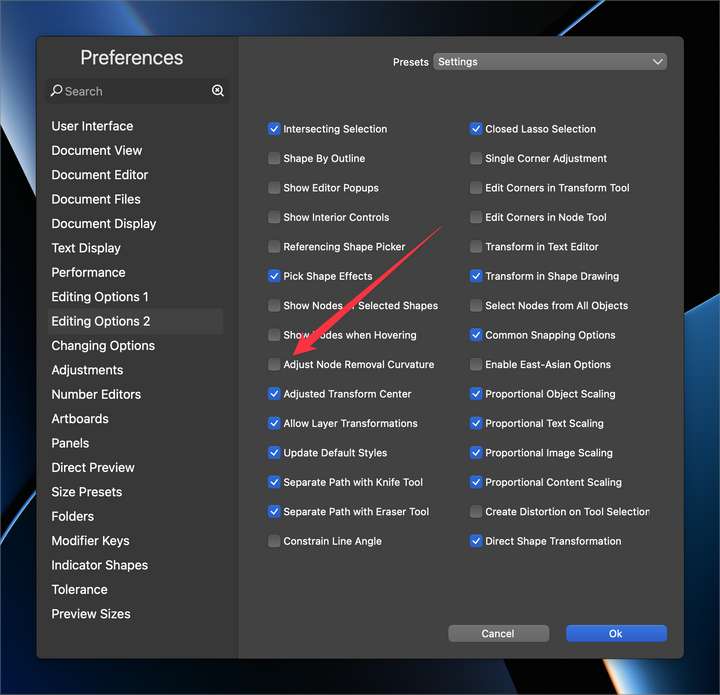
                @VectorStyler I think I found the issue!!! I had turned off the "Adjust Node Removal Curvature" earlier today because for the specific task I was doing I did not want it to adjust any curves when I deleted nodes. (love the feature for most of my work!) When I turned this back on in preferences, it deleted the negative space correctly and as expected.
                Is there a way to fix this so even when that setting is off, it will still fully delete a fully selected inner shape?
                0_1683058000258_f8ef3ce5-2821-4b95-838c-2d1b70d89a50-BLD 2023-05-02 at 16.06.00@2x.png

                🍎 macOS Tahoe 26.2, Mac mini (M1, 2020), Chip Apple M1, Memory 16 GB
                Cintiq 27QHD Display and LG Ultra HD Display

                VectorStylerV 1 Reply Last reply Reply Quote 1
                • VectorStylerV Offline
                  VectorStyler @Boldline
                  last edited by

                  @Boldline Replicated the problem. It should be deleting also with that option disabled.
                  Will be fixed ASAP.

                  1 Reply Last reply Reply Quote 1
                  • First post
                    Last post
