VectorStyler
    • Categories
    • Unread
    • Recent
    • Tags
    • Popular
    • Register
    • Login

    Clipping within text ?
    Scheduled Pinned Locked Moved Questions and Support
    15 Posts 3 Posters 11.1k Views 3 Watching
    Loading More Posts
    • Oldest to Newest
    • Newest to Oldest
    • Most Votes
    Reply
    • Reply as topic
    Log in to reply
    This topic has been deleted. Only users with topic management privileges can see it.
    • B Offline
      B-Vs-V @VectorStyler
      last edited by

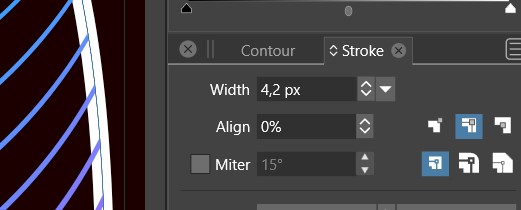
      @VectorStyler yes, this way it works but the text can't be edited.

      However, this is anyway weird : the design should be under the former letter forms
      0_1683376874340_is1.jpg

      0_1683376885073_is2.jpg

      0_1683376894404_is3.jpg

      0_1683376904439_is4.jpg

      0_1683376912764_is5.jpg

      W11 Pro 25H2 - 12th Gen Intel(R) i7-12700K 3.61 GHz - RAM 64 Go - NVIDIA GF GTX 4070 Ti - Intuos - Dell UP3216Q / Eizo ColorEdge
      W11 Pro 25H2 - 12th Gen Intel(R) i7-12700KF 3.60 GHz -RAM 64 Go - NVIDIA GF GTX 3080 - IntuosPro- ProArt PA329C

      VectorStylerV 1 Reply Last reply Reply Quote 0
      • VectorStylerV Offline
        VectorStyler @B-Vs-V
        last edited by

        @Pat The order between the content and the stroke can be changed in the Appearance panel using drag and drop of the Group and Stroke items.

        The second approach (with the object role and Shape style) will leave the text editable.

        B 3 Replies Last reply Reply Quote 0
        • B Offline
          B-Vs-V @VectorStyler
          last edited by B-Vs-V

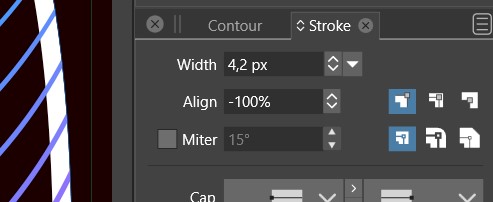
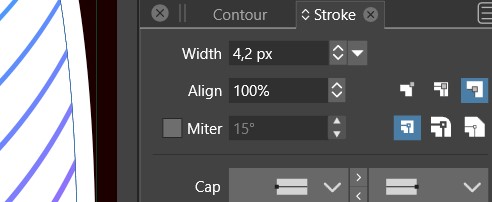
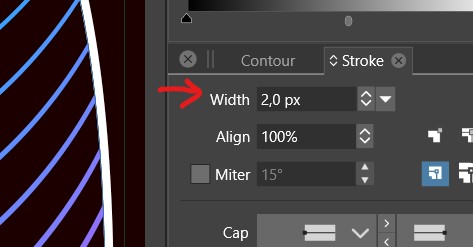
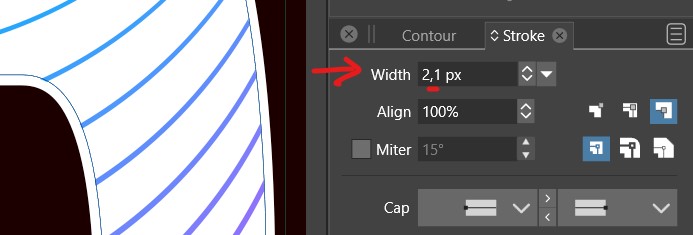
          @VectorStyler Right but I was surprised to get such a difference with a change of 0.1 px.
          I have to figure out what is the second approach ☺

          W11 Pro 25H2 - 12th Gen Intel(R) i7-12700K 3.61 GHz - RAM 64 Go - NVIDIA GF GTX 4070 Ti - Intuos - Dell UP3216Q / Eizo ColorEdge
          W11 Pro 25H2 - 12th Gen Intel(R) i7-12700KF 3.60 GHz -RAM 64 Go - NVIDIA GF GTX 3080 - IntuosPro- ProArt PA329C

          VectorStylerV 1 Reply Last reply Reply Quote 1
          • VectorStylerV Offline
            VectorStyler @B-Vs-V
            last edited by

            @Pat said in Clipping within text ?:

            Right but I was surprised to get such a difference with a change of 0.1 px.

            I will test this.

            B 1 Reply Last reply Reply Quote 1
            • B Offline
              B-Vs-V @VectorStyler
              last edited by

              @VectorStyler said in Clipping within text ?:

              @Pat > The second approach (with the object role and Shape style) will leave the text editable.

              It doesn't work as expected I guess:
              before

              0_1683436733875_sh1.jpg

              after
              0_1683436762518_sh2.jpg

              or
              0_1683436772935_sh3.jpg

              W11 Pro 25H2 - 12th Gen Intel(R) i7-12700K 3.61 GHz - RAM 64 Go - NVIDIA GF GTX 4070 Ti - Intuos - Dell UP3216Q / Eizo ColorEdge
              W11 Pro 25H2 - 12th Gen Intel(R) i7-12700KF 3.60 GHz -RAM 64 Go - NVIDIA GF GTX 3080 - IntuosPro- ProArt PA329C

              1 Reply Last reply Reply Quote 0
              • B Offline
                B-Vs-V
                last edited by

                @VectorStyler the easiest would be to (be able to) clip the design into the text ☺

                W11 Pro 25H2 - 12th Gen Intel(R) i7-12700K 3.61 GHz - RAM 64 Go - NVIDIA GF GTX 4070 Ti - Intuos - Dell UP3216Q / Eizo ColorEdge
                W11 Pro 25H2 - 12th Gen Intel(R) i7-12700KF 3.60 GHz -RAM 64 Go - NVIDIA GF GTX 3080 - IntuosPro- ProArt PA329C

                1 Reply Last reply Reply Quote 1
                • B Offline
                  B-Vs-V @VectorStyler
                  last edited by

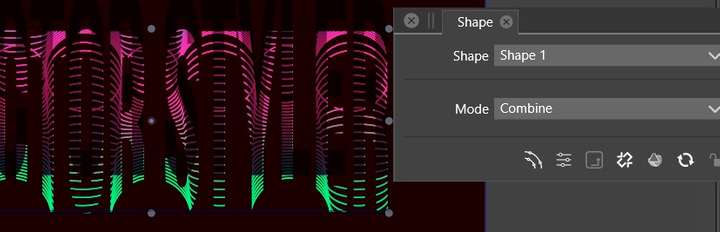
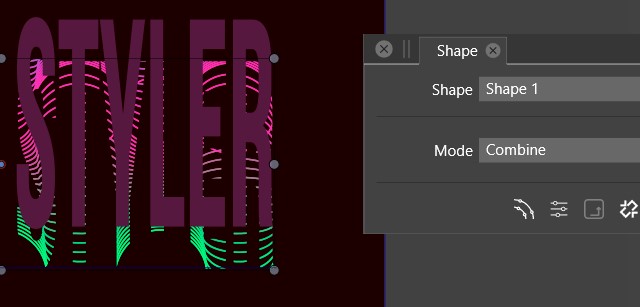
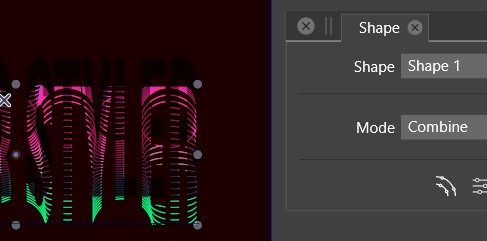
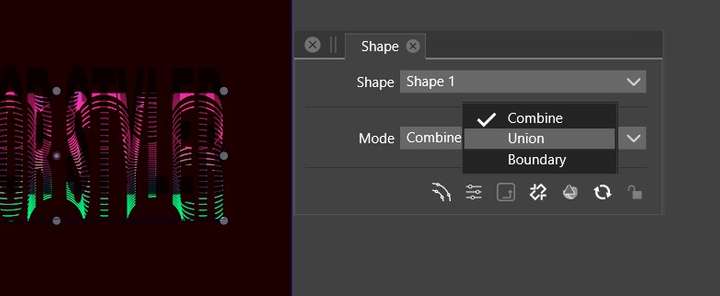
                  @VectorStyler VS crashes when I changed the "mode" through the shape panel. I've sent you two crash reports.
                  I'll send you the file.
                  0_1683437427344_sh1.jpg

                  0_1683437477008_sh2.jpg

                  W11 Pro 25H2 - 12th Gen Intel(R) i7-12700K 3.61 GHz - RAM 64 Go - NVIDIA GF GTX 4070 Ti - Intuos - Dell UP3216Q / Eizo ColorEdge
                  W11 Pro 25H2 - 12th Gen Intel(R) i7-12700KF 3.60 GHz -RAM 64 Go - NVIDIA GF GTX 3080 - IntuosPro- ProArt PA329C

                  1 Reply Last reply Reply Quote 1
                  • B Offline
                    B-Vs-V @VectorStyler
                    last edited by

                    @VectorStyler said in Clipping within text ?:

                    @Pat The second approach (with the object role and Shape style) will leave the text editable.

                    Is there a way to undo that later other than going back through the history panel ? Thanks ☺

                    W11 Pro 25H2 - 12th Gen Intel(R) i7-12700K 3.61 GHz - RAM 64 Go - NVIDIA GF GTX 4070 Ti - Intuos - Dell UP3216Q / Eizo ColorEdge
                    W11 Pro 25H2 - 12th Gen Intel(R) i7-12700KF 3.60 GHz -RAM 64 Go - NVIDIA GF GTX 3080 - IntuosPro- ProArt PA329C

                    VectorStylerV 1 Reply Last reply Reply Quote 0
                    • VectorStylerV Offline
                      VectorStyler @B-Vs-V
                      last edited by

                      @Pat I will try to replicate the shape mode crash. Was this with the clipped blend in the example emailed earlier?

                      The blend clipping in the text contained a bug (in the blend calculation, when clipped). This is fixed now and the fix will be in the next build (sometime this week).

                      B 1 Reply Last reply Reply Quote 1
                      • B Offline
                        B-Vs-V @VectorStyler
                        last edited by

                        @VectorStyler Yes, I think so.
                        Thanks for the fix & the next release ☺

                        W11 Pro 25H2 - 12th Gen Intel(R) i7-12700K 3.61 GHz - RAM 64 Go - NVIDIA GF GTX 4070 Ti - Intuos - Dell UP3216Q / Eizo ColorEdge
                        W11 Pro 25H2 - 12th Gen Intel(R) i7-12700KF 3.60 GHz -RAM 64 Go - NVIDIA GF GTX 3080 - IntuosPro- ProArt PA329C

                        VectorStylerV 1 Reply Last reply Reply Quote 0
                        • VectorStylerV Offline
                          VectorStyler @B-Vs-V
                          last edited by

                          @Pat Regarding the text clipping of blend object, these is fixed in the new build, but with one caveat. It might be required to enable the Object -> Content -> Winding Fill for the text object (that is used for clipping) to achieve the desired goal. Some font outlines contain overlapping "holes".

                          Another solution is to enable the Character panel -> panel menu -> Normalize Glyph for the text. This is also needed for most of the variable fonts that rely on overlapping shapes to create configurable glyphs.

                          B 1 Reply Last reply Reply Quote 2
                          • B Offline
                            B-Vs-V @VectorStyler
                            last edited by

                            @VectorStyler Thanks, duly noted ☺
                            To recall what to do in the future , I'll will save the post ☺

                            W11 Pro 25H2 - 12th Gen Intel(R) i7-12700K 3.61 GHz - RAM 64 Go - NVIDIA GF GTX 4070 Ti - Intuos - Dell UP3216Q / Eizo ColorEdge
                            W11 Pro 25H2 - 12th Gen Intel(R) i7-12700KF 3.60 GHz -RAM 64 Go - NVIDIA GF GTX 3080 - IntuosPro- ProArt PA329C

                            1 Reply Last reply Reply Quote 0
                            • First post
                              Last post