VectorStyler
    • Categories
    • Unread
    • Recent
    • Tags
    • Popular
    • Register
    • Login

    Could the default settings for the eraser/path brush/etc be set at "none" ?

    Scheduled Pinned Locked Moved Features and Ideas
    5 Posts 3 Posters 6.0k Views 2 Watching
    Loading More Posts
    • Oldest to Newest
    • Newest to Oldest
    • Most Votes
    Reply
    • Reply as topic
    Log in to reply
    This topic has been deleted. Only users with topic management privileges can see it.
    • BoldlineB Offline
      Boldline
      last edited by

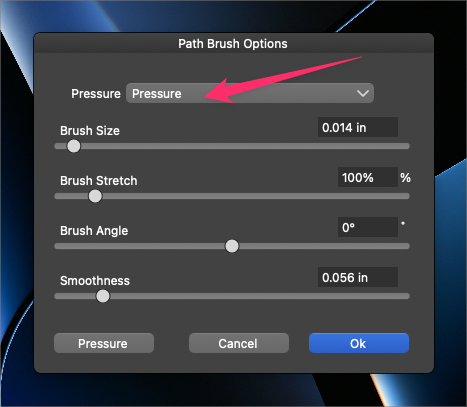
      Could the default settings for the eraser/path brush/etc be set at "none" ? Each time I update VS it sets this back to "pressure" and while I appreciate the option to use pressure to influence the tools, for a new user it would be confusing because they do not fill the size of the tool unless pressure is applied. It would make more sense to me to have it be set at the basic setting (none) and allow the user to switch it when ready
      0_1693327750969_3b31141c-551a-4b3e-a764-333f4ed125aa-BLD 2023-08-29 at 12.46.20.png

      🍎 macOS Tahoe 26.2, Mac mini (M1, 2020), Chip Apple M1, Memory 16 GB
      Cintiq 27QHD Display and LG Ultra HD Display

      VectorStylerV 1 Reply Last reply Reply Quote 1
      • VectorStylerV Offline
        VectorStyler @Boldline
        last edited by

        @Boldline Added this to the backlog.

        1 Reply Last reply Reply Quote 0
        • H Offline
          Harry
          last edited by

          Personally, I prefer the "Pressure" option as a default, since I use a stylus often. But since VS remembers the last chosen value, it's okay with me to set it to "None"; it's like setting it and forgetting it.

          @VectorStyler
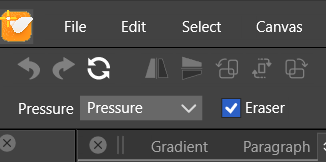
          By the way, can the Pressure options also be added to the "Path Brush Tool" toolbar as they are present in "Pencil" and "Brush Tool"?
          0_1693395967419_obraz_2023-08-30_134607416.png

          Win 11, XP Pen Deco 01 V2 graphic tablet

          1 Reply Last reply Reply Quote 0
          • BoldlineB Offline
            Boldline
            last edited by

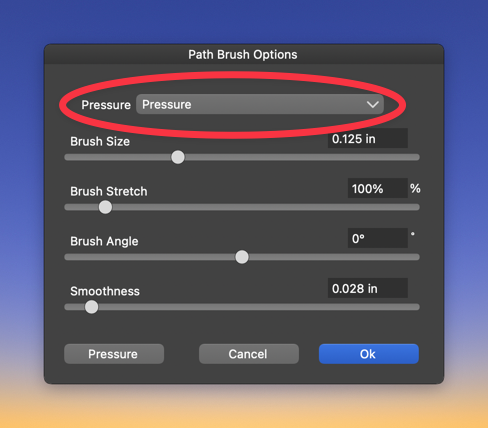
            @Harry You can currently access the pressure option for the path brush tool by double clicking the path brush tool icon in the vertical toolbar. Did you mean you wanted the pressure option as part of the contextual menu?
            0_1693397559991_5debbcec-f47e-4ec2-80bb-f8e4c35f9c7e-CleanShot 2023-08-30 at 08.10.17.png
            I like using the pressure option for the path brush as well, but my thought was that for new users, it should be neutral and allow the user to set it if they want it to be set to something else

            🍎 macOS Tahoe 26.2, Mac mini (M1, 2020), Chip Apple M1, Memory 16 GB
            Cintiq 27QHD Display and LG Ultra HD Display

            H 1 Reply Last reply Reply Quote 0
            • H Offline
              Harry @Boldline
              last edited by

              @Boldline

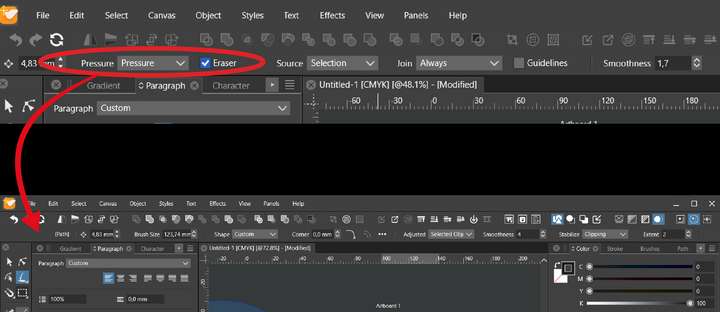
              I was referring to Pencil 's and Brush Tool 's options in the upper toolbar to add them to Path Brush Tool toolbar also:
              0_1693399042147_obraz_2023-08-30_143722144.png

              Win 11, XP Pen Deco 01 V2 graphic tablet

              1 Reply Last reply Reply Quote 1
              • First post
                Last post
