VectorStyler
    • Categories
    • Unread
    • Recent
    • Tags
    • Popular
    • Register
    • Login

    How to delete color stops in gradient panel?
    Scheduled Pinned Locked Moved Questions and Support
    9 Posts 3 Posters 7.9k Views 3 Watching
    Loading More Posts
    • Oldest to Newest
    • Newest to Oldest
    • Most Votes
    Reply
    • Reply as topic
    Log in to reply
    This topic has been deleted. Only users with topic management privileges can see it.
    • H Offline
      Harry
      last edited by

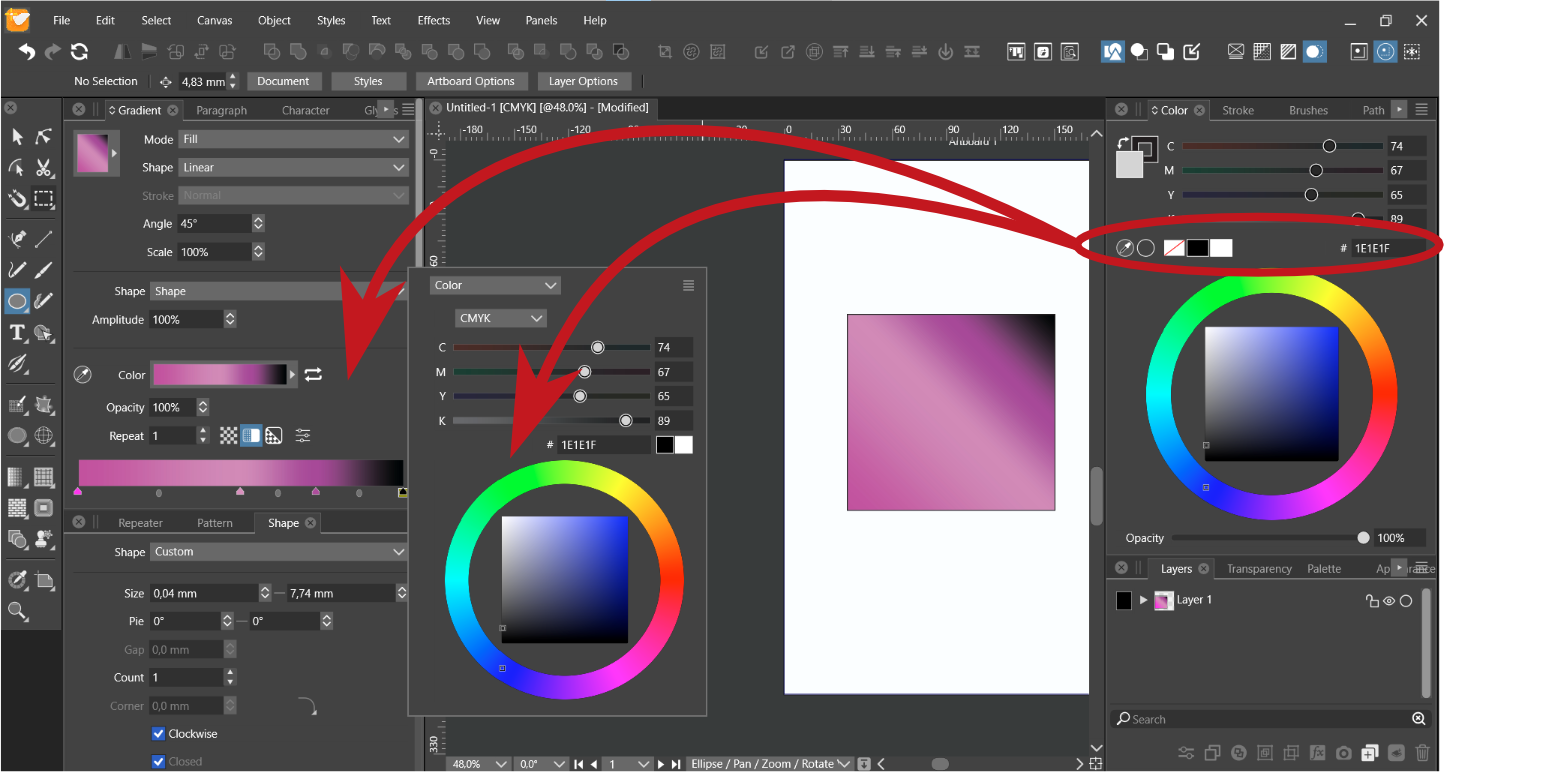
      Is there any fast option to delete color stops in a gradient without deleting the object?

      For example, all the basic options related to color could be copied for the gradient panel and it's pop-up menu:
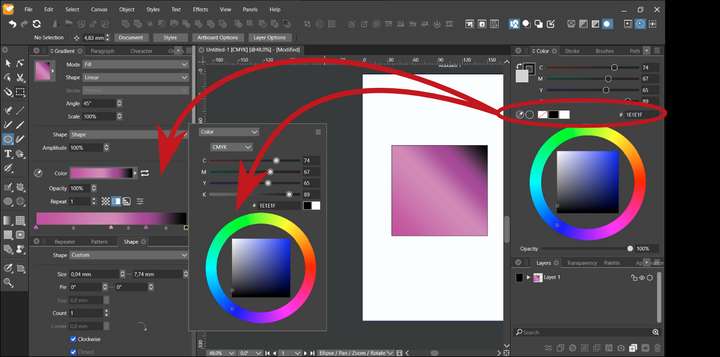
      0_1694507654559_obraz_2023-09-12_103414556.png

      Win 11, XP Pen Deco 01 V2 graphic tablet

      VectorStylerV 1 Reply Last reply Reply Quote 0
      • VectorStylerV Offline
        VectorStyler @Harry
        last edited by

        @Harry Drag the gradient color stop knob (triangle) downwards outside of the slider area.

        1 Reply Last reply Reply Quote 1
        • H Offline
          Harry
          last edited by

          Thank you for your fast response!
          But wouldn't just a simple icon be more intuitive without bothering you on the forum?

          0_1694516781032_obraz_2023-09-12_130621028.png

          Win 11, XP Pen Deco 01 V2 graphic tablet

          b77B 1 Reply Last reply Reply Quote 1
          • b77B Offline
            b77 @Harry
            last edited by b77

            @Harry That's not the button that would go well with that โ€” you want the
            color stop deleted, not still there.

            MacBook Pro (Intel) running Monterey 12.6.4

            H 1 Reply Last reply Reply Quote 1
            • H Offline
              Harry @b77
              last edited by

              @b77 Good point!

              Trash can icon would be better - for beginners and Illustrator users.

              Win 11, XP Pen Deco 01 V2 graphic tablet

              b77B 1 Reply Last reply Reply Quote 1
              • b77B Offline
                b77 @Harry
                last edited by b77

                @Harry I'm curious, is the current Illustrator having a button for this?
                Older versions didn't.

                @VectorStyler Maybe Option-Delete or Shift-Delete could work for this.

                MacBook Pro (Intel) running Monterey 12.6.4

                VectorStylerV 1 Reply Last reply Reply Quote 1
                • VectorStylerV Offline
                  VectorStyler @b77
                  last edited by

                  @b77 I added this to the backlog. I will try to find a place for a delete button as this is probably expected.

                  H 1 Reply Last reply Reply Quote 0
                  • H Offline
                    Harry @VectorStyler
                    last edited by

                    @VectorStyler, @b77 This is a Gradient panel in Illustrator with a trashcan button. - works great.
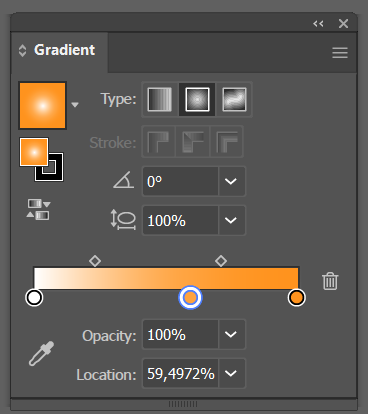
                    0_1694531833140_obraz_2023-09-12_171713137.png

                    Win 11, XP Pen Deco 01 V2 graphic tablet

                    b77B 1 Reply Last reply Reply Quote 2
                    • b77B Offline
                      b77 @Harry
                      last edited by b77

                      @Harry Correcting what I said:
                      I restarted to Sierra and AI CS5 has the trash can button there.
                      I guess I always used drag to deleteโ€ฆ ๐Ÿ™‚

                      MacBook Pro (Intel) running Monterey 12.6.4

                      1 Reply Last reply Reply Quote 2
                      • First post
                        Last post
