Can't move combined selection
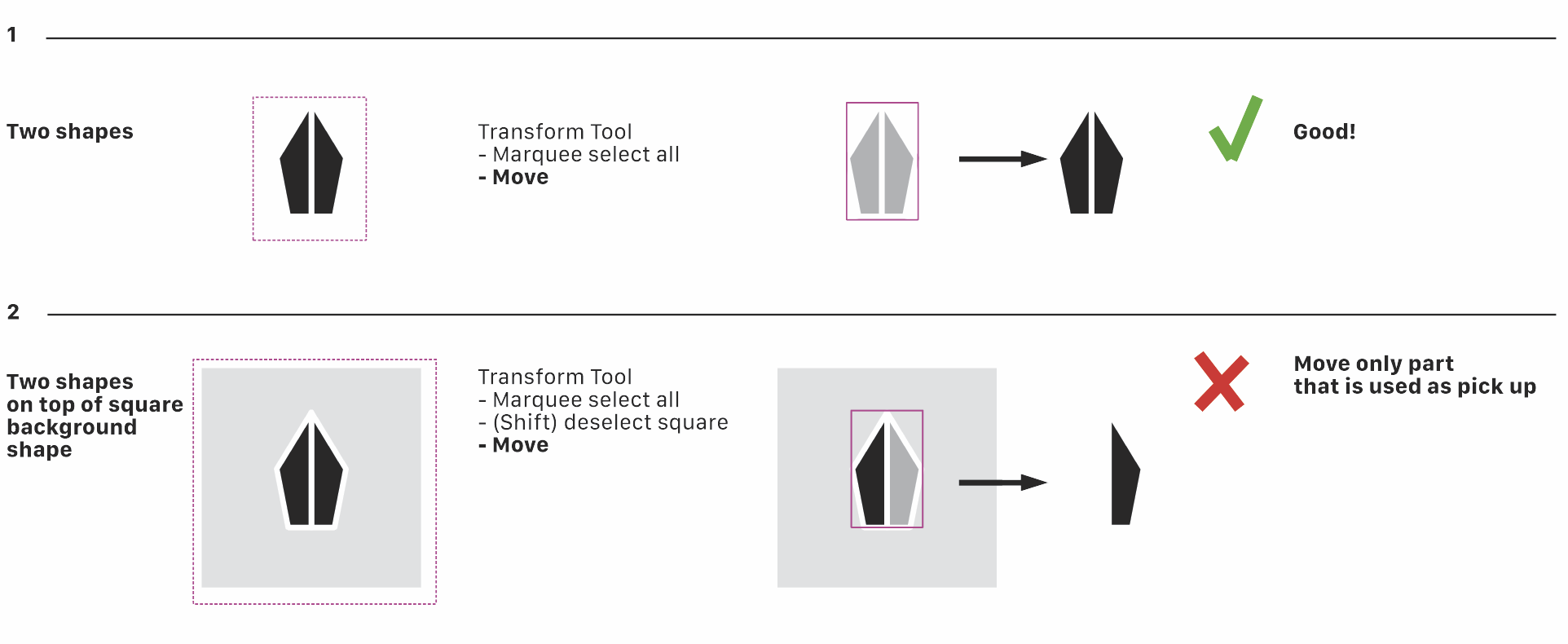
-
@Ayo said in Can't move combined selection:
@b77
Not complex, but attach the file anyway.
0_1698330009516_Move2.vstylertried it with your file
everthing works as expected
Here the Video -
@Ayo Moving or duplicating the two black shapes in the file works here as it should.
No idea what is causing this. Maybe you're using a stylus and not a mouse or trackpad?
…… . . .
OK, you're on a Mac.You can try to move the two files (settings.xml and workspace.xml) somewhere else:
-
close VS
-
switch to the Finder
-
click the 'Go' menu > Go to Folder…
-
paste this: ~/Library/Application Support/NumericPath/VectorStyler1.2/vector/data/resources
-
press Enter/Return.
-
move these two files (settings.xml and workspace.xml) outside that folder.
Then you can start the app again and see if the issue is solved.
If it's solved, send the .xml files to the developer's email (csraba at this domain).
MacBook Pro (Intel) running Monterey 12.6.4
-
-
@Ayo Tested it and there are no issues. Try clicking on "Restore Defaults (Help\Restore Defaults)" and then test it again.
-
@b77 Using a mouse.
Followed your procedure and problem is solved Indeed!
Still annoying that that happens.
Will send the .xml files to the developer's email.

