VectorStyler
    • Categories
    • Unread
    • Recent
    • Tags
    • Popular
    • Register
    • Login

    Select All Objects while working in the Node Tool

    Scheduled Pinned Locked Moved Features and Ideas
    26 Posts 5 Posters 38.4k Views 5 Watching
    Loading More Posts
    • Oldest to Newest
    • Newest to Oldest
    • Most Votes
    Reply
    • Reply as topic
    Log in to reply
    This topic has been deleted. Only users with topic management privileges can see it.
    • b77B Offline
      b77 @Ayo
      last edited by

      @Ayo Clicking the button of the layer doesn't select the objects on it.

      Option-clicking the Lock button of the layer with the objects will lock
      the other layers, then Cmd-A will select only the objects on this layer.

      MacBook Pro (Intel) running Monterey 12.6.4

      AyoA 1 Reply Last reply Reply Quote 0
      • AyoA Offline
        Ayo @b77
        last edited by

        @b77 Sorry can't get it done this way.
        I a'm afraid Vectorstyler is drifting away from me.

        b77B 1 Reply Last reply Reply Quote 0
        • b77B Offline
          b77 @Ayo
          last edited by b77

          @Ayo Not selecting the objects when clicking the layer's 'Select' button could be a bug.
          Option-clicking its Lock button is the workaround.

          MacBook Pro (Intel) running Monterey 12.6.4

          1 Reply Last reply Reply Quote 0
          • VectorStylerV Offline
            VectorStyler @Ayo
            last edited by

            @Ayo Use Command+A to select all objects, and then use the Path panel (expand from the title knob) and there is a close shape button (third row, third icon) in the panel.

            AyoA 1 Reply Last reply Reply Quote 0
            • AyoA Offline
              Ayo @VectorStyler
              last edited by Ayo

              @VectorStyler
              Provided I don't have to expand the layer and select everything manually.
              Cannot select and close all objects. Close button remains greyed out. Neither with the Transform Tool (and/or then switch to Node Tool as b77 suggested) nor with the Node Tool.

              But...
              Think I know what my problem is.
              SVG import brings me all paths open. As paths and (in this case most) as a group. Close Path can't handle/overide a grouped path. (AG Pathscribe does.)

              Sadly but clearly.
              Still stuck with the problem because I still can't ungroup all the groups without losing my layer.

              These types of layers easily exceed 100 items
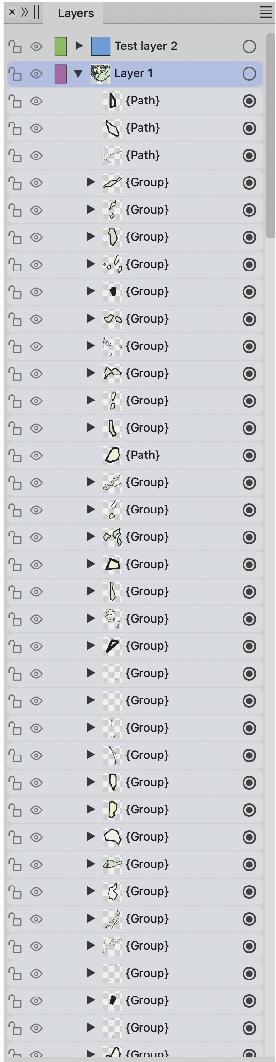
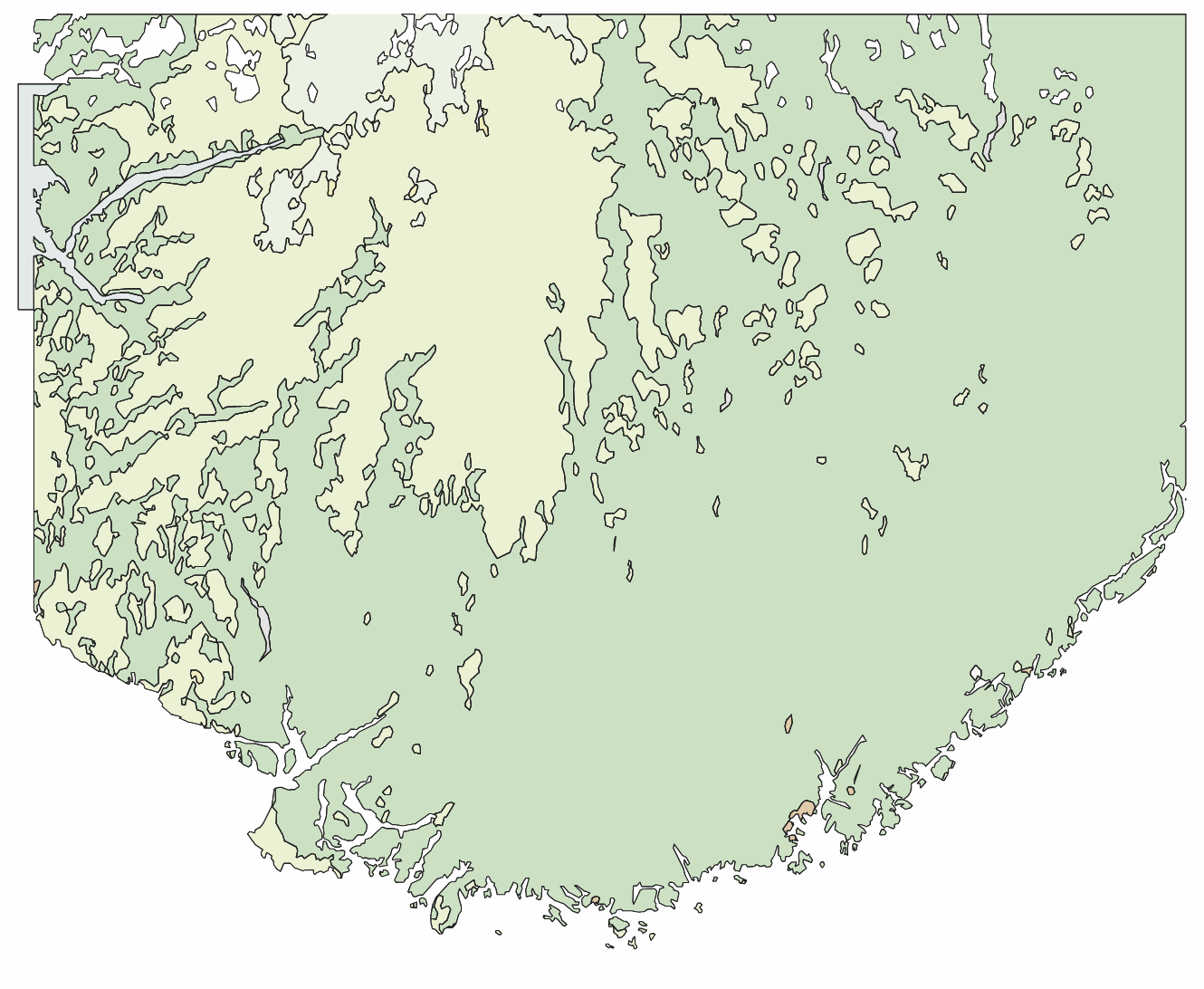
              0_1698658055854_5a701865-0bdc-44d4-90c1-365cc39ed92f-image.png

              VectorStylerV 1 Reply Last reply Reply Quote 1
              • VectorStylerV Offline
                VectorStyler @Ayo
                last edited by

                @Ayo I opened a bug on this one.

                AyoA 1 Reply Last reply Reply Quote 1
                • AyoA Offline
                  Ayo @VectorStyler
                  last edited by

                  @VectorStyler
                  Good to hear!
                  Close Path can't handle/overide a grouped path?

                  VectorStylerV AyoA 3 Replies Last reply Reply Quote 0
                  • VectorStylerV Offline
                    VectorStyler @Ayo
                    last edited by

                    @Ayo said in Select All Objects while working in the Node Tool:

                    Close Path can't handle/overide a grouped path?

                    yes, it seems to be disabled here also, which is a bug.

                    1 Reply Last reply Reply Quote 0
                    • VectorStylerV Offline
                      VectorStyler @Ayo
                      last edited by

                      @Ayo Meanwhile a workaround for closing a lots of curves:
                      Use Select (menu) -> Shape Type -> Open Curves, this will select all open shapes. Then the Close Path button is active.

                      S 1 Reply Last reply Reply Quote 2
                      • S Offline
                        Subpath @VectorStyler
                        last edited by

                        @VectorStyler said in Select All Objects while working in the Node Tool:

                        @Ayo Meanwhile a workaround for closing a lots of curves:
                        Use Select (menu) -> Shape Type -> Open Curves, this will select all open shapes. Then the Close Path button is active.

                        Use Select (menu) -> Shape Type -> Open Curves, great
                        that is a nice option to have 👍

                        Win 11
                        CPU: AMD Ryzen 5 9600X, 6-core.
                        GPU: Nvidia Geforce RTX 5070.

                        1 Reply Last reply Reply Quote 0
                        • AyoA Offline
                          Ayo @Ayo
                          last edited by

                          @Ayo said in Select All Objects while working in the Node Tool:

                          can't handle/overide a grouped path

                          Just a suggestion but this issue may correspond to one I made earlier?

                          Working in the Node Tool and select all 'Cmd-A' gives me the visual feedback image 1
                          while select all 'drag maquee select' gives me image 2, which is the feedback I would expect.
                          The radiobutton readout in the layers panel is also strangely inexplicably different.
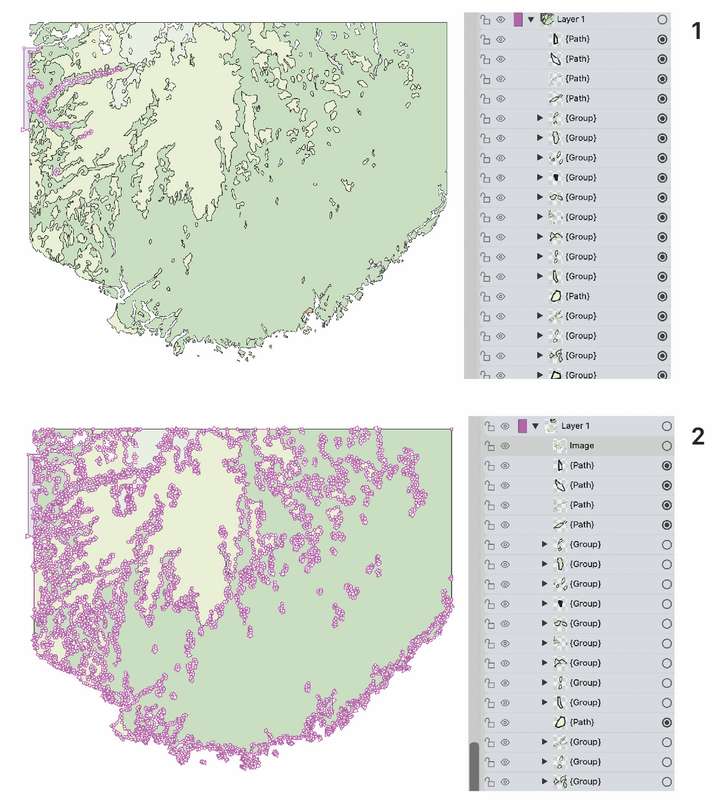
                          0_1698665614310_54d7421b-e50b-437e-ba9f-f4dc368e0e9e-image.png

                          VectorStylerV 1 Reply Last reply Reply Quote 1
                          • VectorStylerV Offline
                            VectorStyler @Ayo
                            last edited by

                            @Ayo said in Select All Objects while working in the Node Tool:

                            The radiobutton readout in the layers panel is also strangely inexplicably different.

                            In case (2) the paths inside the groups are selected, but the groups are not.

                            AyoA 2 Replies Last reply Reply Quote 0
                            • AyoA Offline
                              Ayo @VectorStyler
                              last edited by

                              @VectorStyler
                              Point is:
                              Assignment 'select All' one way or the other, should that differ?
                              ('Cmd-A' or 'drag maquee select')
                              Cmd-A within a selection (all the nodes of a selected object) is another thing.

                              VectorStylerV 1 Reply Last reply Reply Quote 1
                              • AyoA Offline
                                Ayo @VectorStyler
                                last edited by

                                @VectorStyler
                                Second:
                                Is left the proper visual representation of right? Or vice versa?
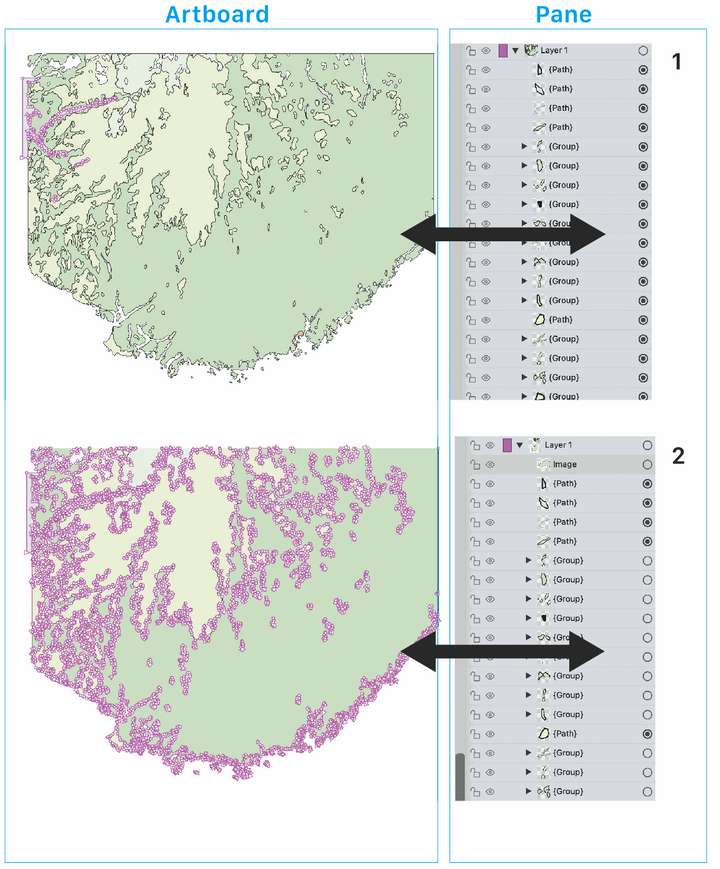
                                0_1698670418283_e1837260-8f4e-472b-9410-823173a4ad5c-image.png

                                VectorStylerV 1 Reply Last reply Reply Quote 0
                                • VectorStylerV Offline
                                  VectorStyler @Ayo
                                  last edited by

                                  @Ayo said in Select All Objects while working in the Node Tool:

                                  Assignment 'select All' one way or the other, should that differ?

                                  There is a bit of difference between "Select All" for objects and "Select All" for Nodes.
                                  In the first case (objects), the groups are selected (not their members).
                                  In the second case the members of the groups are selected (not the groups), unless the group has a clipping shape.

                                  1 Reply Last reply Reply Quote 0
                                  • VectorStylerV Offline
                                    VectorStyler @Ayo
                                    last edited by

                                    @Ayo said in Select All Objects while working in the Node Tool:

                                    Is left the proper visual representation of right? Or vice versa?

                                    Not sure of case (1), was it selected as Objects or as Nodes?
                                    Case (2) looks right, all nodes seem to be selected, if you look into the Groups in the Layers panel, the objects inside should be marked.

                                    But there is an other idea here: should the dot indicate if a member object is selected? Maybe with a light grey spot?

                                    AyoA 1 Reply Last reply Reply Quote 0
                                    • AyoA Offline
                                      Ayo @VectorStyler
                                      last edited by

                                      @VectorStyler
                                      Both 'Select All' selection examples are while working in Node Tool mode.

                                      1. 'Cmd-A'
                                      2. drag marquee select

                                      In my understanding, you should get the same result in a different way.

                                      Your theoretical explanation may be correct, but as a careless user I have to deal with what I see and get in return in the form of visual feedback on my own actions. There is no developer sitting next to me. So...
                                      WYSYWYG

                                      Should 'should the dot indicate if a member object is selected? Maybe with a light gray spot?' NO please no more vague highlighting in the layers pane!

                                      Selection indicators on the artboard are more direct and easier to read and understand than scrolling and counting dots in the layers panel. In my opinion you should be able to work with the layers closed/layers only in these types of integral actions.

                                      Have to think about it...

                                      VectorStylerV 1 Reply Last reply Reply Quote 1
                                      • VectorStylerV Offline
                                        VectorStyler @Ayo
                                        last edited by

                                        @Ayo said in Select All Objects while working in the Node Tool:

                                        Both 'Select All' selection examples are while working in Node Tool mode

                                        Got it. I will test this more.

                                        1 Reply Last reply Reply Quote 0
                                        • L Offline
                                          Li Xiao @Ayo
                                          last edited by Li Xiao

                                          @Ayo I didn't have time to record these past few days, but now I took some time to record it. This is a very simple problem, and VS can handle it perfectly. Just select (you can choose any selection method), connect the Paths, and it's that easy.

                                          0_1698717665412_Connect Paths.vstyler

                                          https://youtu.be/k4itqTE8Um8

                                          AyoA 1 Reply Last reply Reply Quote 3
                                          • AyoA Offline
                                            Ayo @Li Xiao
                                            last edited by

                                            @Li-Xiao
                                            Impressed and glad this works for you.
                                            For me, VS crashes every time I try to replicate this (1.2beta).

                                            Further
                                            I think this is lucky improper use of the function.
                                            Otherwise it's a naming problem.

                                            Combine > Connect Paths is far from Close path(s) in my view.

                                            L 1 Reply Last reply Reply Quote 1
                                            • First post
                                              Last post
