Issue with bucket fill tool
-
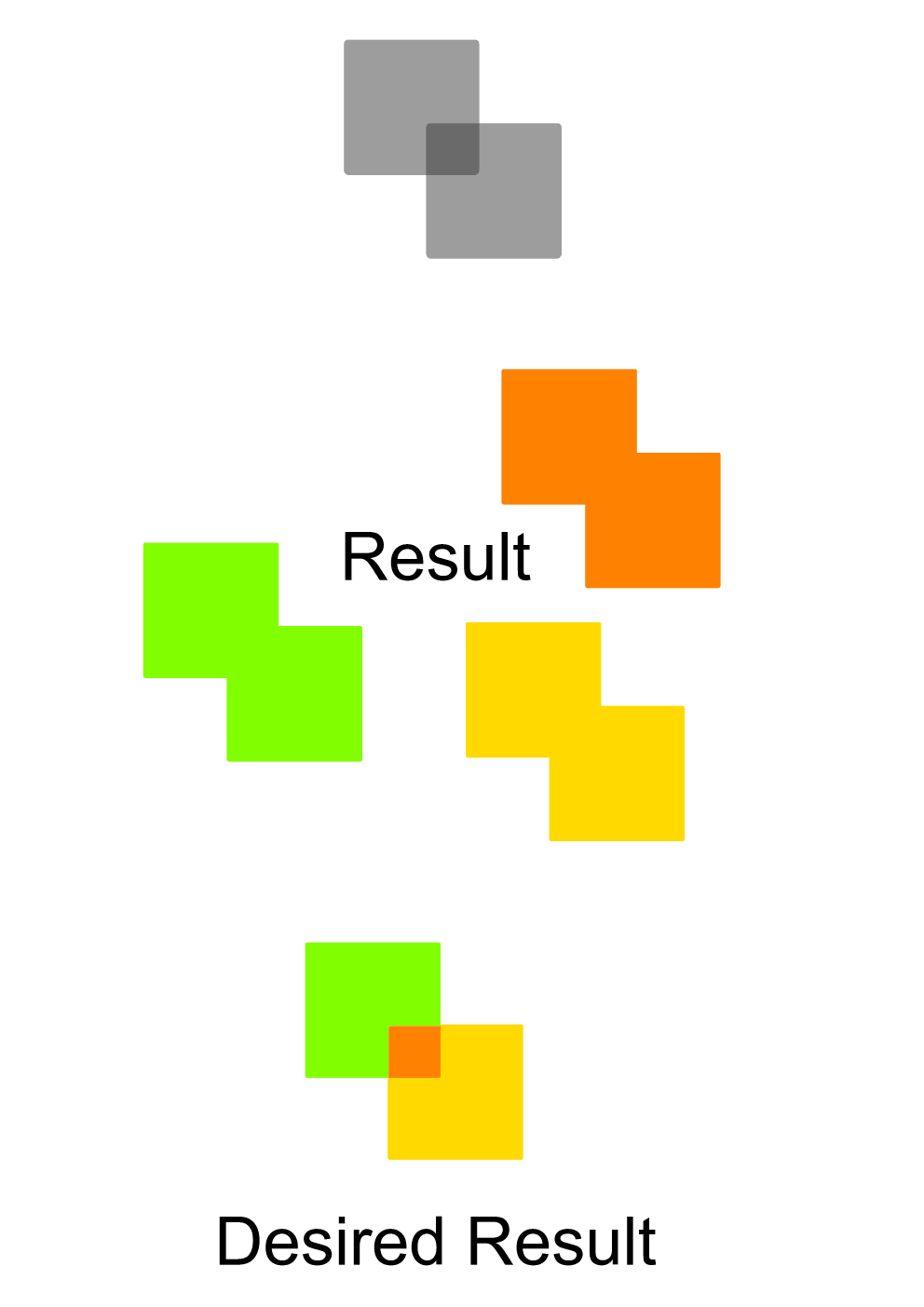
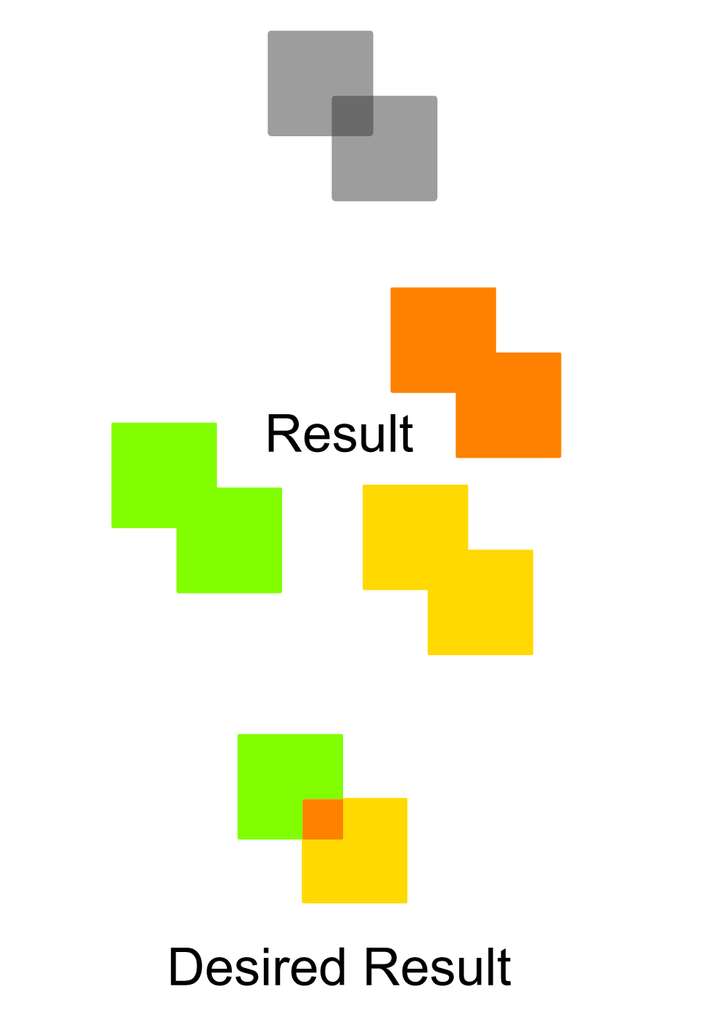
I tried to make new shapes with the bucket fill tool. I made two rectangles (see image below) and they are partly overlapping each other. So when I go over the two shapes you see three seperate shapes when hovering over with the bucket. So I clicked on one of the three shapes and was expecting only to make that shape that was ligthing up, but while seeing only one of the three, it made one union path.
-
@FastVector When the bucket fill tool active, uncheck the "Merge Styles" checkbox in the context panel.
-
Thanks that solved the problem.
- One other issue that I have, is that when using the bucket tool, the different areas are not always giving a hover color.
- And when they give a color it is not always the area where you are that is lighting up.
When recording this, in the recording you don't see the second issue. So maybe you know what I can do to solve this.
-
@FastVector said in Issue with bucket fill tool:
One other issue that I have, is that when using the bucket tool, the different areas are not always giving a hover color
This occurs just after the bucket fill tool activated, and before the first click. This is to delay the intersection of all the objects after the first click.
And when they give a color it is not always the area where you are that is lighting up.
I will try to replicate this.
