VectorStyler
    • Categories
    • Unread
    • Recent
    • Tags
    • Popular
    • Register
    • Login

    Why is the New Layer Preview default an Orange fill?

    Scheduled Pinned Locked Moved Questions and Support
    10 Posts 5 Posters 8.4k Views 4 Watching
    Loading More Posts
    • Oldest to Newest
    • Newest to Oldest
    • Most Votes
    Reply
    • Reply as topic
    Log in to reply
    This topic has been deleted. Only users with topic management privileges can see it.
    • BoldlineB Online
      Boldline
      last edited by

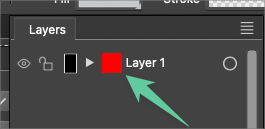
      When creating a new layer in any VS document, is there a reason the preview in the layers panel is a solid orange color? As soon as I draw in that layer or paste a vector into it, it changes to reflect the new objects.

      Would it make sense for this to be empty or white?
      0_1704065348909_a5505b31-0510-4987-9e42-f144b087efc1-BLD 2023-12-31 at 18.27.11.png

      🍎 macOS Tahoe 26.2, Mac mini (M1, 2020), Chip Apple M1, Memory 16 GB
      Cintiq 27QHD Display and LG Ultra HD Display

      VectorStylerV 1 Reply Last reply Reply Quote 0
      • F Offline
        FastVector
        last edited by FastVector

        In Windows it doesn't have a 'fill'.

        0_1704116740879_Knipsel.PNG

        Windows 10 | 1920x1080 | 125%

        1 Reply Last reply Reply Quote 1
        • F Offline
          FastVector
          last edited by

          Go to the hamburger menu of the Layer panel > Panel options > checkerboard

          first color = EFEFEF
          second color = CFCFCF

          Windows 10 | 1920x1080 | 125%

          1 Reply Last reply Reply Quote 1
          • VectorStylerV Offline
            VectorStyler @Boldline
            last edited by

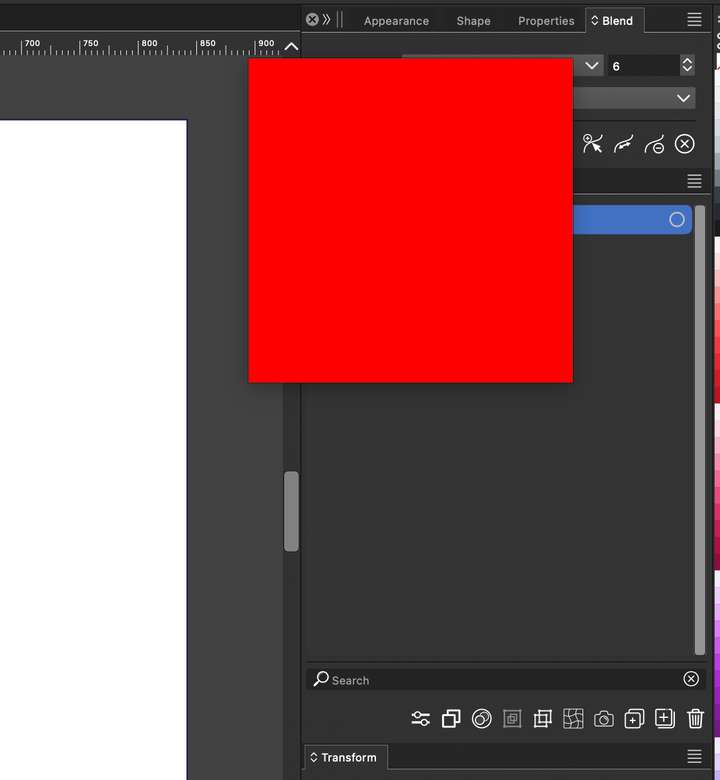
            @Boldline The empty layer preview should not be orange (or red) is should be a an empty checkerboard.

            Send me the file where you have this empty layer.

            BoldlineB 1 Reply Last reply Reply Quote 0
            • BoldlineB Online
              Boldline @VectorStyler
              last edited by

              @VectorStyler Just an FYI, I was using the regular non-beta version of VS on my old Mac running El Capitan and there was no issue with the default color fill in the layers panel

              🍎 macOS Tahoe 26.2, Mac mini (M1, 2020), Chip Apple M1, Memory 16 GB
              Cintiq 27QHD Display and LG Ultra HD Display

              1 Reply Last reply Reply Quote 1
              • K Offline
                Kumr
                last edited by

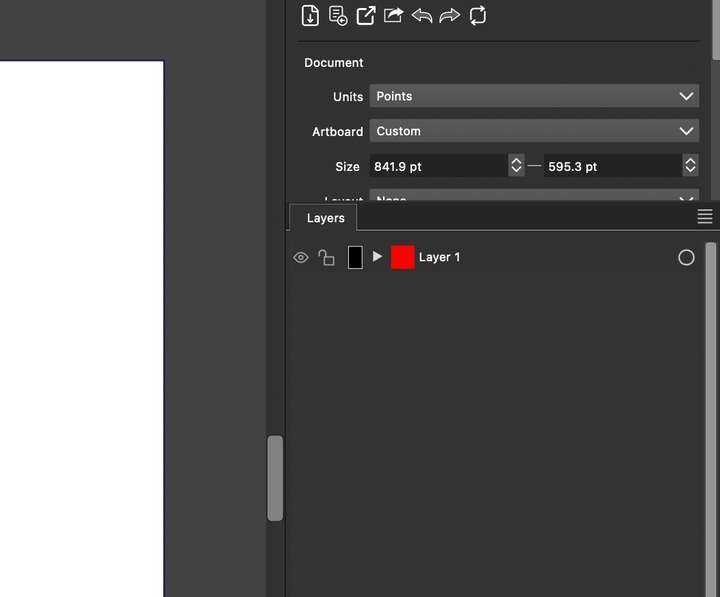
                @Boldline @VectorStyler I noticed the same.
                0_1704416074970_Screenshot 2024-01-05 at 6.22.59 AM 1.png

                M1 MacBook Air, 16GB, macOS Sonoma 14.4.1

                VectorStylerV 1 Reply Last reply Reply Quote 2
                • VectorStylerV Offline
                  VectorStyler @Kumr
                  last edited by

                  @Kumr @Boldline Looks like this occurs on MacOS Sonoma in both cases.
                  What happens if ou double click on the preview box (should open a larger preview)?

                  K 1 Reply Last reply Reply Quote 0
                  • Devil DinosaurD Offline
                    Devil Dinosaur
                    last edited by

                    Works normally here with Sonoma (both regular and beta version), every new layer has a checker fill.

                    Fred.
                    MacBook Pro (M1) - MacOs Sonoma 14

                    1 Reply Last reply Reply Quote 1
                    • K Offline
                      Kumr @VectorStyler
                      last edited by

                      @VectorStyler When I double click.

                      0_1704507259553_Screenshot 2024-01-06 at 7.43.23 AM.png

                      M1 MacBook Air, 16GB, macOS Sonoma 14.4.1

                      F 1 Reply Last reply Reply Quote 1
                      • F Offline
                        FastVector @Kumr
                        last edited by

                        @Kumr I think this is normal. It magnifies the layer, so, when the layer is filled with objects, you can see the things that are in the layer.


                        Windows 10 | 1920x1080 | 125%

                        1 Reply Last reply Reply Quote 1
                        • First post
                          Last post